Participant
July 13, 2021
Answered

Recent Premiere Pro update not working with .MOV

  • July 13, 2021
  • 1 reply
  • 440 views

A quick run down, I have a Macbook Pro that is running on Big Sur and i have just updated Premiere Pro to its latest version. Any .MOV files do not play video. The file imports and it shows in the media bin, the video works in quicktime player and the audio works but dragging it into the timeline only drags the video over. I have tied converting the file to an MP4 and that is not working either. I'm really stuck at this point. Any have this issue?
This topic has been closed for replies.
Correct answer R Neil Haugen

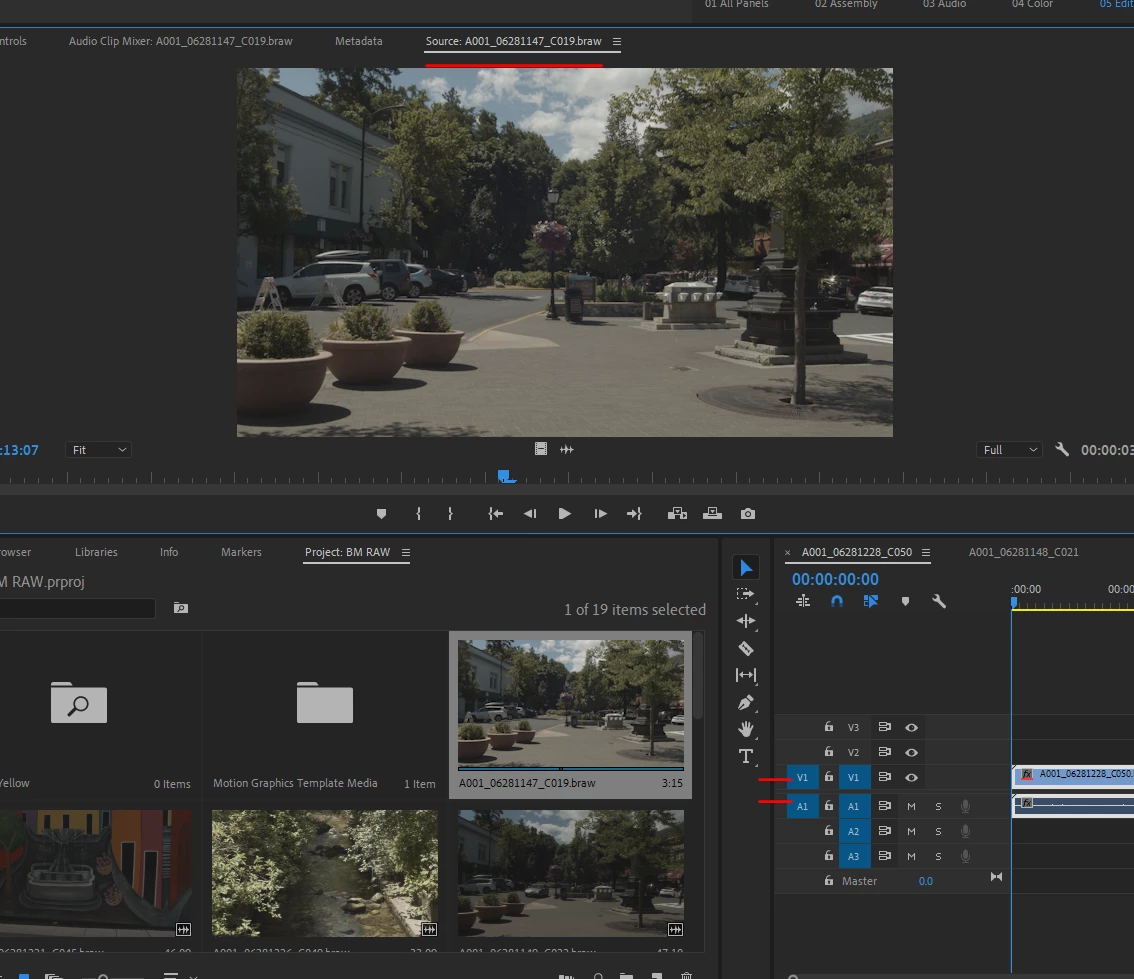
Are you sure you have the Source and Target tracks set on the sequence in the timeline panel?


Neil


1 reply

R Neil Haugen
R Neil HaugenCorrect answer
Legend
July 13, 2021

Are you sure you have the Source and Target tracks set on the sequence in the timeline panel?


Neil


Everyone's mileage always varies ...
rich bAuthor
Participant
July 14, 2021

They are on just checked. I also took a quick test video and uploaded and created a new project in premiere and now that new video works. The video that wasn't working still doesn't work in the new project however. I am wondering if it is an error with that specific video as both of them are in .MOV but only the newer works. 

rich bAuthor
Participant
July 14, 2021

I also tried some older .MOV files from previous projects that worked and those do not work now.