Participant
June 28, 2017
Answered

Red screen problem

  • June 28, 2017
  • 2 replies
  • 23568 views

Hi,

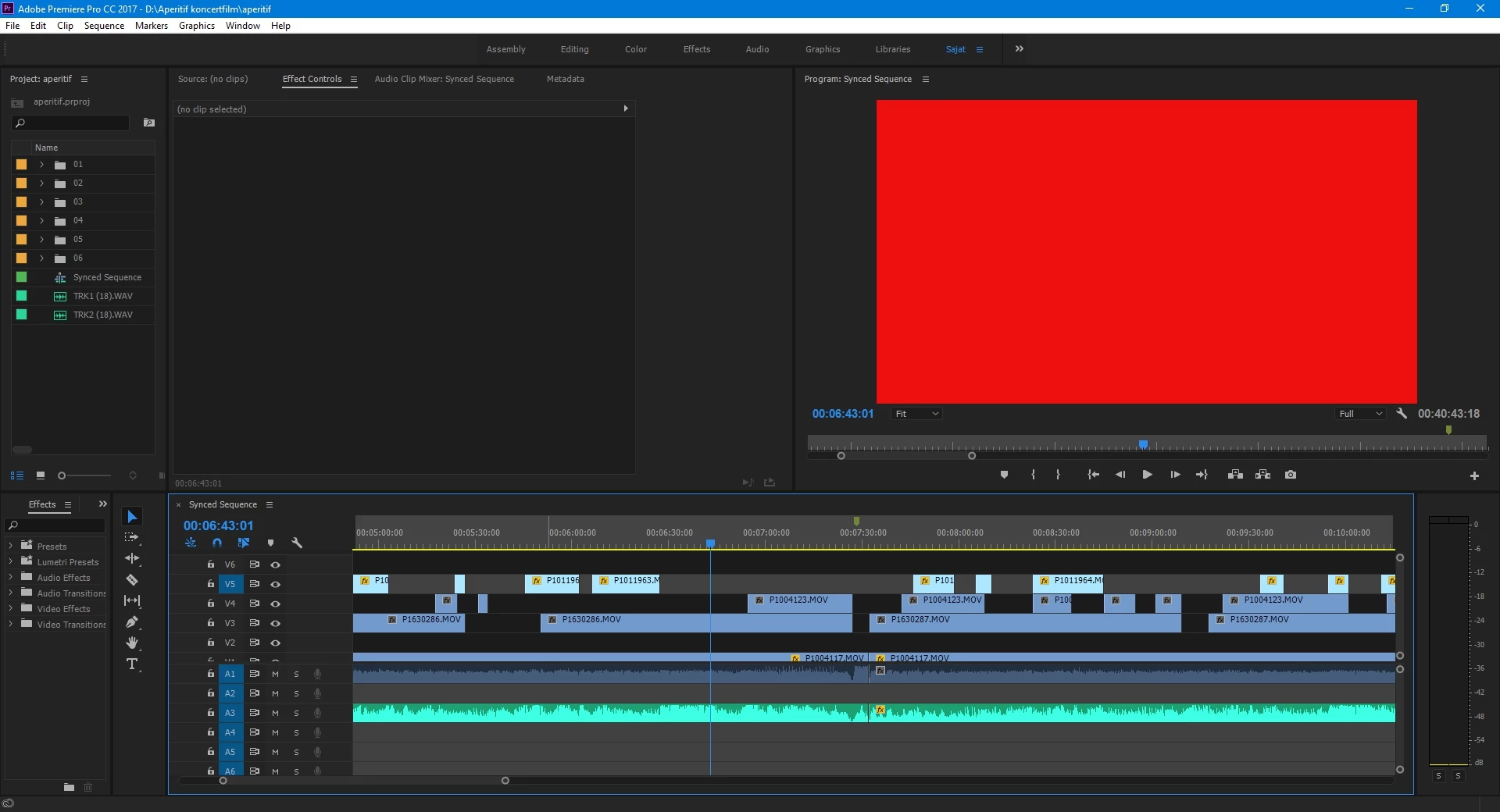
I upgraded to the Premiere Pro CC 2017 11.1.1 version, and I have problem, there are a lot of 'red screens' on my project, and when I export the video, the red screens still appears in the final video too.

I work with MOV files (Image Size: 3840 x 2160 Frame Rate: 25,00).

Could you help me to solve this problem?

Thank you!
This topic has been closed for replies.
Correct answer Vidya Sagar

HI brigitta1979,

Sorry for the issue with Red frames. What is the Codec in MOV files?

Please try the following step:

In Premiere Pro Preferences > Media > Uncheck "Enable accelerated Intel h.264 decoding" > Restart Premiere Pro & test.

Please let us know the status of the issue.

Thanks,

Vidya.

2 replies

Participant
May 9, 2018

I’m Having the same problem and most of the forums I’ve come across suggest enablomg accelerated intel h.264 recording, but I don’t have an option to. In fact, no where does it say anything about enabling accelerated intel.

I have uninstalled and reinstalled the program. I have cleaned out my media cache folder. I have restarted to computer and still no solution.

thankfully, it’s only one clip that I can just not use.

But, if I’m missing something please help.

Vidya Sagar
Participating Frequently
May 11, 2018

Hi vanessas59453176,

Sorry for the trouble. Please share your system specs(OS, RAM, GPU, CPU, GPU driver) with us.

What is the exact version of the application? FAQ: How to find the exact version of Premiere Pro you're using?

Thanks,

Vidya

Participating Frequently
July 24, 2018

I have this problem quite often when rer-endering a clip from AE then opening a PP project. Normally if I see the red frame I can restart the computer and reopen and the red goes away. This is still a pain

.......but now I have been getting red frames upon encode in AME. I can play a clean timeline in PP but after export thru AME I get the "red frame of death". Im on a MAC PRO my source files are Quicktime Pro Res HQ into premiere pro. then out through the AME queue to H264. I can not find the preference in either PP or AME that you mention.

MAC PRO 10.13.6 , AME 12.1.1 Build 12 PP 12.1.1 Build 10

Dual AMD fire pro AMD 700

Any help is appreciate. With longer format programs this is becoming a real time suck.

Vidya Sagar
Vidya SagarCorrect answer
Participating Frequently
June 28, 2017

HI brigitta1979,

Sorry for the issue with Red frames. What is the Codec in MOV files?

Please try the following step:

In Premiere Pro Preferences > Media > Uncheck "Enable accelerated Intel h.264 decoding" > Restart Premiere Pro & test.

Please let us know the status of the issue.

Thanks,

Vidya.

Participant
June 28, 2017

Hi Vidya,

this seems to have solved the problem, thank you very much!

Brigitta