


Participating Frequently
April 24, 2026
Question

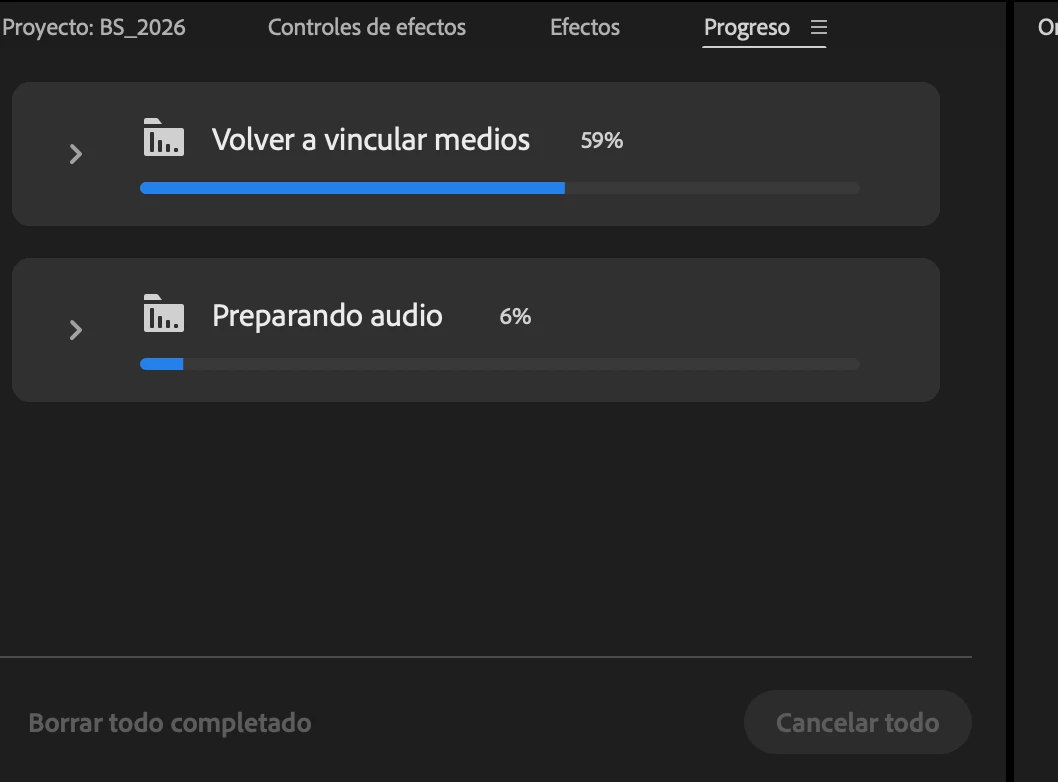
“relinking media” and “generating audio in premiere

  • April 24, 2026
  • 3 replies
  • 70 views

I’m having a very frustrating issue where every time I open a project, the progress panel in Adobe Premiere Pro starts “relinking media” and “generating audio,” which takes many hours to complete and severely slows down my editing process.

I’m currently using version 26.0.2 and working on a large project with a lot of footage. I’m working from a 14TB external USB-C drive. I’ve already cleared the cache that was linked to the external drive and reassigned it to my computer’s internal drive.

I need help solving this problem. Thank you.


    3 replies

    cendrick1
    Known Participant
    May 19, 2026

    When I uninstalled my Insta360 plugin this issue of long relinking time went away. Maybe that might help you too?

    Community Expert
    April 26, 2026

    I’d strongly recommend having your project and resources on an internal drive if possible.

    Participating Frequently
    April 27, 2026

    I save the project in a SSD external hard drive and all went well. Aparently was the HDD hard drive that doesn’t work well for this kind of project. 


    I aslo make sure that all proxy files are at the same format. 

    Community Expert
    April 26, 2026

    With that much media, the repeated relinking and audio preparation every time you open the project is a clear sign you need to move to Productions.


    Productions let you break your project into smaller pieces, so Premiere Pro only loads what you need to work on at any given time, rather than everything at once.


    Here's where to start:

    1. Import your project into the Production panel.
    2. Split it into at least two projects, one for media and one for sequences.
    3. Break those down further based on what you're actively working on.


    For an introduction to Productions, start here: https://helpx.adobe.com/au/premiere/desktop/collaborate-with-others/collaborate-using-productions/about-productions.htm