

Participant
June 14, 2023
Question

remove green screen from background only while person clothed green

Hi,

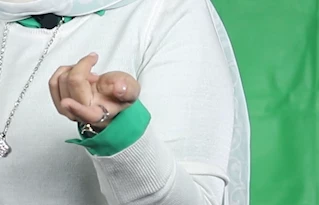
Is there a way to remove the green background in Adobe Premiere, knowing that the person is wearing a green dress without shooting the video again?

This topic is closed to new replies. Start a new post to keep the conversation going.

3 replies

Warren Heaton
Community Expert
Community Expert
June 18, 2023

@Shebbe has the common approach to fixing this issue in post.


You could try exporting an Image Sequence to Photoshop and then use Select Subject followed by Add Layer Mask via a Batch Action, cleaning up the resulting Layers Masks as needed.  Use PSD as the file format to be able to easily save the results on the Photoshop side.  I’ve saved some shots of actors in green Army uniforms that should have been shot over bluescreen with this approach.

Translate
Ann Bens
Community Expert
Community Expert
June 18, 2023

Moved from beta to regualar forum.

Translate
Shebbe
Community Expert
Community Expert
June 16, 2023

No, you will have to do the keying process as usual. Then on top you have to add a copy of the footage and rotoscope the pieces of clothting that should remain visible. Depending on the complexity of the footage/acting you may find it easier to do that task in After Effects. I'd even say do it in Mocha if you are familiar with it as it's a much faster way to do these tasks. Mocha AE is free and integrated by default in AE.

Translate