Participant
October 22, 2021
Question

removing inactive clips?

  • October 22, 2021
  • 3 replies
  • 294 views

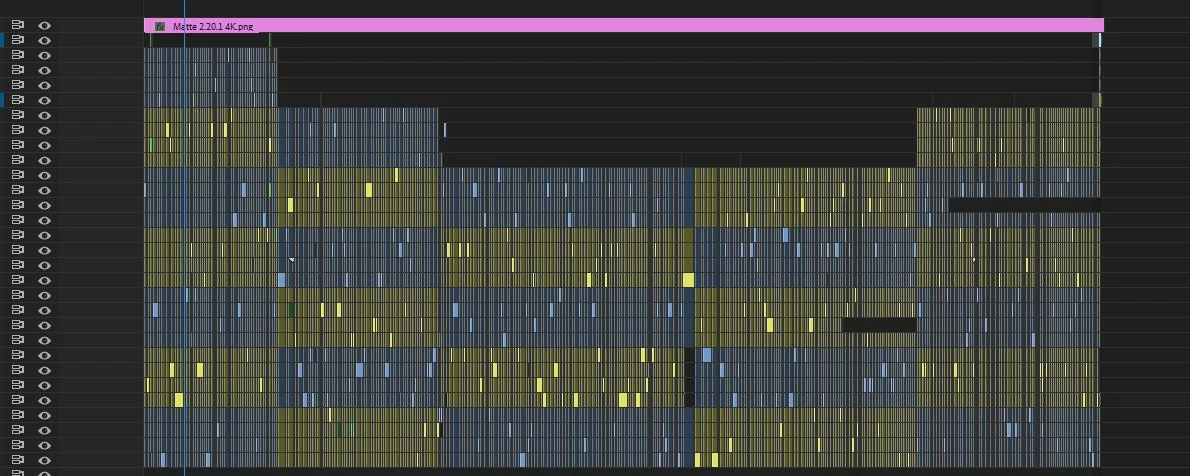
Hi guys, I have a question. Once your edit is finished, Is there a fast way to remove all the inactive clips from the timeline? And to bring all the remaining active clips to a single video track? Or it has to be donne manually? Thanks for your help.
This topic has been closed for replies.

3 replies

Community Expert
October 22, 2021
Peru Bob
Community Expert
Community Expert
October 22, 2021

There is not an automatic method to remove clips from the timeline.


Participant
October 22, 2021

I think it would be 2 useful and simple functions.

1) remove inactive clips from timeline

2) bring all active clips in sequence to a single video track.


Just saying.


Peru Bob
Community Expert
Community Expert
October 22, 2021

Please post that here where the Adobe engineers read all threads:
https://adobe-video.uservoice.com/forums/911233-premiere-pro

Participating Frequently
October 22, 2021

Edit Menu --> Remove unused

Participant
October 22, 2021

Thanks Tymb but, no that's not what I mean.

Remove unused  takes out the files that you don't use at all in your project.

I want to remove the inactive clips on my timeline.