



Daniel Lange
Known Participant
April 17, 2026
Question

Removing pauses using Text based editing still leaves a lot of room

  • April 17, 2026
  • 2 replies
  • 13 views

When removing pauses using Text based Editing, it still leaves a lot of room even though minimum pause length is set to 0.01 seconds
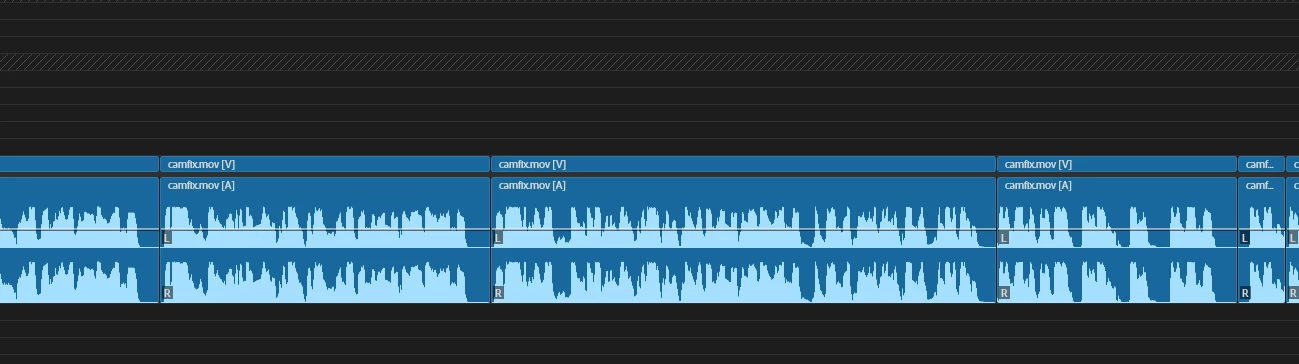


Version 26.2
I tried to test with multiple files, all the same, tried with a new project, same behavior. 26.2 leaves way more room before cut

I see that this got marked as a question, this is a bug

    2 replies

    Community Expert
    April 18, 2026

    It's hard to assess from the screenshots, since they're at different zoom levels.
     

    The key question is whether this is a transcript issue or a version-specific bug. Pause detection is based on the transcript, so it would help to know whether you re-transcribed your media when you rolled back to version 26.0, or whether you used the same transcript from your 26.2 project.
     

    To compare the two versions directly, try this:

    1. Create two versions of the same sequence.
    2. In each version of Premiere Pro, filter by Pauses and select Delete, choosing Lift rather than Extract. This leaves gaps in the Timeline where the pauses were removed.
    3. Copy both edited sequences into the same sequence and check whether they line up.
       

    If you can share your results, it may help determine where the issue is originating.

    Daniel Lange
    Known Participant
    April 17, 2026

    I ended up downgrading down to 26.0 - above issue is not present in that version 


    Pause detection and removal is working as intended in 26.0​​​​