
Known Participant
July 7, 2024
Question

Removing rainbow stripes in video

  • July 7, 2024
  • 3 replies
  • 2808 views

Dear all,

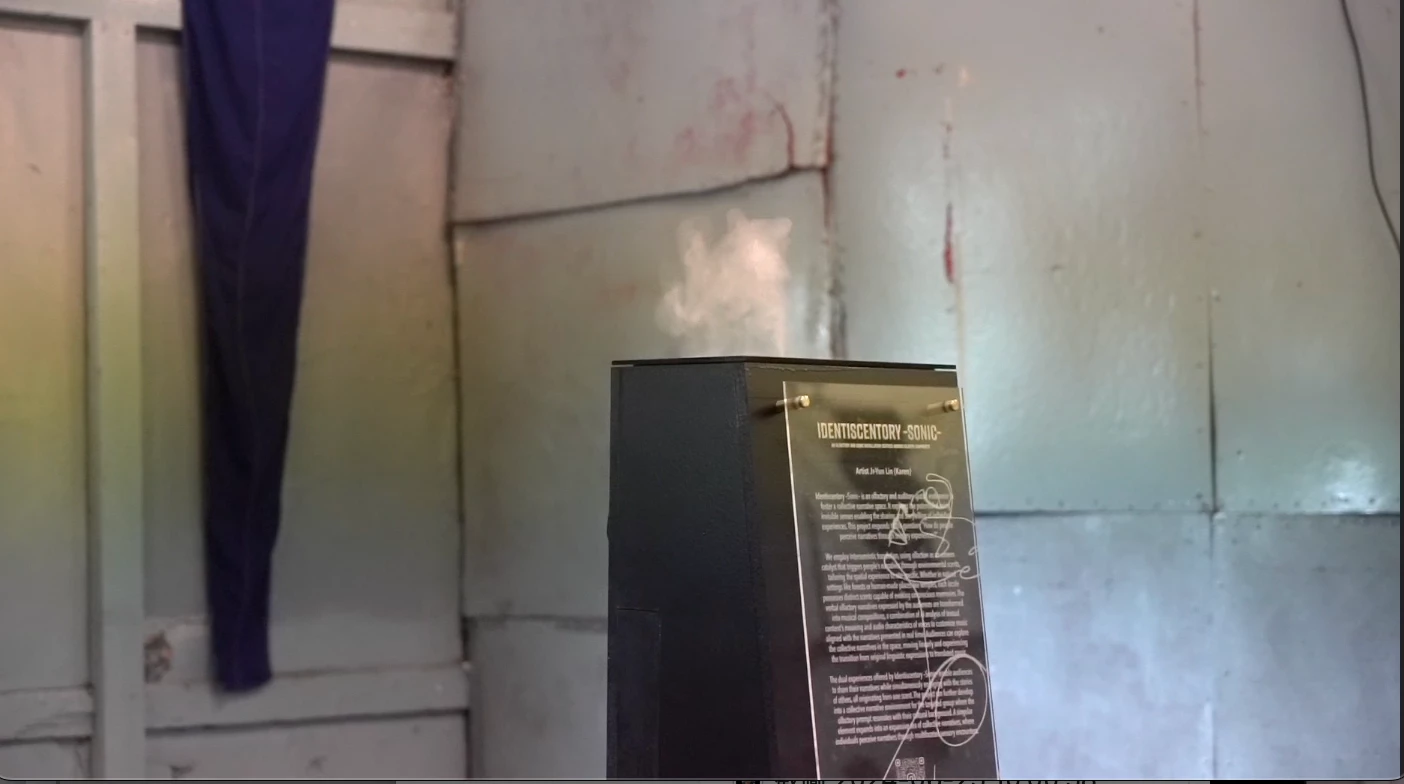
I recorded several videos from an exhibition for documentation purposes. When I started editing the clips, I found that all the videos had some rainbow effect stripes in the scenes. I am used to dealing with flickering caused by lighting, but I couldn't fix these rainbow stripes using the flicker correction method. I'm not entirely sure how to search for the proper technique to fix this issue because I don't know what it's called.

Does anyone know why this happens (so I can avoid it next time) and perhaps how I can fix it in post-production editing using Premiere Pro to eliminate the rainbow stripes?

Thank you.

Karen


Attached the screenshot of the video, the centre part have yellow-green ish stripes that is moving from top to bottom through out the video.
 

3 replies

Inspiring
July 8, 2024

It seems your refer to wide, vertically rolling bands ... am I right?

Inspiring
July 9, 2024

Check sort of repaired version below. But not in Premiere and it only works for near static camera:

https://drive.google.com/file/d/13se4kbj7mIq_G3J0ThELwjRxhn4aezIZ/view?usp=sharing

Karen JRAuthor
Known Participant
July 9, 2024

Yes, it is the vertical band that I was referring to.

How did you fix with the repair one? I have so many clips that are in the same situation but most of them have people moving in the scene. I want to try to fix them.

Legend
July 7, 2024

your screen grab isn't clear to me as to the problem... Maybe upload a short clip and it'll be clearer to me...  

Karen JRAuthor
Known Participant
July 7, 2024

Hi Michael,


Sorry, I couldn't find a place to upload a video so I took the screenshot instead. It seems like I can attach video clips here in the reply section.

Let me know if you know what is my issue here!

Thanks.


Karen

Legend
July 7, 2024

I'm not seeing any flickering...  what area are you  exactly  seeing this?   

Averdahl
Community Expert
Community Expert
July 7, 2024
quote

...I am used to dealing with flickering caused by lighting, but I couldn't fix these rainbow stripes using the flicker correction method. I'm not entirely sure how to search for the proper technique to fix this issue because I don't know what it's called.


By @Karen JR


I am not adressing "how-to" remove the flicker here, but since you mention that you are used to dealing with flicker caused by lightning i wonder if you for example shoot with let´s say 30 fps in PAL land, or shoot 25 fps in NTSC land? This is one of the most common reason behind flickering.


It all comes down to the electrical system, PAL=50 Hz and NTSC=60 Hz. So in short, if you are in PAL contry, shoot 25 or 50 fps since that divides nice and evenly with 50. If you are in NTSC country, shot in 30 or 60 fps since that divides nice and evenly with 60. If not, lights will flicker here and there due to the mismatch between the electrical system and the frame rate selected in the camera. Something to think about in the future to avoid flickering as much as possible.


Short example:

Electrical system in the U.S: 60 Hz (NTSC country)

Electrical system in the Europe: 50 Hz (PAL country)

Karen JRAuthor
Known Participant
July 7, 2024

Hi Averdahl,


Thanks for bringing up the fps. I am aware of the lighting and electrical system, so I am shooting in 50fps in UK. This usually solved most of the issues that I filmed, but this time it is a bit weird cause it has rainbow-ish stripes on that I've never seen before.