
Participant
June 6, 2023
Answered

Removing text preset from track style in Premiere Pro
  • June 6, 2023
  • 1 reply
  • 963 views

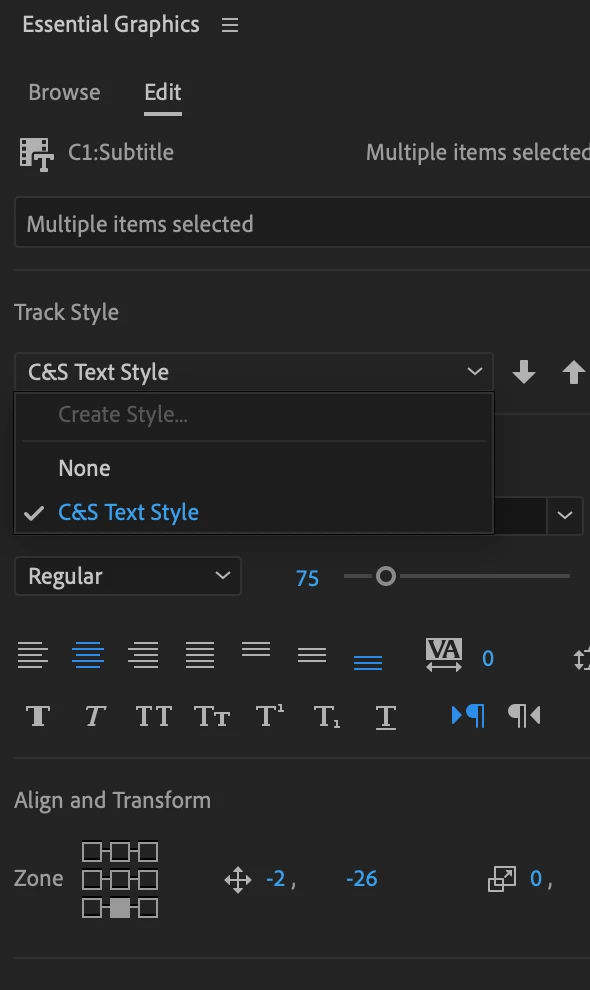
 I am trying to delete the C&S Text Style preset I made, but right clicking on it does not work nor does selecting it in the Captions and Graphics panel. I've already googled how to do it, but they do not work.

This topic has been closed for replies.
Correct answer Stan Jones

Nevermind I got it.


Excellent.


 See this post for more information about managing text styles.

https://community.adobe.com/t5/premiere-pro-discussions/premiere-pro-15-edit-rename-delete-captions-master-style/m-p/13493028#M449588


Stan


1 reply

Stan Jones
Community Expert
Community Expert
June 6, 2023

Delete it from the project panel.


Stan

Participant
June 6, 2023

I'm not sure what you mean by project panel. Is there a visual that I can see and understand? 

Participant
June 6, 2023

Nevermind I got it.