Participant
January 29, 2022
Question

Rendering and playback issues

  • January 29, 2022
  • 2 replies
  • 425 views

Hello colleagues,

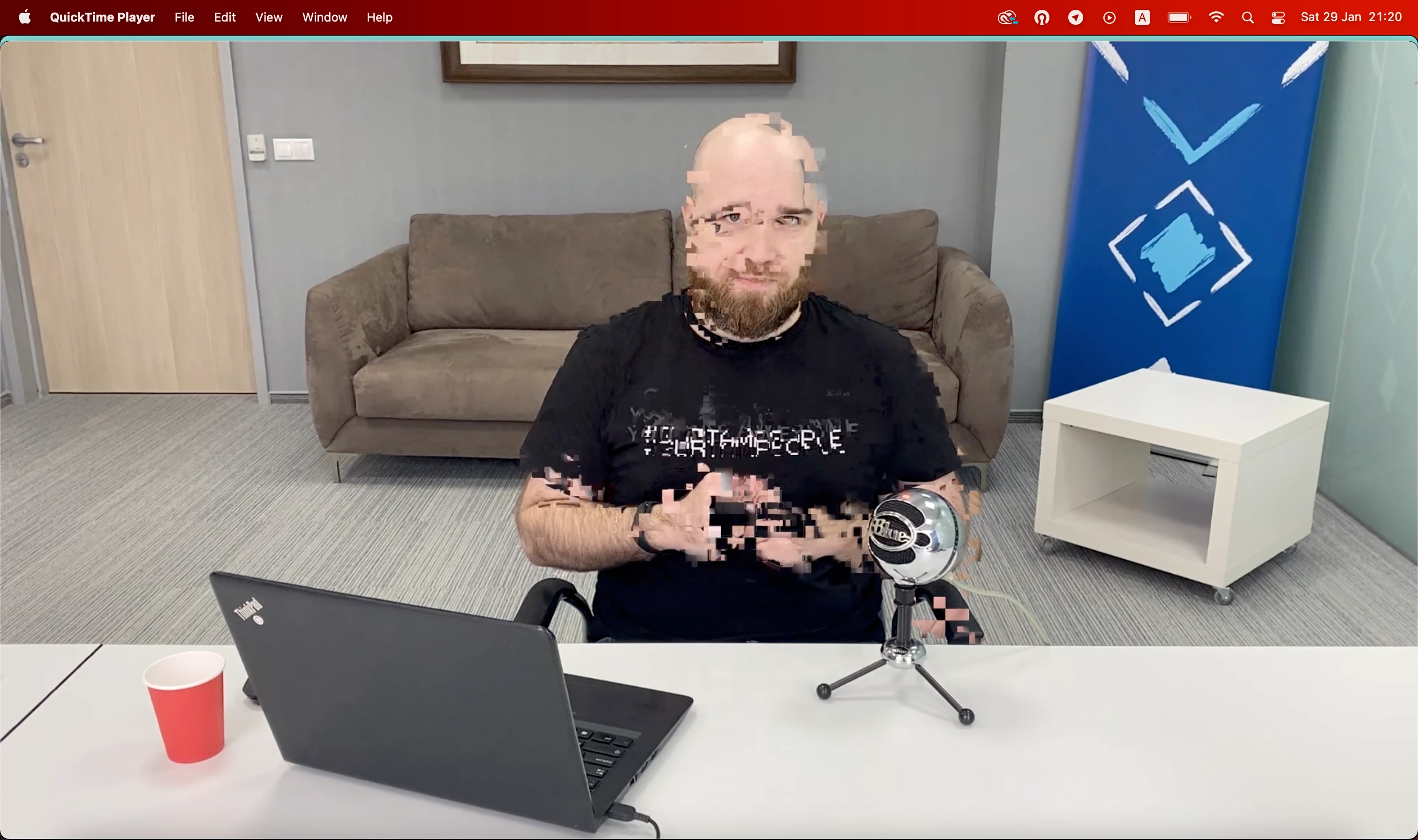
I have a huge problem with Premier Pro 2022. After rendering (in the result video) and sometimes on playback the video crushes into square pixels (the example is attached). 

Interesting that the problem appears only on macOS Monterey. I have tested on MacBook Pro 2021, M1 Pro and on MacBook Air 2020, M1. When I render on Windows 10 there is no such a problem.

Maybe somebody have faced such issues and found a solution. I would really appreciate any advice.
This topic has been closed for replies.

2 replies

Kartika Rawat
Community Manager
Community Manager
January 30, 2022

Hi Alexandra22343758yfz3!

Sorry to see that. Do you have any effects added to the clips? Have you tried Premiere Pro through Rosetta mode? https://support.apple.com/en-in/HT211861


Let us know how it goes.

Thanks,

Kartika

Legend
January 29, 2022

Please tell us your source properties and sequence settings.  by any chance is this material shot on an iphone or screen recording?  If so the problem may be sources with variable frame rate which can cause intermittent and unpredictable problems.  Here's how to diagnose and fix


use mediainfo to determine whether your source is variable or constant frame rate
https://mediaarea.net/en/MediaInfo/Download
if it's variable use handbrake to convert to constant frame rate setting the quality slider in the video panel to maximum
https://handbrake.fr
and here's a tutorial on how to use handbrake
https://www.youtube.com/watch?time_continue=34&v=xlvxgVREX-Y