
Rendering is glitching in After Effects and Premiere Pro
I have been using adobe for over a year now and it has never done this. Most of the time when I film video it is in the .mov format... I'm kind of thinking that that might be a contributing factor to the glitches because I put 1 mp4 video into my composition and there isn't any trouble. I am still a bit confused though because I have always filmed in AVCHD which converts to .mov. Whenever I put my .mov video into premiere pro or after effects there is a distortion in the color. Almost like the video is black and white with subtle saturated splots. I tried changing my Renderer from "Mercury Playback Engine GPU Acceleration (Metal) -Recommended" to "Mercury Playback Engine Software Only" and it works in editing but when I go to export the video it goes back to the bad color and also is not the best quality. I'm extremely confused about why this is happening because this has never been a problem. I just got a new computer so I'm not quite sure if that's it (it shouldn't though).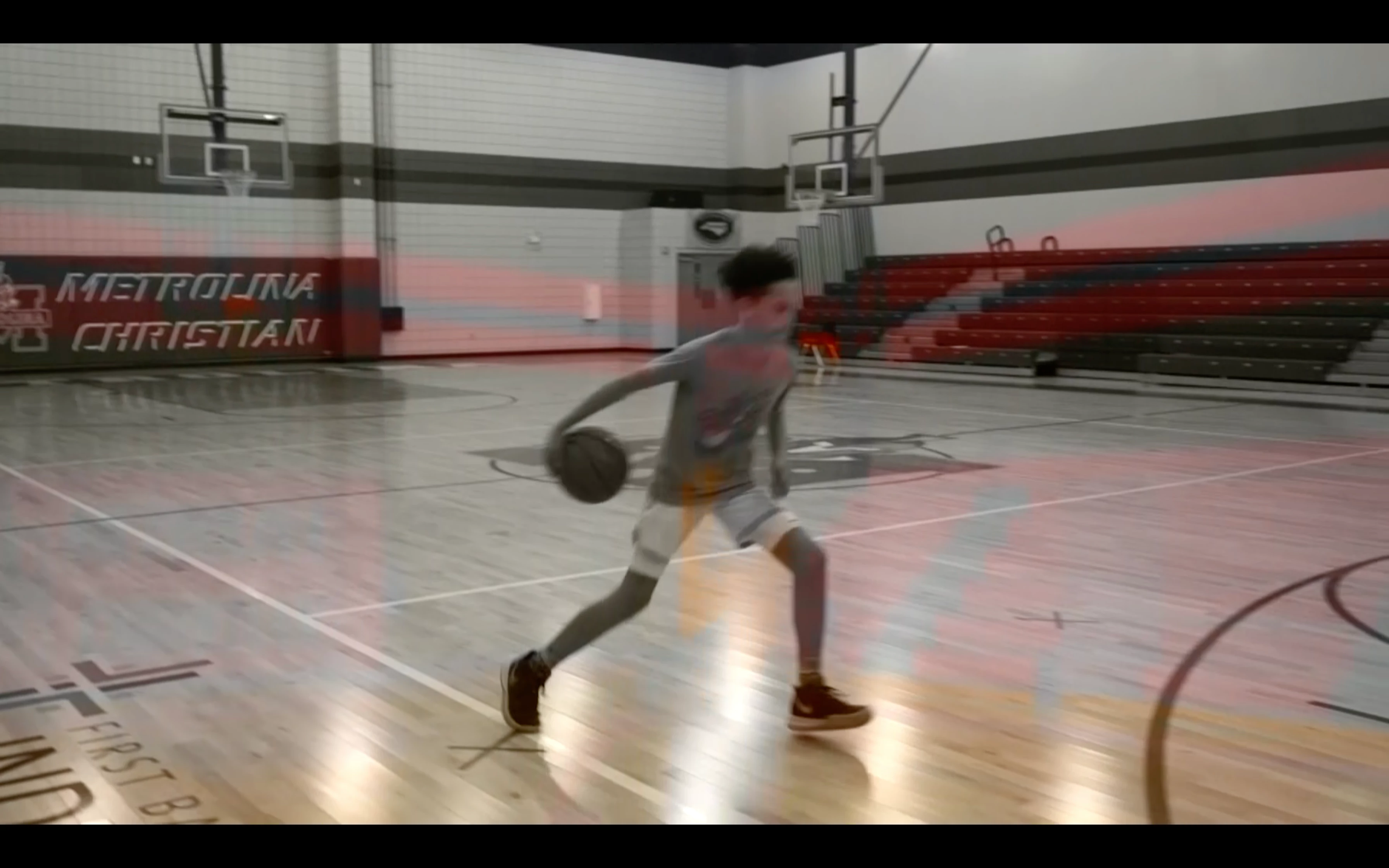
 AdChoices