


Rendering is taking too much time
I've been rendering with Premiere for a time, like rendering 1080p60 for some time and changed to 1440p60 since I've bought a new hardware device to capture my gameplays. Some render times were around 2 hours, for a 1h30m video using H265 Codec to record and render.
Recently (like 1 or 2 month ago), Premiere started to take too much time to render videos with similar length, like 6 hours to render a video with 1h40m, and also a 2 hours video took 8 hours to render it. My setup is:
CPU Ryzen 5600X
GPU NVIDIA RTX 4070
32GB RAM (Premiere can use up to 26GB)
My export settings is like this:
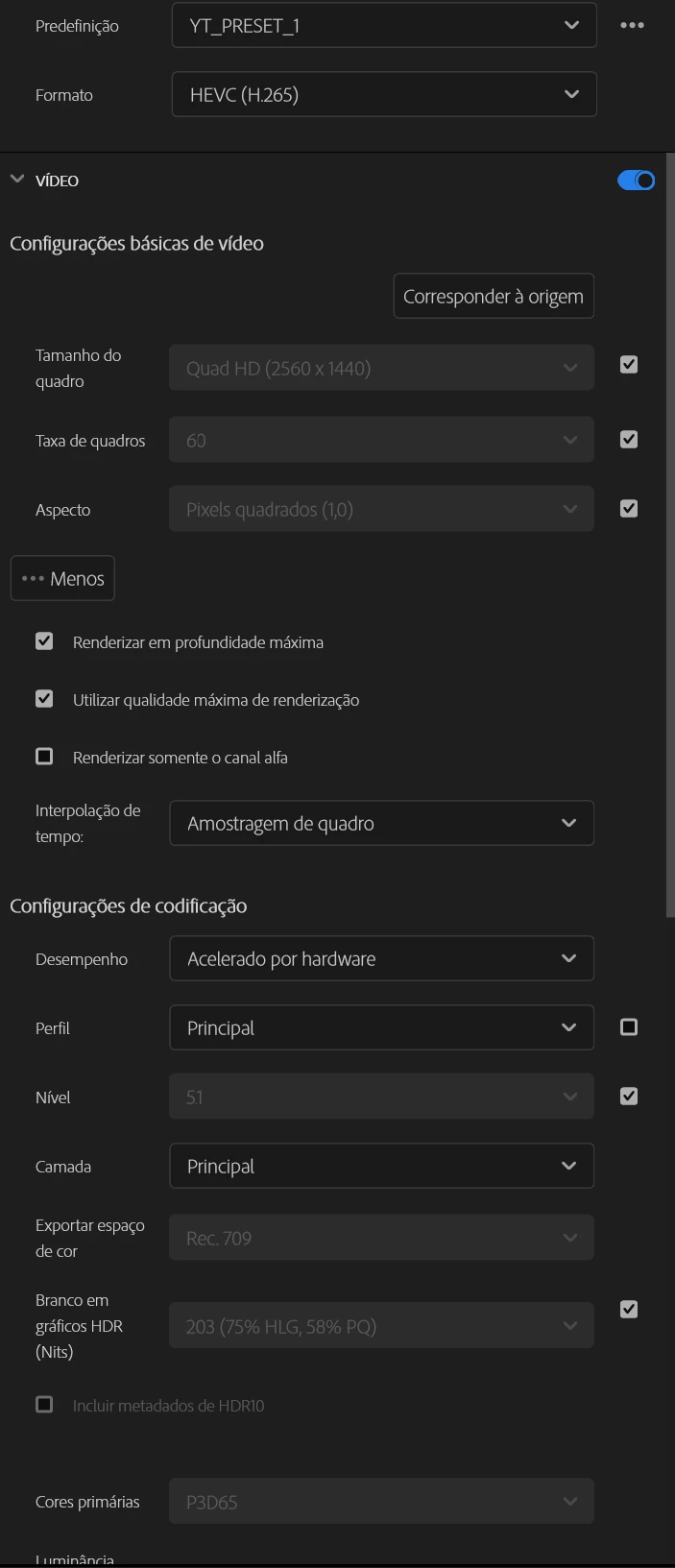
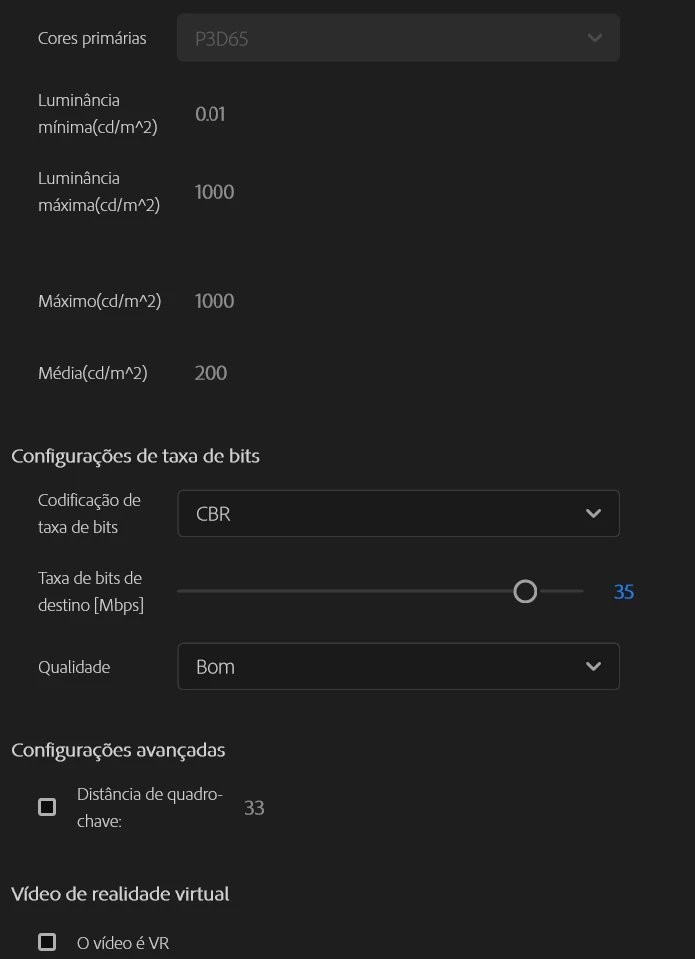
One thing that keeps me thinking is this option "Render" that keeps to stay grayed out and I can't changed it. I've looked through some topics and videos, and I couldn't turn it on. I've looked that Adobe have disabled it, but I guess during the render it isn't using my GPU/Hardware and is rendering through Software to take so much time.
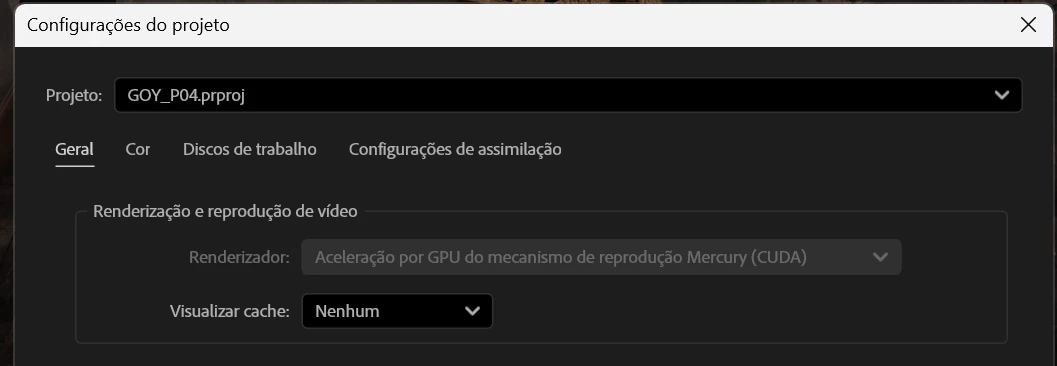
Edited for content: Content was removed. Please do not alter the settings or condone the use of internal engineering tools.
I've already tried reinstalling entirely the Premiere and Media Encoder, but it didn't fix anything. I don't know if it was something that Windows updated and had some impact on Premiere render times. Can you guys help me with this problem?
 AdChoices