Participant
August 29, 2025
Question

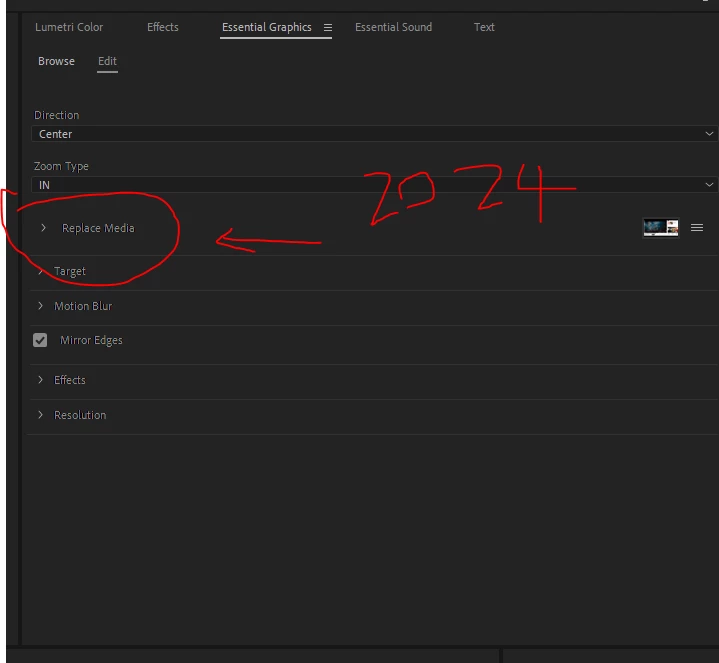
Replace Media is not in Premiere Pro 2025 (This would've been in the edit tab of Essential Graphics)

  • August 29, 2025
  • 4 replies
  • 304 views

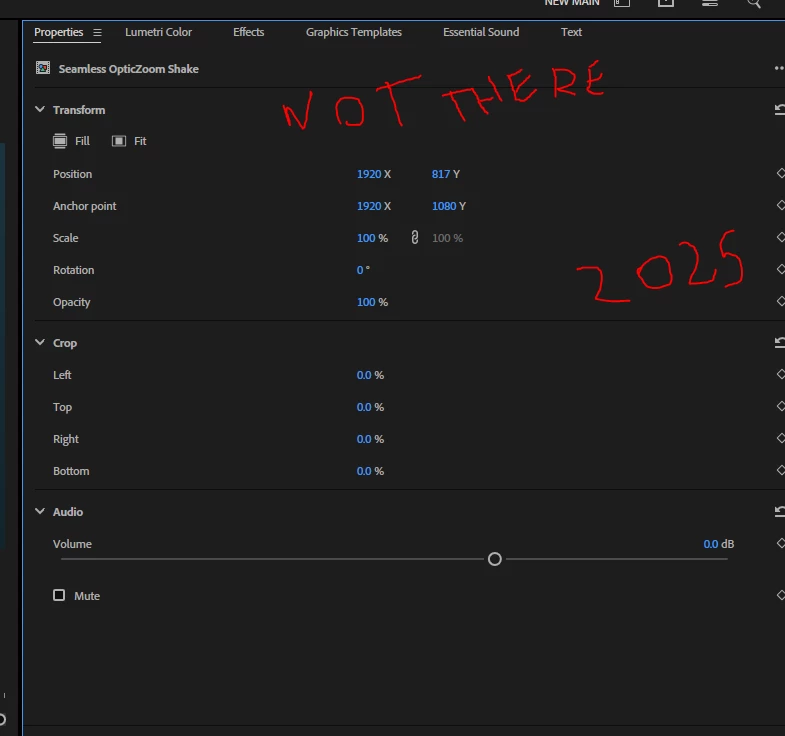
Replace Media is not in Premiere Pro 2025.

This would've been in the edit tab of Essential Graphics in the 2024 verison which I used all the time. 

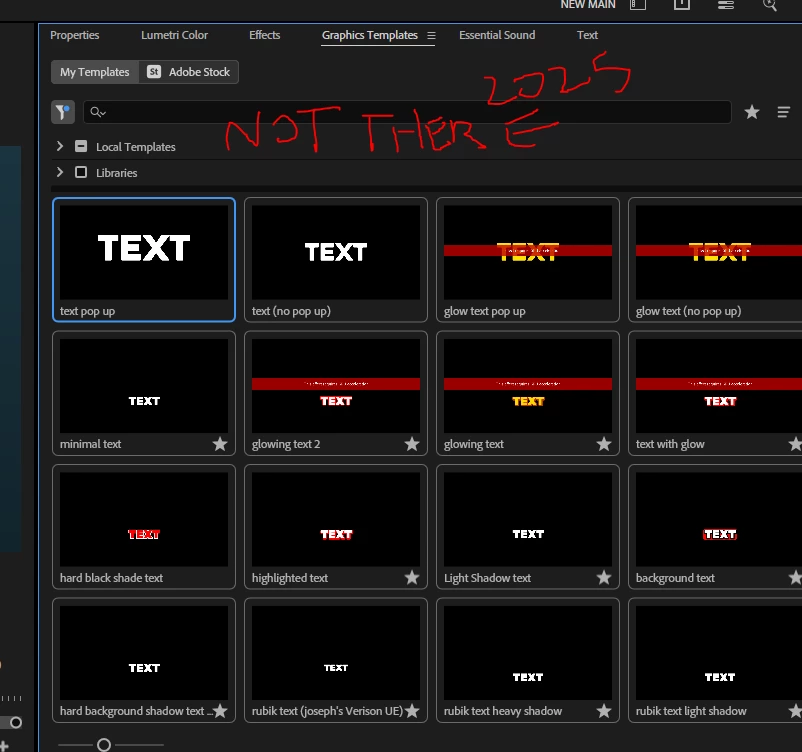
I thought it would be in the new Properites or Graphics Templates which replaced the Essential Graphics but its not there at all in the 2025 verison. Really hard for my workful now and I'll be moving back to 2024 as 2025 is a complete downgrade. 
4 replies

Theresa Rostek
Community Manager
Community Manager
November 3, 2025

Hi @jack386440757vsb,


We've discovered that if 'Selection Follows Playhead' is enabled, you will not see the Embedded Sequence controls upon stepping in because it is selecting the clip on the timeline, and that's not the controls you want to see. You can click on an empty area of the timeline to see those controls, or shut off the setting in Sequence > Selection Follows Playhead.


The team has been talking about how to better highlight this setting and provide a smoother experience. Sorry for the inconvenience.


Theresa

Theresa Rostek
Community Manager
Community Manager
September 5, 2025

Hi @jack386440757vsb,


It looks as though your mogrt controls haven't populated at all in the Properties panel. The Progress Dashboard may still be loading when you selected your mogrt clip. If you deselect the mogrt and reselect it after everything is loaded, the controls should show up. Please let me know if that's not the case.


Thanks!
Theresa

R Neil Haugen
Legend
August 29, 2025

As Ann says, it is there in the Properties panel ... but like other things, only shows when there is an item that can be replaced.

Everyone's mileage always varies ...
Ann Bens
Community Expert
Community Expert
August 29, 2025

Replace Media in now done in the Properties Panel

But it looks like there is nothing to replace.

Might need to update the mogrt in After Effects.