
Question
Replace W/ After Effects Composition not working in Premiere Pro (Windows)
I've just updated Premiere Pro and After Effects to their latest version and I'm having the following issue:
every time I want to use the function "Replace W/ AE Comp" a pop-up appears saying "After Effects 2024 must be installed to import this file", but the fact is that I already got installed AE 24 on my PC (Windows).
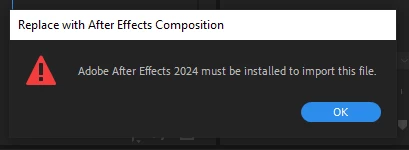
It has always worked properly until this morning's updated.
Can anybody help out?
I've tried to uninstall AE, and install the previuos version but nothing seems to work.


 AdChoices