


Participant
February 12, 2026
Question

Resizing New mask tool

  • February 12, 2026
  • 1 reply
  • 0 views


Using Premiere Pro 2026, I’m trying to figure out how to switch between 2 different modes of reshaping a mask

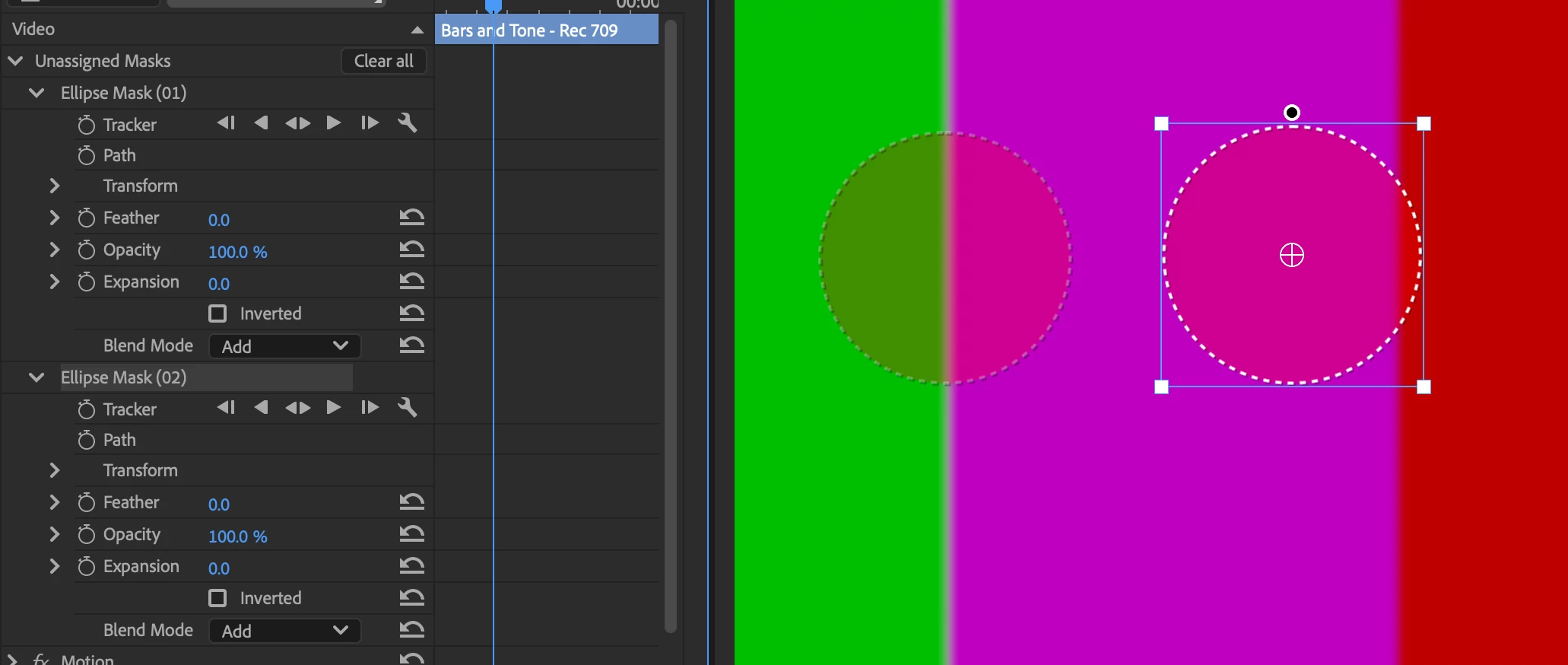
Sometimes when selecting a mask it let’s me scale, rotate in the usual transform parameters:
 

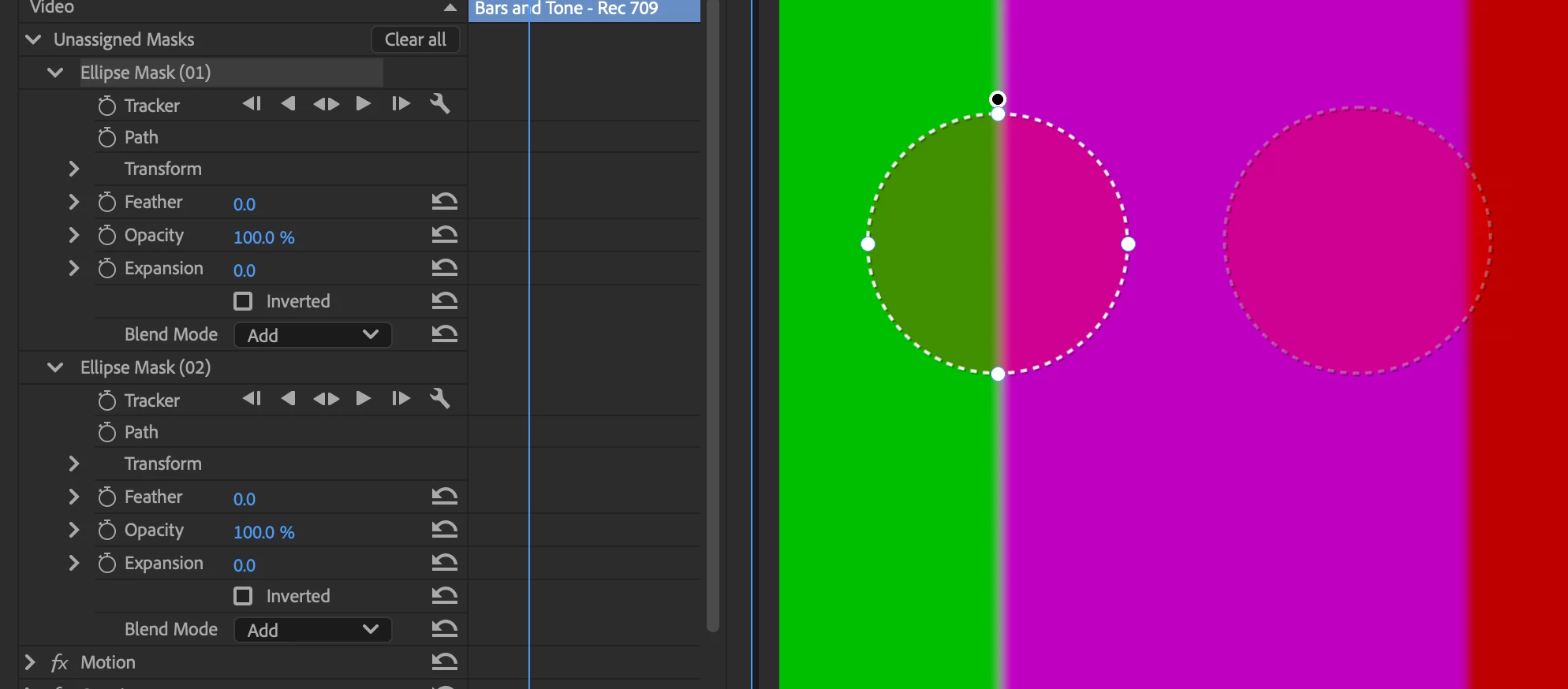
But then sometimes it gives me bezier handles, and I cannot figure out how to switch back to the usual transform handles



    1 reply

    Ann Bens
    Community Expert
    Community Expert
    February 12, 2026

    If you double-click on the mask, you can switch between the two modes.

    Your top image is for scaling, rotation etc. (bounding box)

    Bottom one is for moving the individual points.


    Use object masking in Premiere Pro