Participating Frequently
May 10, 2026
Question

Result of LUT looks completely different in PP vs AE (and Resolve)

  • May 10, 2026
  • 2 replies
  • 19 views

I have some footage shot with a Samsung Galaxy S24 Ultra (phone) that I’d accidentally set to record in Rec.2020 rather than Rec.709.


I’m not making a feature film or anything over here, so I figured I’d just slap on a LUT, adjust the lighting and call it a day.  Easy workflow.


Samsung conveniently released a LUT just for the purpose of conforming their Rec.2020 footage to Rec.709.  However, it looks absolutely awful in Premiere 26.  (Applied using Lumetri Color with zero other adjustments.)


I thought maybe it was the wrong LUT for the source footage.


But when applied to the same footage in AE 26 and Resolve 20, it’s correct.  (And by that I mean it roughly matches what I remember seeing with my own eyes, and what’s on my monitor broadly matches the playback on the phone’s screen.  My monitor is calibrated, incidentally.) 


My question is:  What am I doing wrong here?


All projects in those 3 apps are set to a Rec.709 color space.  No adjustments/corrections were made to the footage other than applying the LUT.


The screenshots below were taken from the respective program monitors, but the results are the same when the footage is exported.


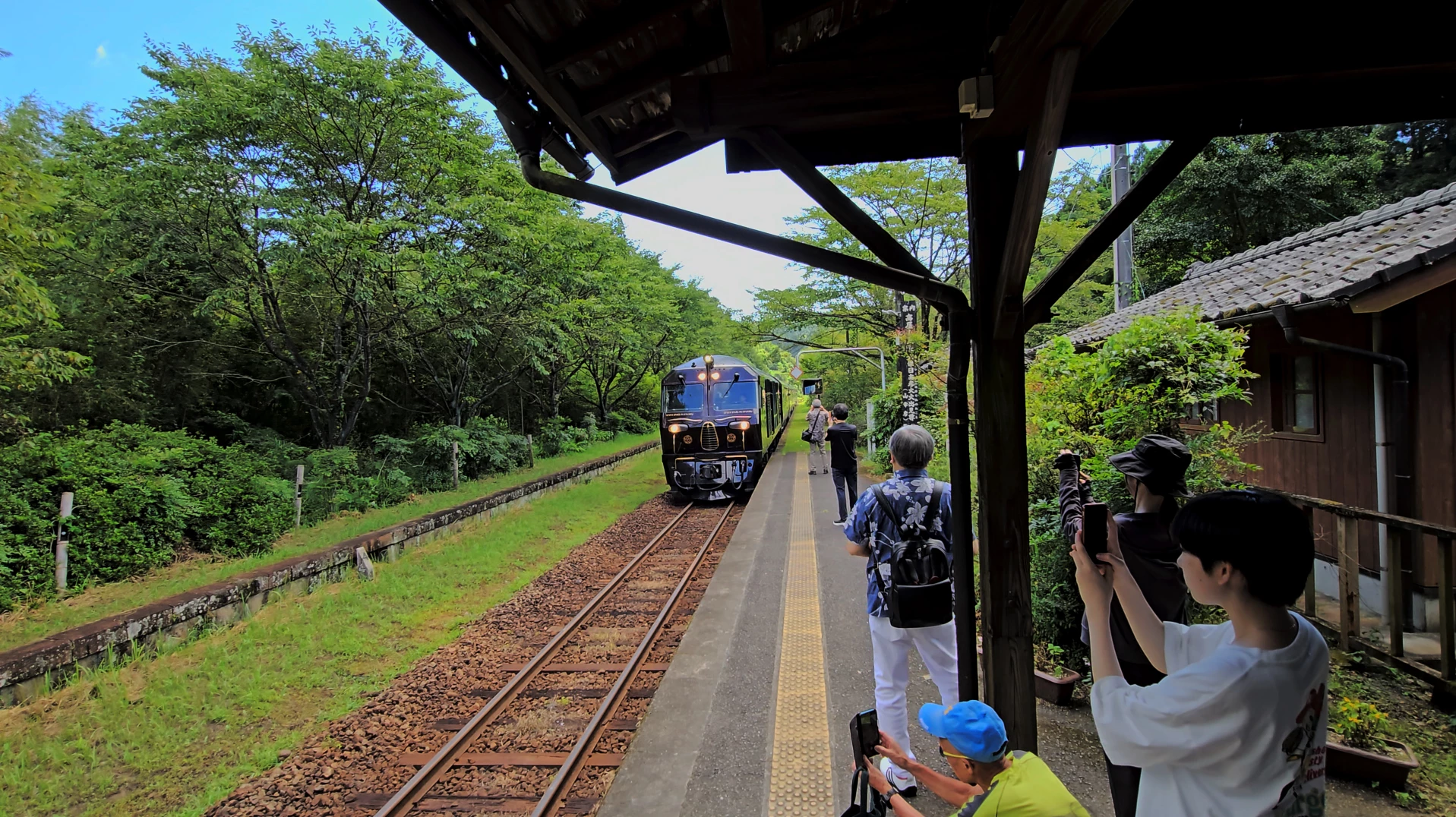
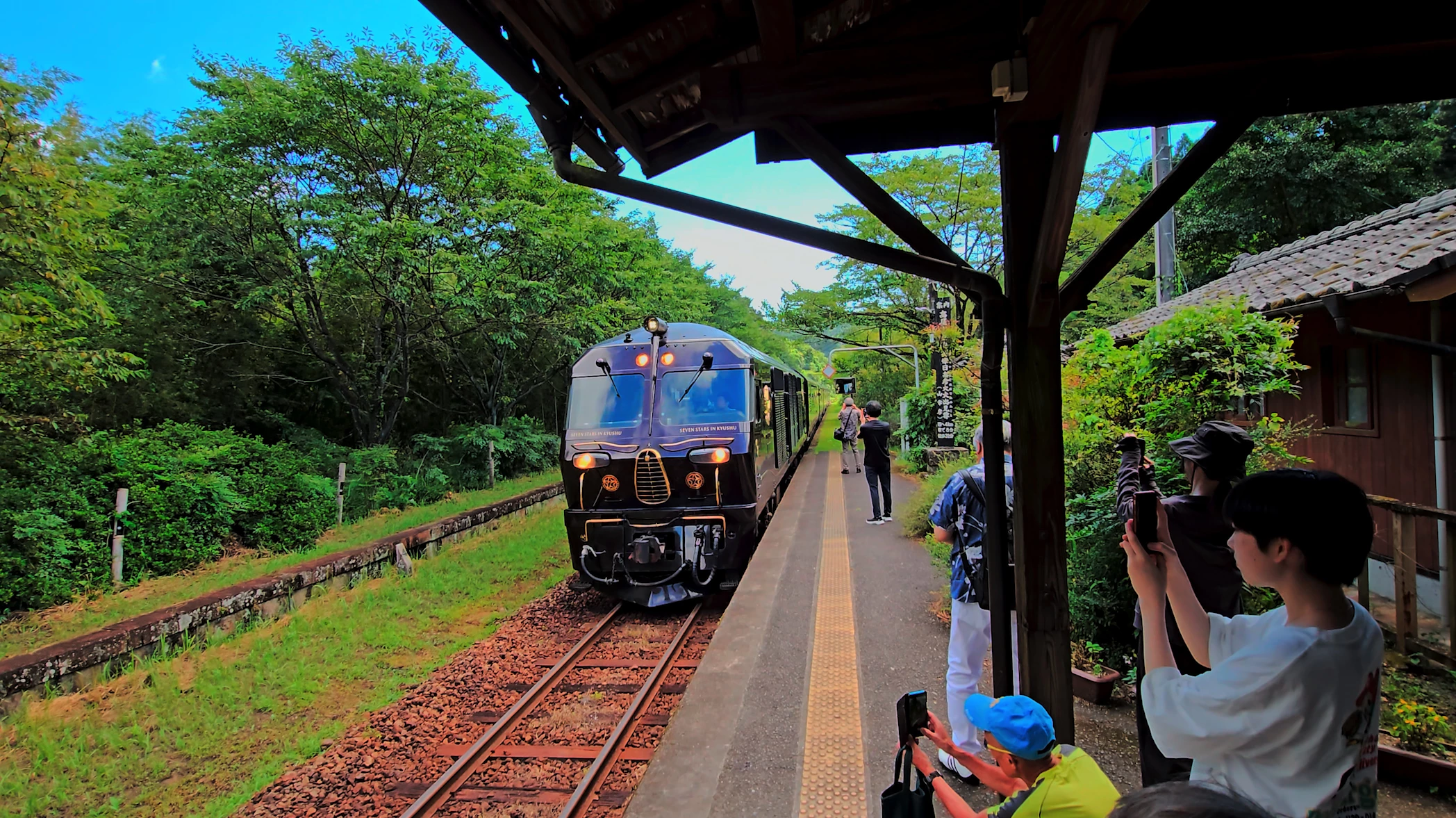
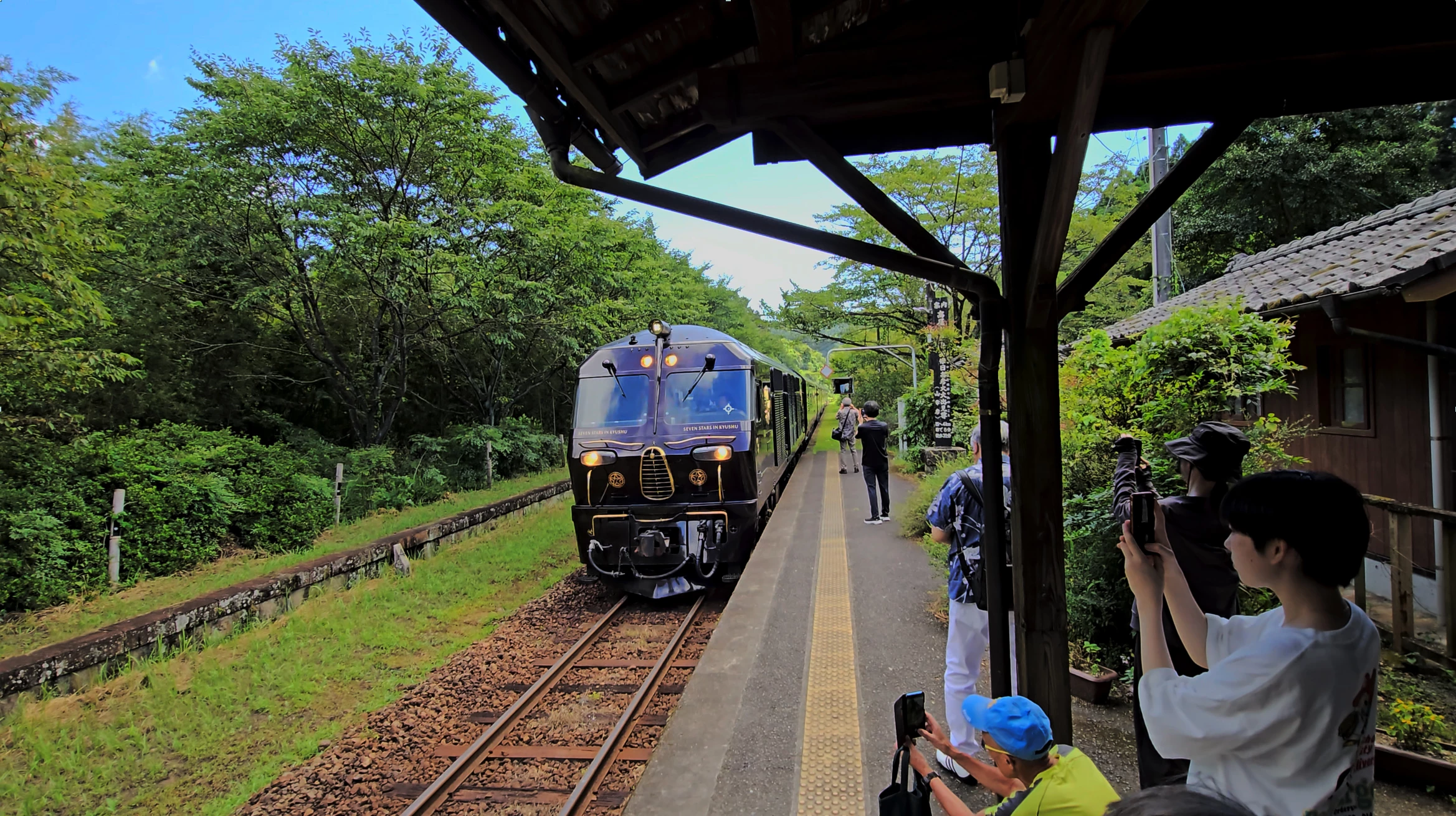
They’re not the exact same frame, but mainly I’m looking at the brown of the ballast and the wooden ties, as well as the skintones.  Dropping the saturation doesn’t fix it in Premiere, incidentally.


Thanks in advance to anyone that can point me in the right direction!  I have about 100 files recorded from this Samsung phone so I’d really prefer not to have to separately render them in AE or Resolve.
 

After Effects 26 (LUT applied using Lumetri Color)
Resolve 20 (LUT applied to node)
Premiere 26 (LUT applied using Lumetri Color)


    2 replies

    R Neil Haugen
    Legend
    May 11, 2026

    Set your CM up ... auto detect log/raw on, set the sequence to Rec.709, and it will auto use the algo to take the 2020 color to Rec.709. Correctly. Without using the LUT. That would be my expetation.


    All using the full color management panel in the Lumetri panel’s Settings tab. Which in the private beta becomes it’s own full panel.

    Everyone's mileage always varies ...
    scottorAuthor
    Participating Frequently
    May 11, 2026

    After thinking about your original reply for a bit and then messing around a bit, I realized what was going on.  You are correct, Premiere does conform the footage algorithmically. 


    However -- at least for this camera -- it comes out looking terrible.  Extremely flat, which is why I thought it wasn’t doing anything.  It wasn’t until I compared the uncorrected footage side-by-side in AE and PP that I realized PP was slightly more contrast-y and colorful.  But barely so.


    Pumping the sat and contrast just makes it look worse, as whatever algo Premiere is using isn’t processing the colors properly.  I’m sure if I fully graded it I could get it to look good, but again, I was going for a quick workflow with these clips.


    The upshot is that I ended up interpreting the color space on the file as Rec.709 (using the Color tab next to Interpret Footage).  Then I applied the lookup table using Lumetri Color.  Footage looked great after some minor tweaks to lighting.

    R Neil Haugen
    Legend
    May 10, 2026

    You aren’t setting your color management correctly. So you are actually getting a “double” transform here. Premiere is automatically recognizing that media is Rec.2020  and applying the correct algorithmic transform.


    AND ... you are separately applying that LUT.  To do the same thing (if not as well).


    In Premiere, I wouldn’t use that LUT ... as Premiere can easily recognize that the media is Rec.2020 and apply the correct algorithm to the media to perform the color space and dynamic range transforms to Rec.709 display space.


    Algorithms are complex mathematecial formulas that can be built to take into account media with different exposure and other inherent properties. LUTs are just a chart ... a set of maybe 32 intruction combinations, of essentially make ‘this’ triplicate RGB data become ‘that’ triplicate RGB data. With some sort of line or slight curve between data instruction points.


    LUTs are always built for specific things. Like ... a specific combination of original scene contrast, lighting, and color, combined with a specific set of camera settings. If any of those is not ‘in’ the ‘current’ clip, well ... that LUT can and will crush blacks, clip whites, over-saturate something ... whatever. 


    Algorithms are again complex actual formulas in the programming that will not crush, clip, or oversaturate. 


    Whether in Resolve or Premiere, I always recommend algos over LUTs unless you have some reason you have  to use the LUT ... like ... the project director paying your bill insists. Well then, by all means use the LUT. But decompress it to figure out what it does, where/when it breaks, and how to deal with it when it breaks. Typical colorist trade working patterns.


    And if you don’t need the LUT, don’t use it to begin with.

    Everyone's mileage always varies ...
    scottorAuthor
    Participating Frequently
    May 11, 2026

    Thanks for the reply!  But I suppose where I’m losing you is with the first paragraph;  If I drop the footage into a sequence with no effects applied, it appears flat in the program monitor.  Same once it’s rendered.  So I don’t think it’s recognizing it as 2020, or at least it’s not applying a transform by default. 


    But clearly I’m missing something..  you started by saying I’m not setting my color management correctly, but specifically where did I go wrong?


    I do understand look up tables in general, and the pitfalls.  I’m not trying to grade for a precise creative look, I just want to get the color about right and tweak it as needed.  (i.e. When in Resolve the LUT was in fact crushing blacks in that clip, but some adjustments to LGG and it looked A-OK in the scopes and to my eye.) 


    But if Premiere will algorithmically conform the footage, all the better.