Question
Ripple Delete Audio Track?
I have multiple cameras and two dedicated audio tracks (green) and I want to ripple delete the green track around all the empty space where there is no corresponding video file. Does anyone have any solutions?
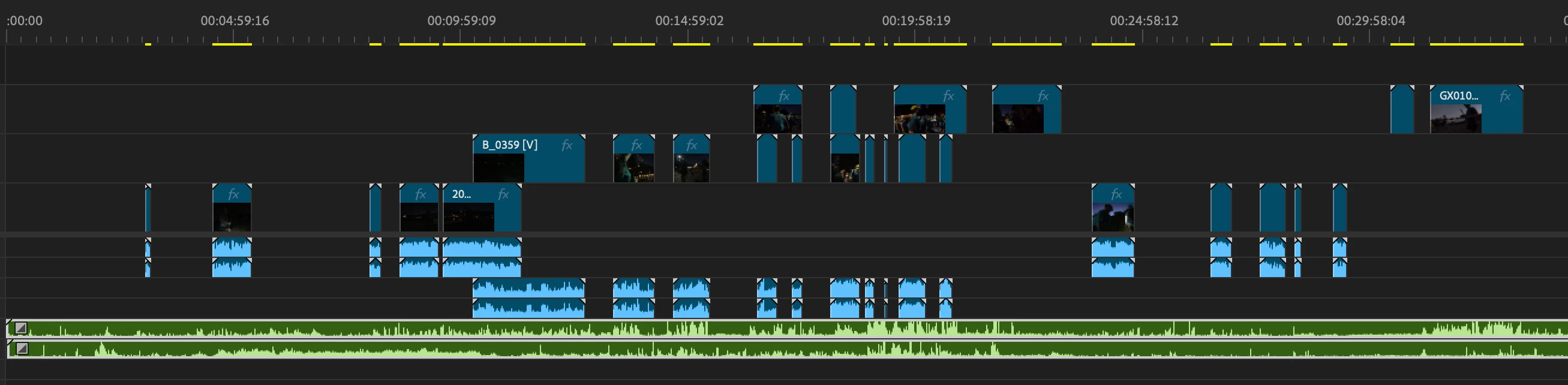

I have multiple cameras and two dedicated audio tracks (green) and I want to ripple delete the green track around all the empty space where there is no corresponding video file. Does anyone have any solutions?
Already have an account? Login
No account yet? Create an account
Enter your E-mail address. We'll send you an e-mail with instructions to reset your password.


 AdChoices