Legend
September 25, 2018
Answered

Roll- Credits

  • September 25, 2018
  • 3 replies
  • 1290 views

Hello Everyone.

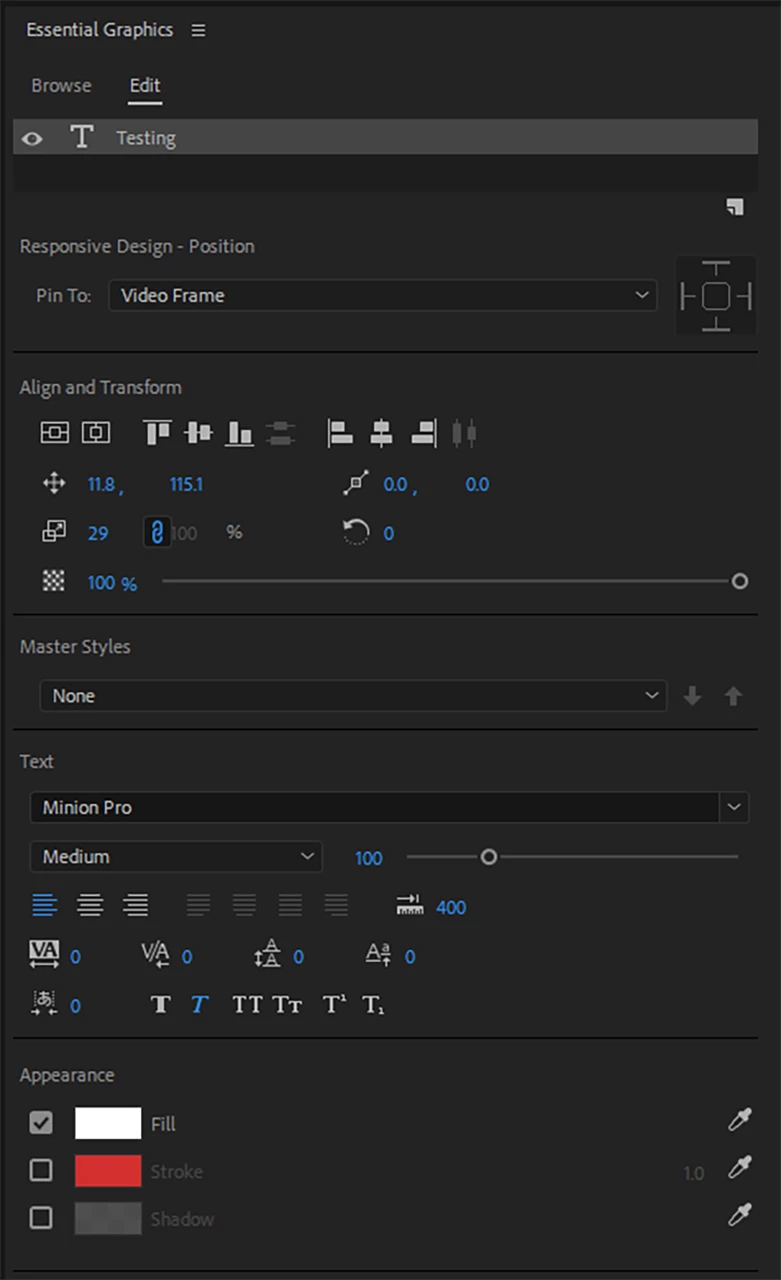
I am running the Latest version of Premiere Pro. I want to add Credits and Rolls, but I dont see Roll-Credits.

Where Is the Rool- Credits Option.

Here is my screeenshot.

Thanks.
    This topic has been closed for replies.
    Correct answer R Neil Haugen

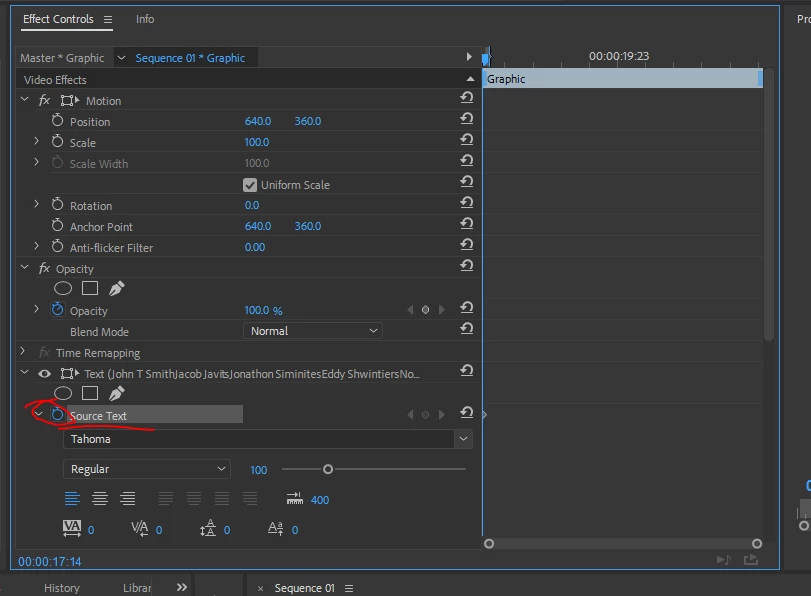
    It's not all that obvious, until you realize that most animation for the EGP is handled in the Effects Control Panel.

    So ... go to the ECP, and as shown, click on the circled stop-watch to set the Source Text to animate ...
    When you do this, the EGP panel's Edit tab changes to the following ...
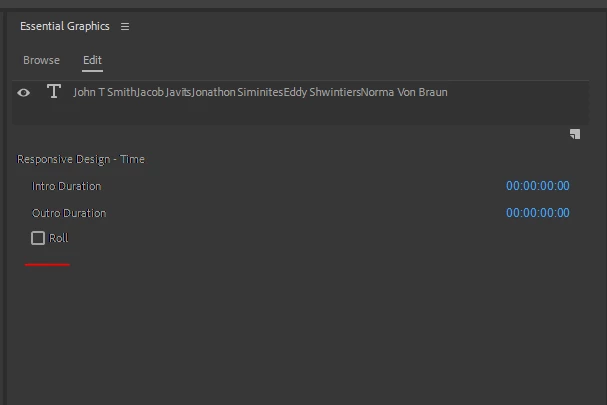
    Click in the "Roll" box, and then this appears ...
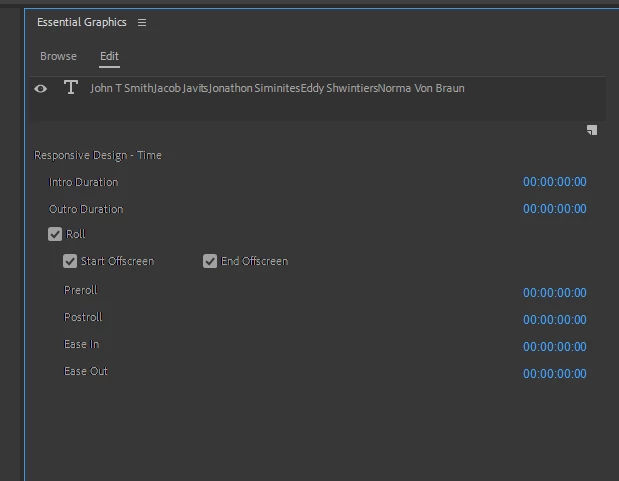
    And you can work from there. This is one of the reasons going through some video tutorials and such for the EGP can be helpful.

    Neil

    3 replies

    Participant
    October 25, 2018

    I tried using the ECP and selecting the keyframe stop watch to reveal my roll option, but it doesn't work.  Has anyone else had this problem.  Are there any other options?

    R Neil Haugen
    Legend
    October 25, 2018

    In the 13.x release, just tried this again.

    Created a new text item ... typed in a word, hit 'enter' key twice to drop it a couple lines, another word, enter 'twice' ... several words.

    I have the EGP open on the right side, ECP open on the left. Went to the ECP, clicked the stopwatch by source text as shown above, then the EGP panel (in Edit tab) immediately showed the Roll option as in my previous post.

    So ... after clicking the source text stopwatch, you looked in the Edit tab of the EGP, right?

    Neil

    Everyone's mileage always varies ...
    R Neil Haugen
    Legend
    October 26, 2018

    As I've commented before ... this ain't always quite so obvious as to how it really works. But ... it does work ...

    Neil

    Everyone's mileage always varies ...
    Legend
    September 25, 2018

    I've always preferred to create such titles in Photoshop and use keyframes in Premiere Pro to simulate the roll.

    R Neil Haugen
    R Neil HaugenCorrect answer
    Legend
    September 25, 2018

    It's not all that obvious, until you realize that most animation for the EGP is handled in the Effects Control Panel.

    So ... go to the ECP, and as shown, click on the circled stop-watch to set the Source Text to animate ...

    When you do this, the EGP panel's Edit tab changes to the following ...

    Click in the "Roll" box, and then this appears ...

    And you can work from there. This is one of the reasons going through some video tutorials and such for the EGP can be helpful.

    Neil

    Everyone's mileage always varies ...
    Legend
    September 25, 2018

    Mr. Neil

    Thank you very much.  I found It.

    R Neil Haugen
    Legend
    September 25, 2018

    Glad to help.

    This, like any other NLE, is a massive and complex app. What seems obvious to those internally designing something is not necessarily even visible to many users.

    So finding how to do things can be at times like heading into the jungle to find Dr. Livingston  ... lol

    Neil

    Everyone's mileage always varies ...
