
Participant
December 12, 2018
Answered

Safe Margins from PPro CC 13.0.2 update

  • December 12, 2018
  • 4 replies
  • 2311 views

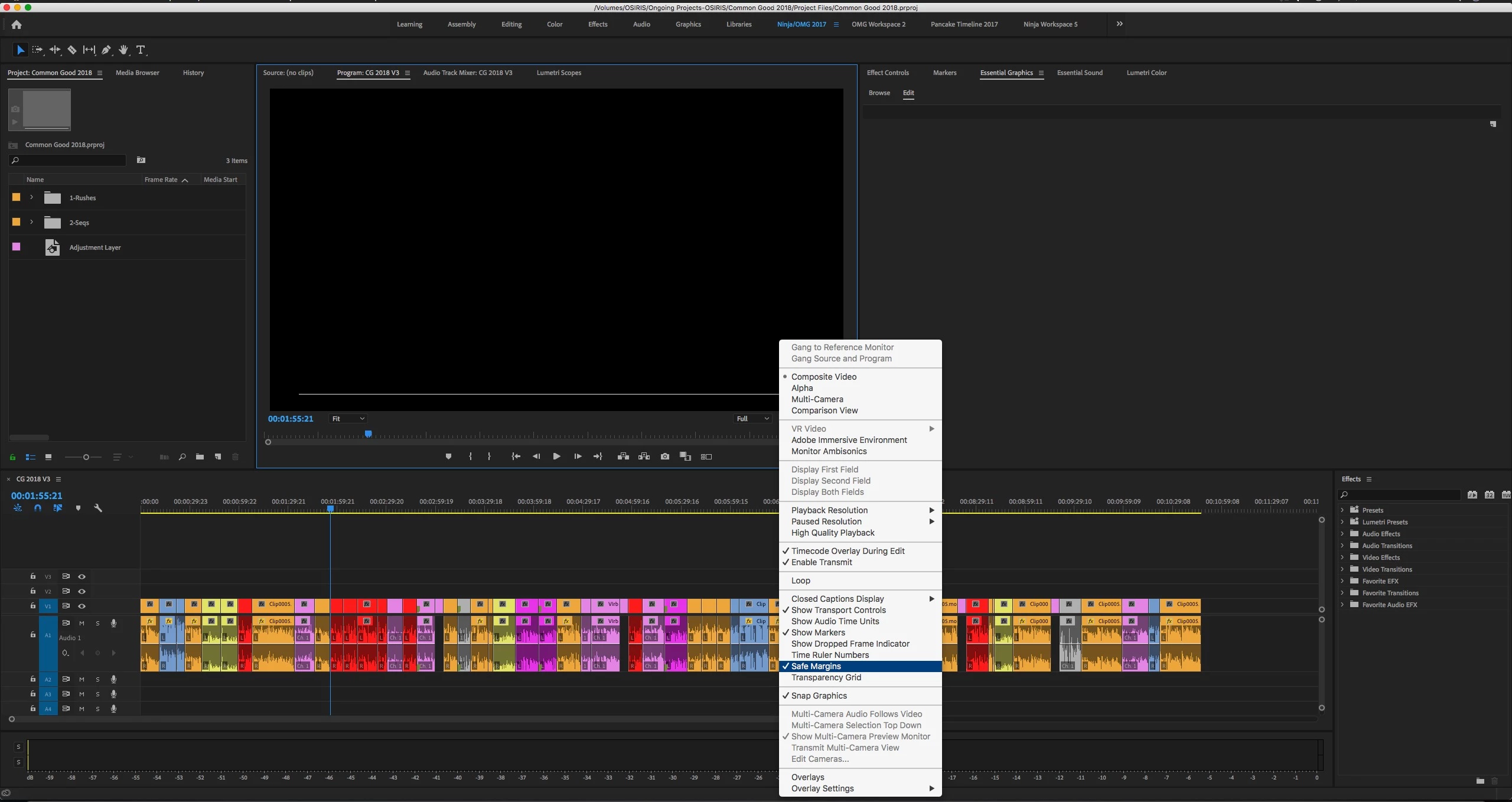
Is anyone else getting this bug where when title safe is enabled, the screen is black and a white line is at the bottom? I have a screenshot attached. This started occurring with the new update from this morning.
    This topic has been closed for replies.
    Correct answer Trent Happel

    This issue should be fixed in the Premiere Pro 13.1 update update that was just posted.

    More information on 13.1:

    New and enhanced features | 2019 releases of Premiere Pro

    4 replies

    Trent HappelCorrect answer
    Participating Frequently
    April 3, 2019

    This issue should be fixed in the Premiere Pro 13.1 update update that was just posted.

    More information on 13.1:

    New and enhanced features | 2019 releases of Premiere Pro

    taqos
    Participant
    January 18, 2019

    I had the exact same problem on my Macbook Pro 13" (2.3Ghz Intel Core i5/16GB/OS 10.14.2) and the workaround worked perfectly.

    Thank you so much.

    Participating Frequently
    January 25, 2019

    Glad to hear it.

    NoLens
    Known Participant
    February 20, 2019

    Same problem here, and the workaround fixed it for me:

    A possible workaround is to set your Renderer to OpenCL. File menu > Project Settings > General > Video Rendering and Playback > Renderer: set to Mercury Playback Engine GPU Acceleration (OpenCL).

    Participating Frequently
    December 12, 2018

    Thank you for reporting this. This has been reproduced and is under investigation.

    A possible workaround is to set your Renderer to OpenCL. File menu > Project Settings > General > Video Rendering and Playback > Renderer: set to Mercury Playback Engine GPU Acceleration (OpenCL).

    NLE_NinjaAuthor
    Participant
    December 12, 2018

    Thanks Trent and Ann. That seems to have work

    Participating Frequently
    December 12, 2018

    Thanks for confirming the workaround!

    Ann Bens
    Community Expert
    Community Expert
    December 12, 2018

    Reset workspace and try again.