
Inspiring
May 18, 2019
Answered

Saved layout always shows unwanted panels

  • May 18, 2019
  • 2 replies
  • 467 views

Hi There,

I have a layout which doesn't include  legacy title panels but each time I open Premiere, they appear and I have to manually remove them. I've updated & saved/replaced the layout numerous times (every time I open Premiere in fact) but they always appear on the right upon launch.

I've also tried editing the workspace order to put mine first but weirdly, after reopening Premiere, mine was last again (and with the title panels).

How do I get rid of them from my layout so they NEVER appear again?
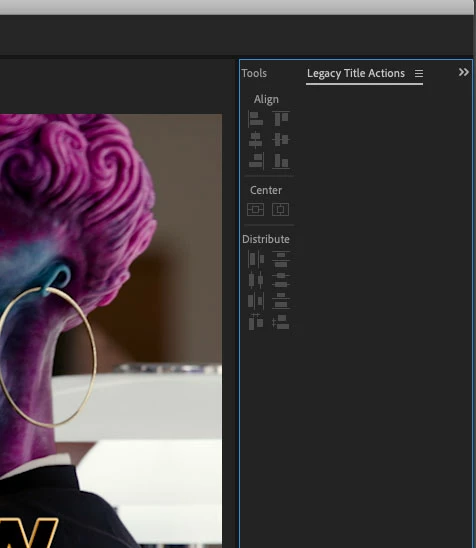
Cheers

    This topic has been closed for replies.
    Correct answer bens88590905

    Fixed this by following these steps:

    • Rename the workspace which isn't working
    • Get your workspace exactly the way you want it
    • Save a new workspace using the name of the old one
    • 'Edit Workspaces' and move the new workspace so it's first
    • Quit/relaunch Premiere
    • Delete the old (renamed) workspace
    • Quit/relaunch Premiere

    For me, 'Save changes to this workspace' or 'Save as a New Workspace' (and replace using the same name) does not work.

    2 replies

    bens88590905AuthorCorrect answer
    Inspiring
    May 18, 2019

    Fixed this by following these steps:

    • Rename the workspace which isn't working
    • Get your workspace exactly the way you want it
    • Save a new workspace using the name of the old one
    • 'Edit Workspaces' and move the new workspace so it's first
    • Quit/relaunch Premiere
    • Delete the old (renamed) workspace
    • Quit/relaunch Premiere

    For me, 'Save changes to this workspace' or 'Save as a New Workspace' (and replace using the same name) does not work.

    Ann Bens
    Community Expert
    Community Expert
    May 18, 2019

    Best is to delete all workspaces and create new custom ones.

    FAQ: How to fix workspace related issues in Pre... | Adobe Community

    Inspiring
    May 18, 2019

    Thanks @Ann Bens, just missed your post but got it sorted by doing what you describe, delete the workspace!