
Participating Frequently
November 25, 2019
Answered

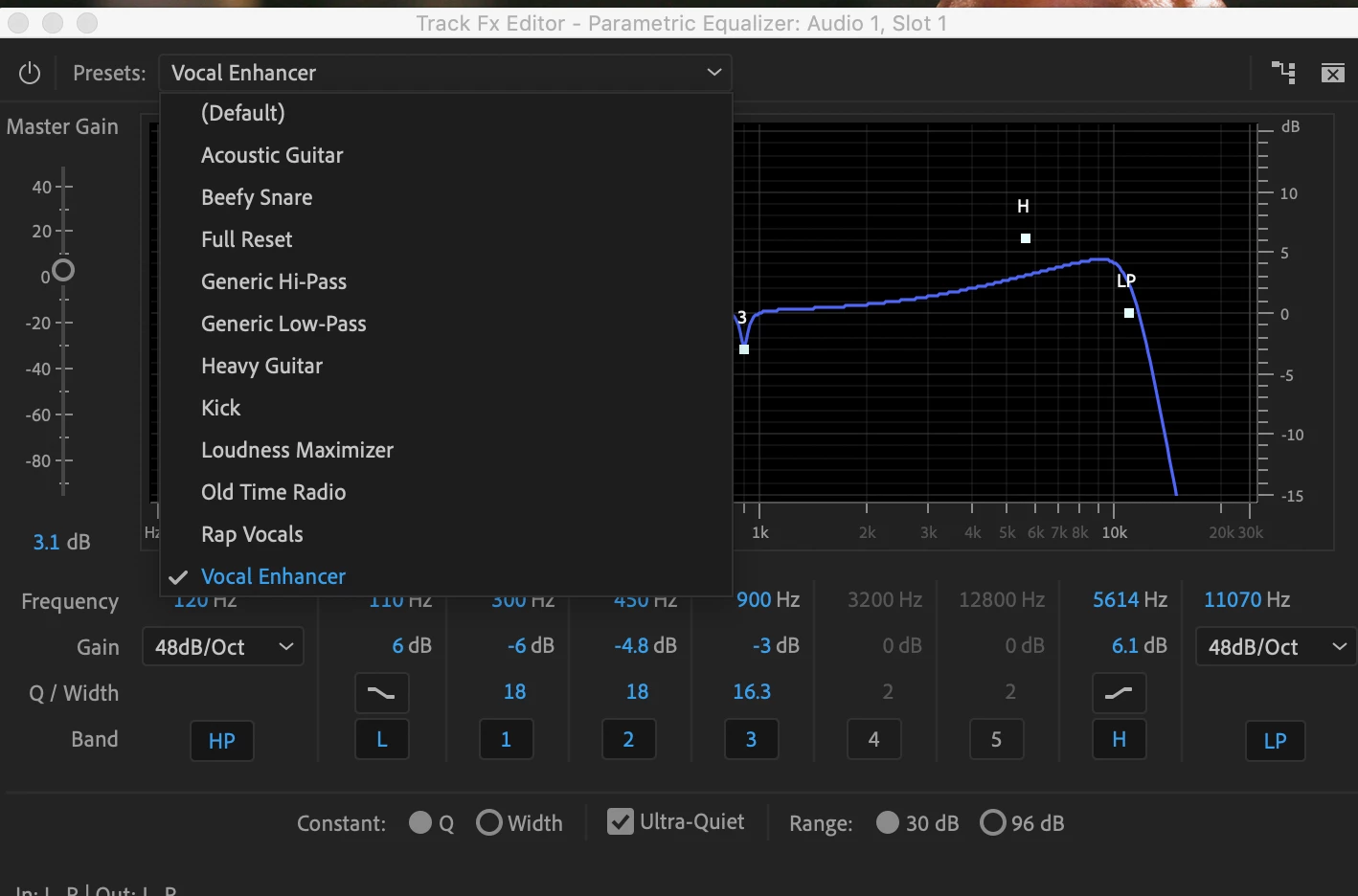
Saving and recalling effects presets in drop down menu
  • November 25, 2019
  • 1 reply
  • 950 views


Hello all. Is there any way to add presets to this list for audio effects? I generally start from the same vocal EQ and none of the baked in presets are really close to this. Is there any way within the program, or by adding files to the install folder, to add presets to this list?

This topic has been closed for replies.
Correct answer Ann Bens

There is no save preset button so the answer is no.

1 reply

Ann Bens
Community Expert
Community Expert
November 25, 2019

Go to the Effect Controls, right click and Save as Preset.

NickRSAuthor
Participating Frequently
November 25, 2019

I understand that this creates a preset in the effect preset panel, but I'm wondering if it's possible to add or subtract presets from the drop-down menu. Reason being is that I would like to be able to recall presets on the audio track mixer, which does not allow the presets from the effects panel to be added.

Ann Bens
Community Expert
Ann BensCommunity ExpertCorrect answer
Community Expert
November 25, 2019

There is no save preset button so the answer is no.