hrbabb1216
Known Participant
January 24, 2018
Question

screen issues

  • January 24, 2018
  • 3 replies
  • 418 views

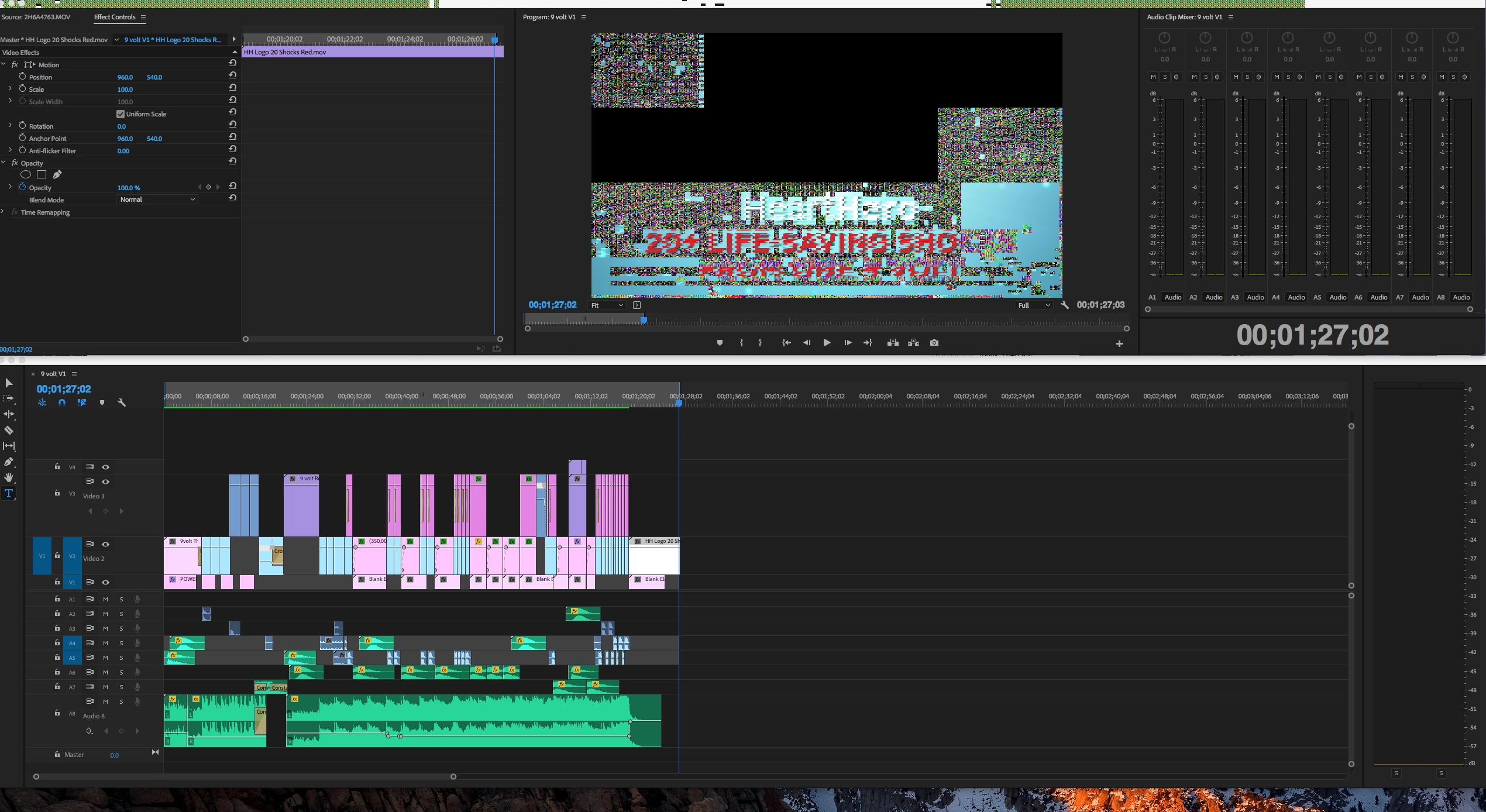
My screen randomly starts looking like the attached screenshot while working in Premiere.  Anyone else get this?
iMac 3.4 GHz Intel Core i5

32gb memory

Sierra 10.12.6

NVIDIA GeForce GTX 775M 2048 MB

Premiere 12.0.0

Thanks in advance!

    This topic has been closed for replies.

    3 replies

    hrbabb1216
    Known Participant
    February 26, 2018

    Issue still exists.  Here is a screen shot from last week.

    Kevin J. Monahan Jr.
    Legend
    January 31, 2018

    hrbabb,

    Switch GPU acceleration to "OpenCL" in File > Project Settings > General > Video Rendering and Playback and you should be clear of the issue. Please let us know if that worked or not.

    Thanks,
    Kevin

    Kevin Monahan - Sr. Community and Engagement Strategist – Adobe Pro Video and Audio
    Graeme Bull
    Community Expert
    Community Expert
    January 24, 2018

    Does this happen for any type of footage? Resolution, codec, file size etc are all relevant for this problem as it looks like Premiere isn't decoding it correctly. Likely a codec thing..

    hrbabb1216
    Known Participant
    January 24, 2018

    No it is completely random.  Been happening for over a year.  Sometimes I go a week without seeing it and then just happens out of nowhere.

    Graeme Bull
    Community Expert
    Community Expert
    January 25, 2018

    That's weird. Does anything resolve it? Restart of premiere or the whole computer?