
nadeemullah8496
Participant
December 19, 2019
Question

Screen Resolution Error at Launch of Premiere Pro CC 2018

  • December 19, 2019
  • 5 replies
  • 1763 views

When I launched my Premiere Pro CC 2018, it gave the following error:

See image
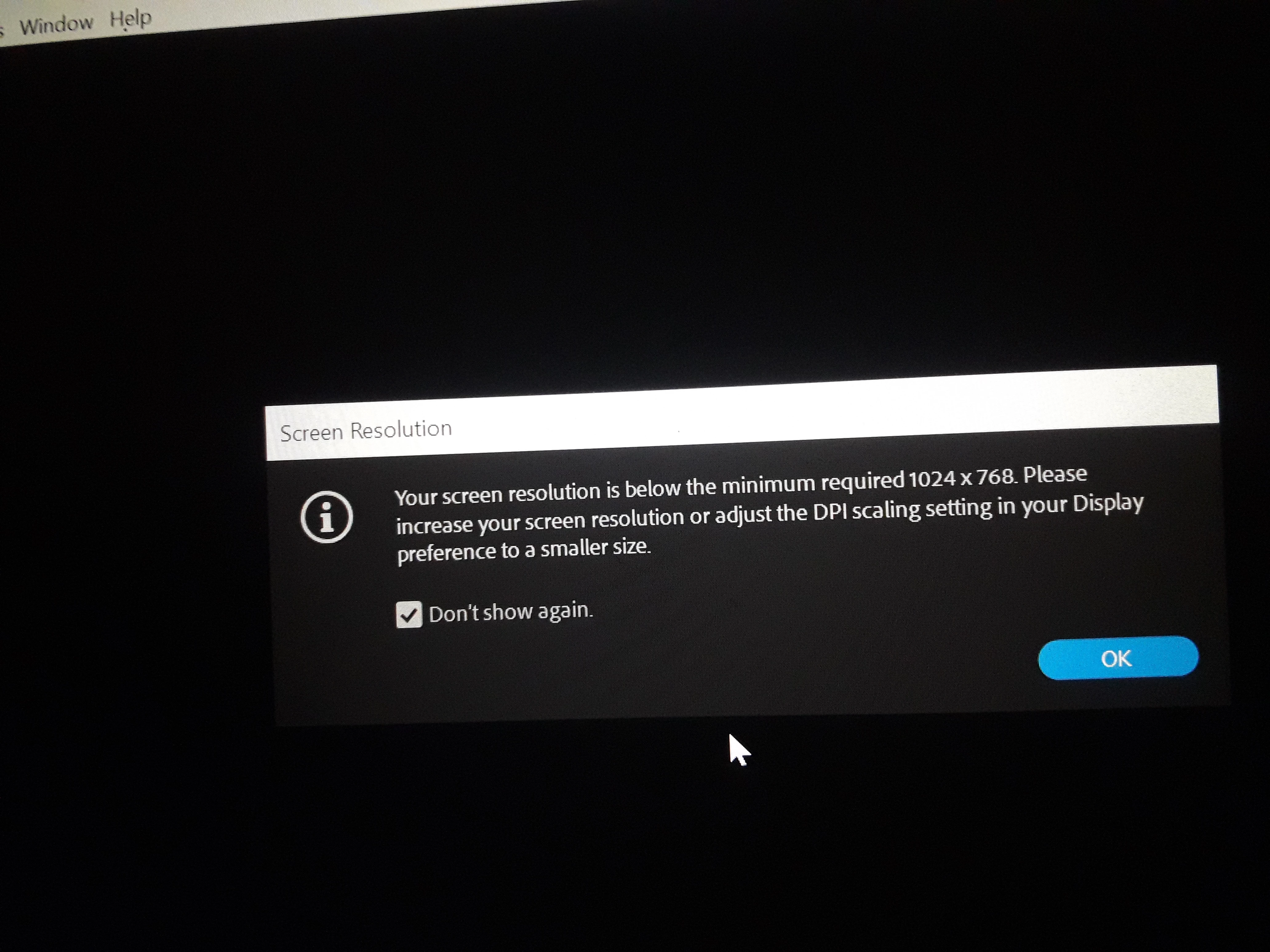
While I am Using the system with specification given bellow in Image:
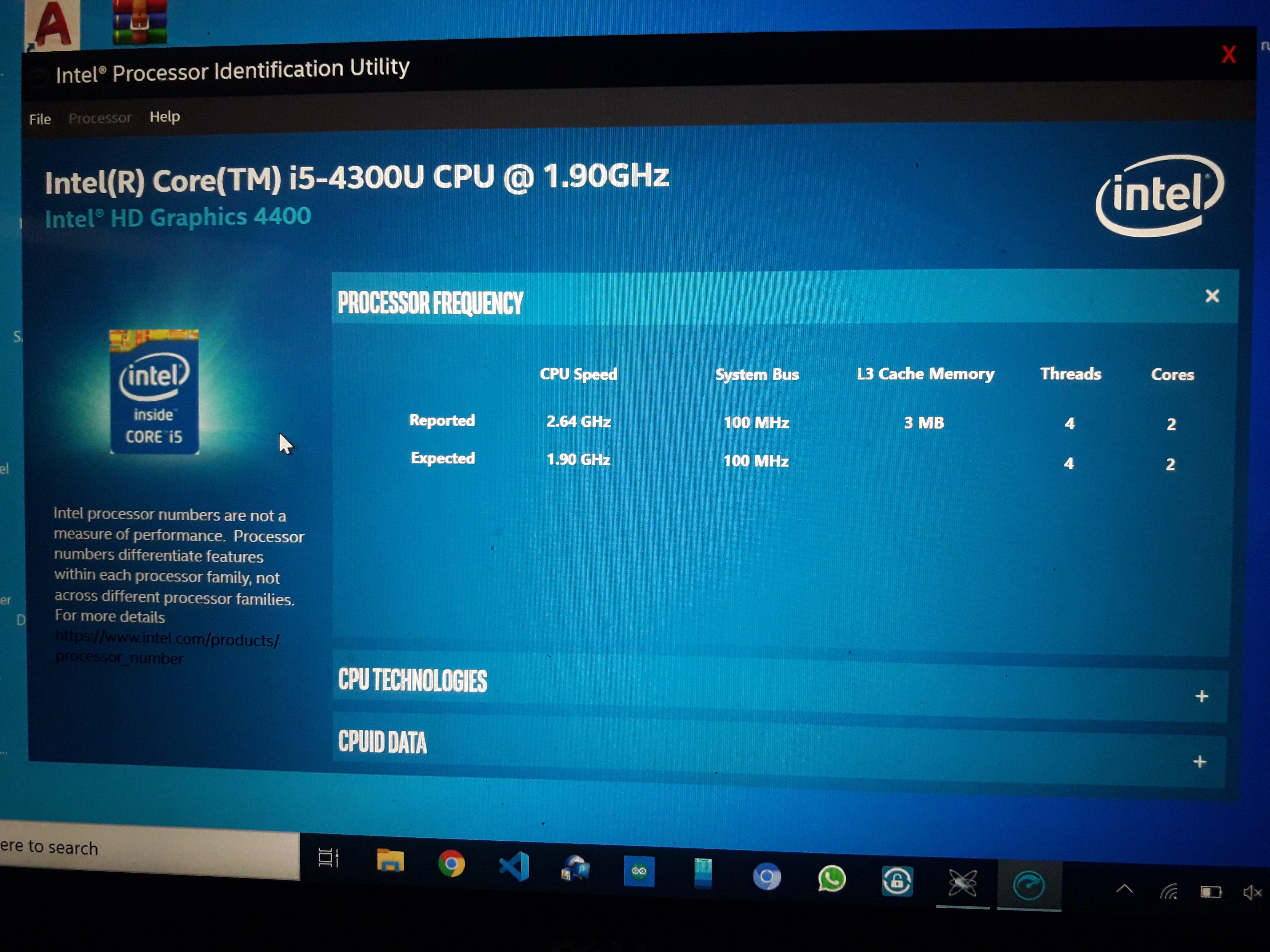
Please help me!

This topic has been closed for replies.

5 replies

MyerPj
Community Expert
Community Expert
December 29, 2019

You asked why, and I gave you the answer. You've solved the problem by not scaling at 150%. Anything over 100% effectively reduces the resolution of your monitor so you don't see the benefit of having an HD monitor on that laptop.


Just go with that. Preferably set it to 100% but if you can't work with your undersized monitor at that best resolution (cause things will be too small at the optimal setting) then use that scaling at 135% as you had set it and it works. 


MyerPj
Community Expert
Community Expert
December 23, 2019

<<150% (Recommended) to 135%  it didn,t show me the error again,why?>>

Interesting. First it's hard to understand how 150% could possibly be Recommended. 100% has got to be the only recommended option. I see it in your screenshot, but I can't figure out how that got there. It's like someone said, 'well, if they are going to scale this at all, which is a bad idea, we might as well give them some target'??


The interesting part is the math. If you have scaled your screen to 150% your fine (but now wasted) 1080p monitor is really running at 720p (1280/720) so, it's just like you purchased the cheaper model with the trimmed down screen. And as Ann mentioned you need 800 as the lower threshold. But when you scale only to 135% your screen turns into a 1422x800, thus no error message and proof that adobe only sees your monitor as these lower scales.


In future, get a monitor / laptop with resolution to run at 100% - that displays Windows and programs at a size can see and work with. IE: That stock 1920x1080 sounds good, but it produces too small an image items, thus your scaling it down and making it a 720p monitor, etc...

nadeemullah8496
Participant
December 29, 2019

might be you are correct but I didn't understand you correctly.

gupta shivangi
Legend
December 21, 2019

Hi there,


Thanks for reaching out. I checked the screenshots that you have attached. Ideally, this is a notification which appears if your screen resolution is low. Did you check your display resolution as suggested by the experts above?


Let us know.


Thanks,

Shivangi

Ann Bens
Community Expert
Community Expert
December 19, 2019

Minimum 1280x800 display (1920x1080 or larger recommended)

Your probably not even able to run Premiere properly.

Your system spec are way below minimum requirements.

Adobe Premiere Pro System Requirements OLDER


nadeemullah8496
Participant
December 23, 2019

I have the following system specification


And screen resolution is given bellow.


But when I settled the Scale and Layout option from 150% (Recommended) to 135%  it didn,t show me the error again,why?

John T Smith
Community Expert
Community Expert
December 19, 2019

The second screen you posted has nothing to do with your screen

For Windows (I don't do Mac)

Right click anywhere in your desktop screen

Select Display Settings in the pop up window

Look at Display Resolution (mine is 1920x1080)