
Inspiring
March 23, 2022
Answered

[script] change speed/duration if there is shortage of time after clip is replaced prpro script

  • March 23, 2022
  • 1 reply
  • 751 views

 I was working on a premiere pro script and I am facing a problem.. 

I have replaced a clip. But the initial clip duration is 20 seconds and  newly replaced clip duration is 10 seconds. 
How to stretch such that there is no gap left. 
 
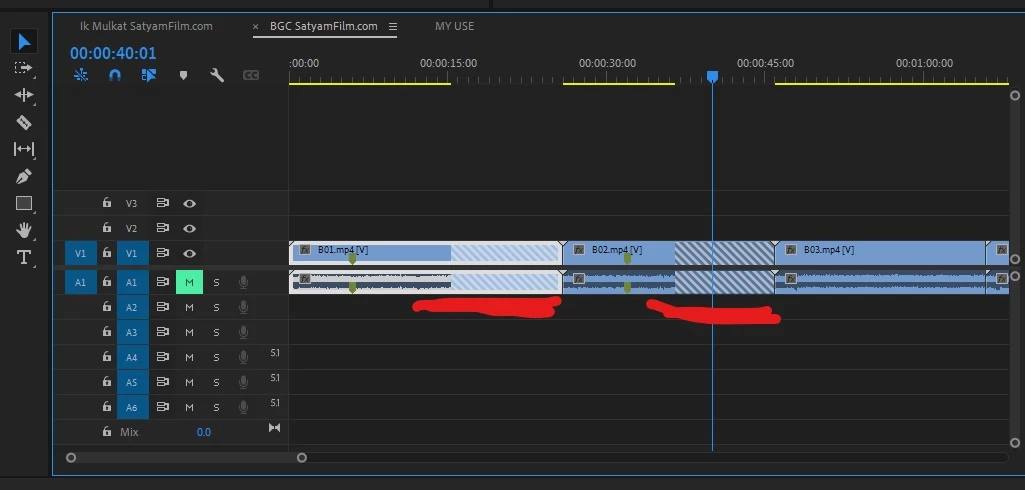
This is after replacing the original clip there gap due to the original clip having more length than the new replaced clip. [below image]
 
After Stretching the clip using speed duration manually. I got the desired result. [below image]
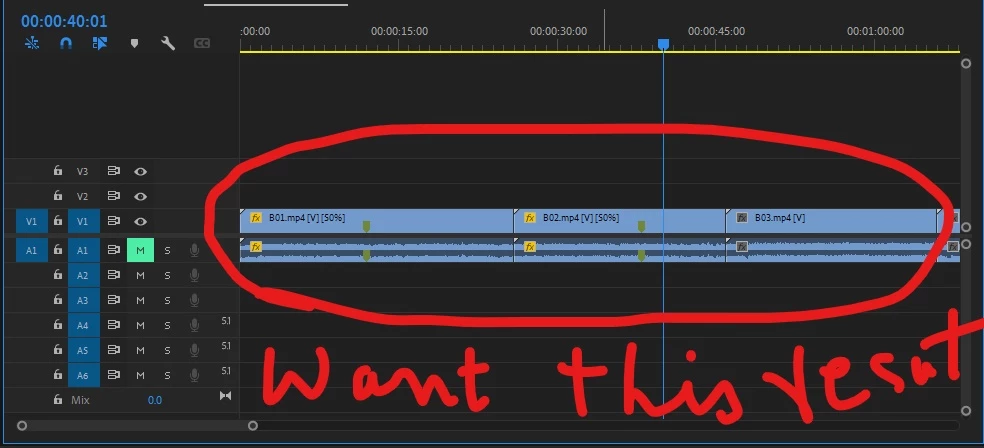
 
 
How to do this via Script​ if there is a gap(shortage of duration) after replacing. 
Thanks in advance
This topic has been closed for replies.
Correct answer Bruce Bullis

@Ann Bens  yes. Why i getting these diagonal lines on clips, i understand(as on doc third point.)

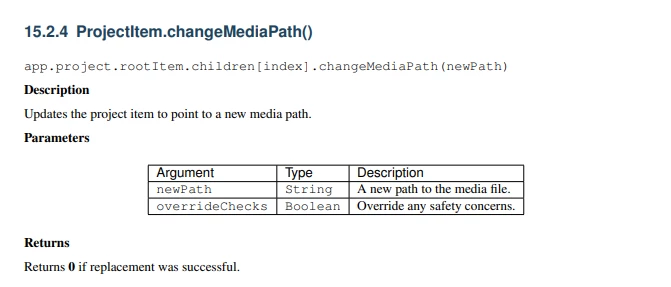
i am using script that is  changeMediaPath

This will not change footage or media file name but  just replace that contains of it. Now 

I want to known which clip has these diagonal lines. what is the code for that.

How to known this from(script) which time to which time there is diagonal lines on clip in extended script. do have any api to detect that. 

that is length of clip or length of diagonal lines on clip. whats is code. Thanks in advnace.


There is no API for determining when "danger bars" (diagonal lines) appear. 

Before you replace old media with new media in existing clips, your script needs to make sure there IS actual media, in the corresponding source media time range.

1 reply

Ann Bens
Community Expert
Community Expert
March 23, 2022
Inspiring
March 23, 2022

Anna Beans thanks for replay but Nope that not my question. Is there way in extended script to known from these diagonal lines on clip. so i can automate to match duration of the orignal clip. 

1) I have no promblem with diagonal lines on clip, i want check if the clip has diagonal lines after replacing the clip. if so how to detect in premiere pro extended script. 

Ann Bens
Community Expert
Community Expert
March 23, 2022

I know that is not your question but doc explains the issue.