
Answered
Scripting: Cannot set text to Essential Graphics via a script
Hi, I have found related topics to this matter, however haven't found an answer yet.
I have a simple text layer, please see a screenshot.
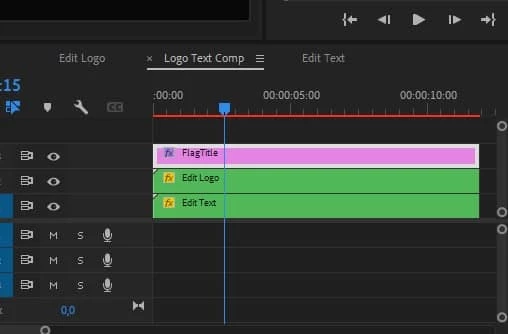
I am able to find it, but when I try to set a value, it just empties the text. Furthermore, when I call the getValue() method it returns garbage:
ì
I tried to set the json from this post https://community.adobe.com/t5/premiere-pro-discussions/mogrt-getvalue-returns-json-in-extendscript/td-p/11085519
But it also reset the text layer, even with chaingin the font family to Tahoma.
function set_flag_title(sequences,title) {
  var flagTitleItem = get_sequence_by_name(sequences, "Logo Text Comp");
  if(flagTitleItem && flagTitleItem.videoTracks) {
    var titleVideoTrack = flagTitleItem.videoTracks[2];
    var firstClip = titleVideoTrack.clips[0];

    for (var i = 0; i <= firstClip.components.length; i++) {
        var component = firstClip.components[i];
        if (component == null) {
          continue;
        }
        $.writeln("Component:");
        $.writeln(component.displayName);
        if(component.displayName == "Text") {
          var properties = component.properties;
          var textProp = properties.getParamForDisplayName("Source Text");
          $.writeln(textProp.getValue());
       //   textProp.setValue(title);
       //   var objStr = JSON.parse(textProp.getValue());

     //  $.writeln(objStr);
      //   textProp.setValue(JSON.stringify(textParamsJson), 1);
        }
    }
  }
}
It should be a quite easy task to set the text, however I've spent two days already dealing with this issue.
Kind regards.
 AdChoices