
Question
Search bin exact match or at least include the "." in "v 2." "v 3." etc
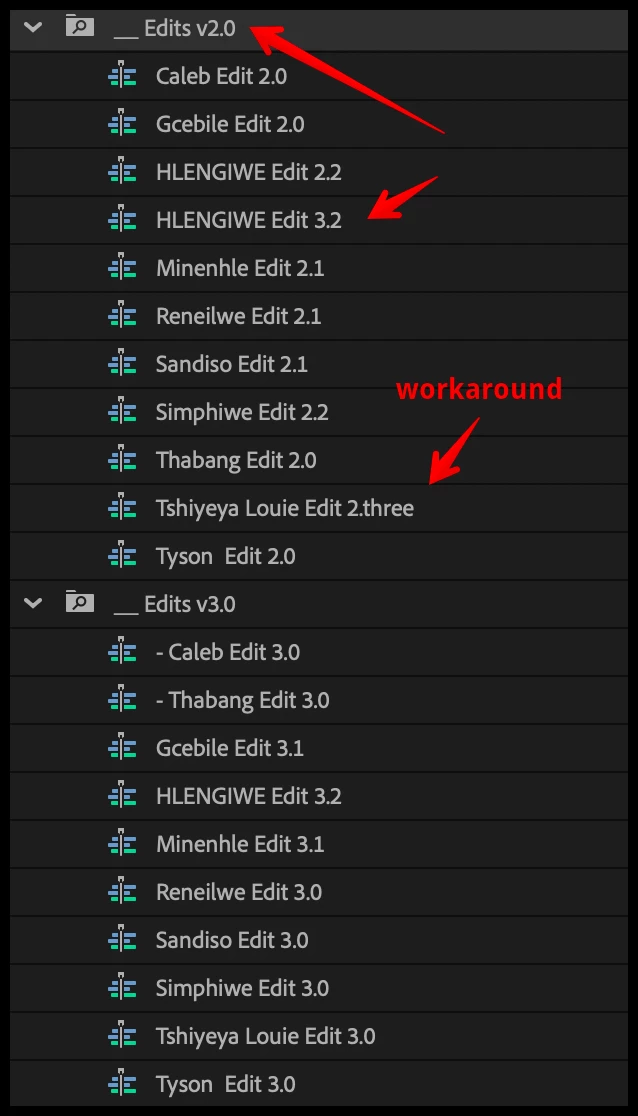
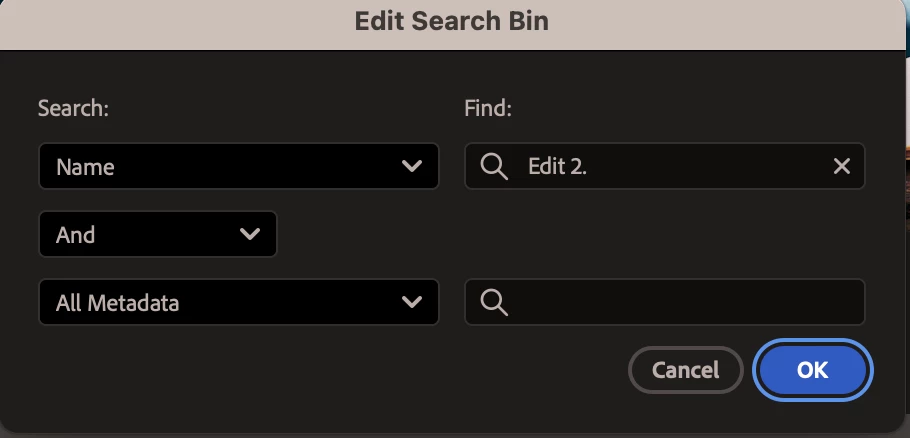
In a Premiere search bin, if I have a search for Name = "Edit 2." then it will invariable show me anything with a 2 in the name (no dot), NOT just things with 2. (with a dot) in the name. So 3.2 shows up in that bin, and 2.3 shows up in the "Edit 3." search bin.
This is bananas. Why is it ignoring a period in a file name search? Why can't I search for "Edit 2." as a criteria and have it ONLY show those ones (an exact match would be nice)?
I suppose I could rename all my edits in this big project to "Edit v2.0" instead of "Edit 2.0" etc but... why is this such a problem?


 AdChoices