


Inspiring
July 22, 2026
Answered

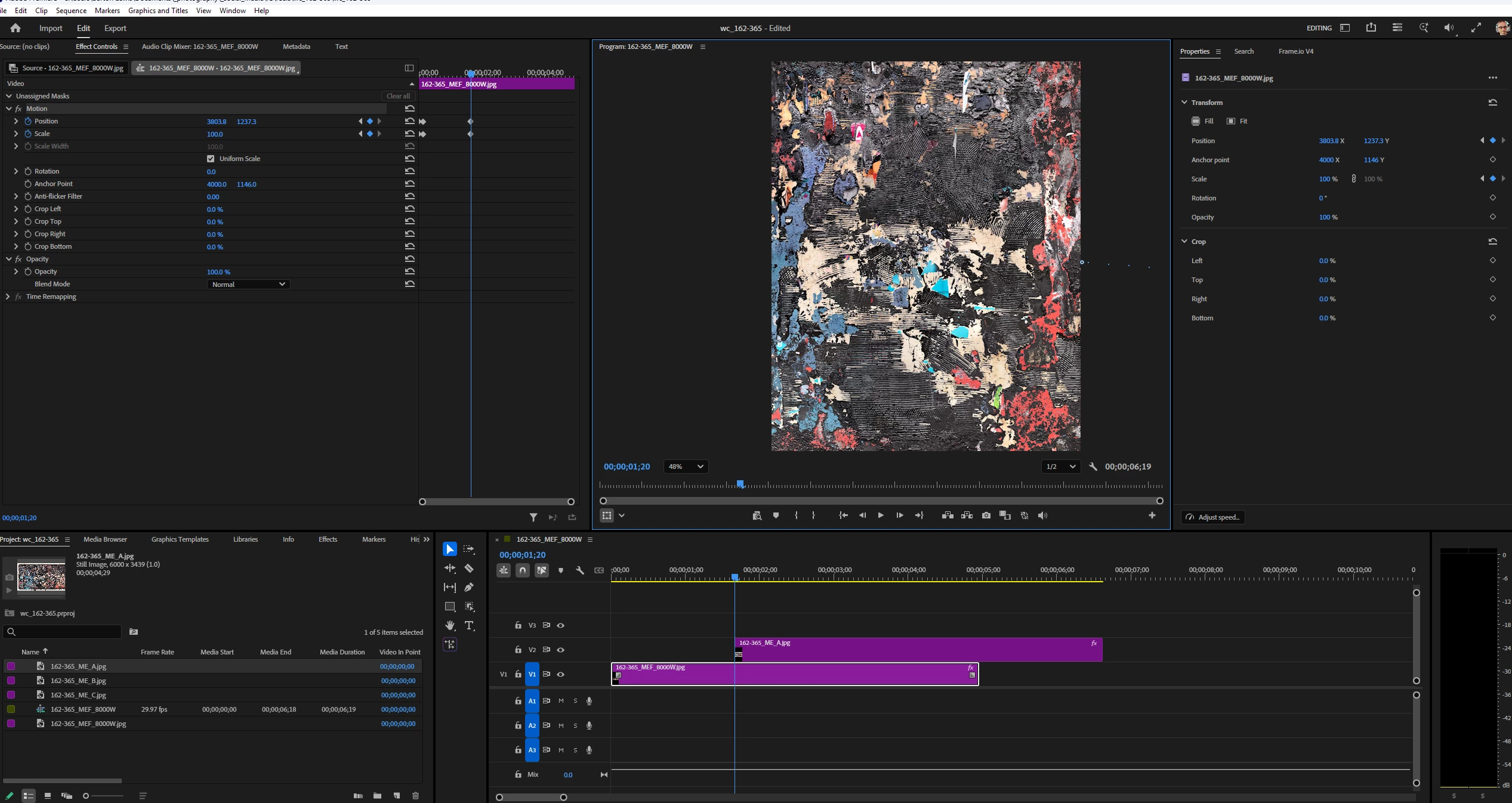
Selection tool snapping to a different track than I'm on

  • July 22, 2026
  • 2 replies
  • 25 views

I’m trying to click and drag on track 2 to move the image but the Selection tool snaps to the first track as soon as I try to do that.  Not sure how posting a screen shot helps but doing it anyway.  Thanks for anyone who knows what might be going wrong.  


    Correct answer caroline_edits

    Weird! Let's see if we can figure this out.

    The first thing we usually suggest for weird UI behavior is to reset your preferences.

    If that doesn't work, let's check your GPU driver for updates. Looks like you're on a PC! What GPU model do you have in your computer?


    Caroline

    2 replies

    Ann Bens
    Community Expert
    Community Expert
    July 22, 2026

    Turn off Sequence > Selection follows Playhead.

    Inspiring
    July 22, 2026

    Thank you.  It was unchecked when I went to check it - the next time this happens I’ll check as soon as it does to see - but presumably, it was unchecked last night when this happened and it was some other glitch.  But good to know.  

    caroline_edits
    Community Manager
    caroline_editsCommunity ManagerCorrect answer
    Community Manager
    July 22, 2026

    Weird! Let's see if we can figure this out.

    The first thing we usually suggest for weird UI behavior is to reset your preferences.

    If that doesn't work, let's check your GPU driver for updates. Looks like you're on a PC! What GPU model do you have in your computer?


    Caroline

    Inspiring
    July 22, 2026

    Thanks for your reply.  Today, it’s working fine.  This happened the last time I used Premiere, about a month or two ago, and I don’t remember what the solution was, but it started working again.  I think I should just maybe close and reopen the app next time, and presumably all will be fine.  Thanks again.
