
"Separate Mono Tracks" in MXF Export Not Working
Hello,
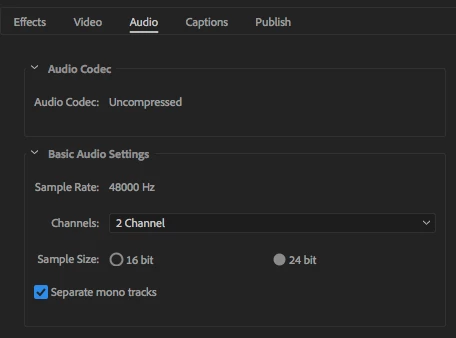
I'm trying to export an MXF with two separate mono audio tracks from a Premiere Pro sequence. It appears this is possible since there is a check box for "Separate Mono Tracks" in the export media dialog box when MXF OP1a is selected for the Format (see screen shot below).
However, when I bring the exported file into Premiere, it's stereo. I know that I can fix this in Premiere by right clicking on a clip and selecting Modify/Audio Channels and changing Clip Channel Format to "Mono" and Number of Audio Clips to "2." but does anyone know why the "Separate Mono Tracks in the MXF export work? This is a major pain with multiple editors working with the same files in different Premiere projects.
Side note: I can get two separate mono tracks when exporting to a QuickTime ProRes file without issue, but am losing color information for files shot in S-log, so trying to stay in MXF.
 AdChoices