
Participant
July 15, 2020
Answered

sequence/timeline navegating

  • July 15, 2020
  • 1 reply
  • 420 views

Im new to Premier Pro so Im a bit lost. I have a project with a nested file when I open the nested file to make an edit but I can't figure out how to get back to my original sequence. Is there an easy way to navegate throught this?
This topic has been closed for replies.
Correct answer Peru Bob

1 reply

Peru Bob
Community Expert
Community Expert
July 15, 2020

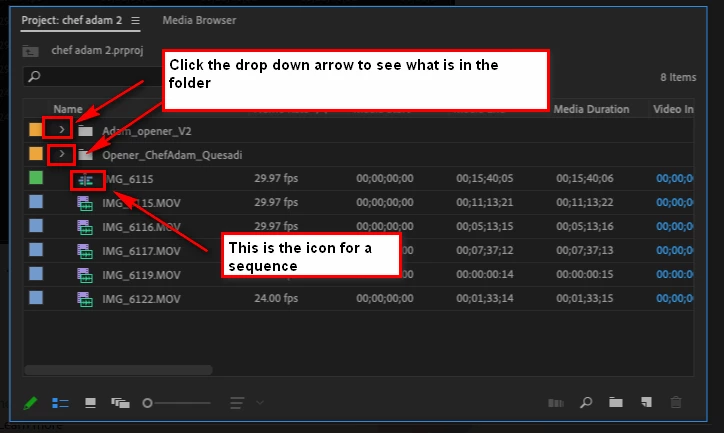
If the original sequence was closed, you can open it from the Project Panel (the panel where your source media is located).

If it is still open, you can click on its tab in the Timeline Panel.

Participant
July 15, 2020

thanks for your reply but Im still not getting it. If I go to the Project Panel where should I see it. Screen grab attached.

Peru Bob
Community Expert
Peru BobCommunity ExpertCorrect answer
Community Expert
July 15, 2020