

Set "Content Kind" to other than "feature" when exporting a DCP (Wraptor DCP for cinemas)
Hello,
i have just created a Trailer with Premiere CC 17.1 for usage in a cinema. Therefore of course I used the wraptor DCP-export. The name of the file is according to the DCP-naming convention which means: "Name-of-movie_TLR_F_EN..........dcp"
I know that "TLR" stands for trailer, and the cinemas need this coding explicitly to create a properly working playlist for the commercials block.
But now I have the following problem: I got feedback from the cinema, that they are not able to create their playlist. The reason: The computer in the cinema checks all incoming DCP-files for errors and inconsistencys and says: Your DCP is described in the file name as TLR="Trailer" but I recognize your content kind as a "Feature". Sorry, this is a conflict, I cannot play your file.
So my first step was to verify the problem with the Software "Easy DCP-Player+", which is able to make hasum check of DCP´s and read metadata. And in fact, the file is recognized as content kind "Feature"
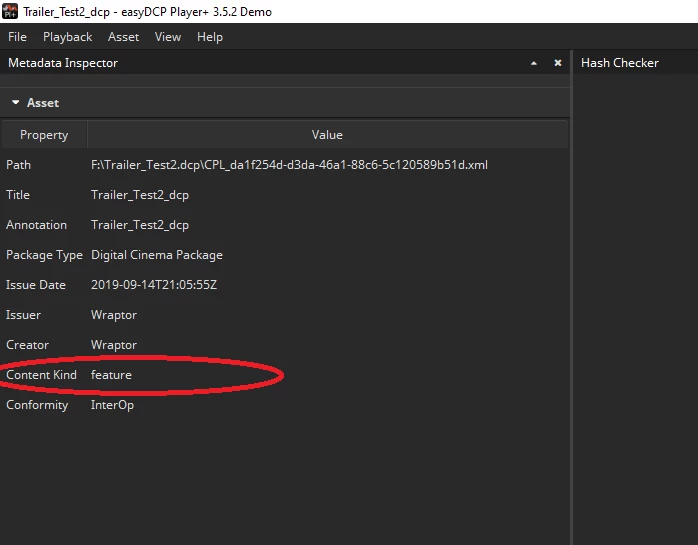
My first thougt was: There must be any checkbox in the export-Settings of Premiere to choose the content kind. But as far as I can see, there is no option. Can someone confirm this?
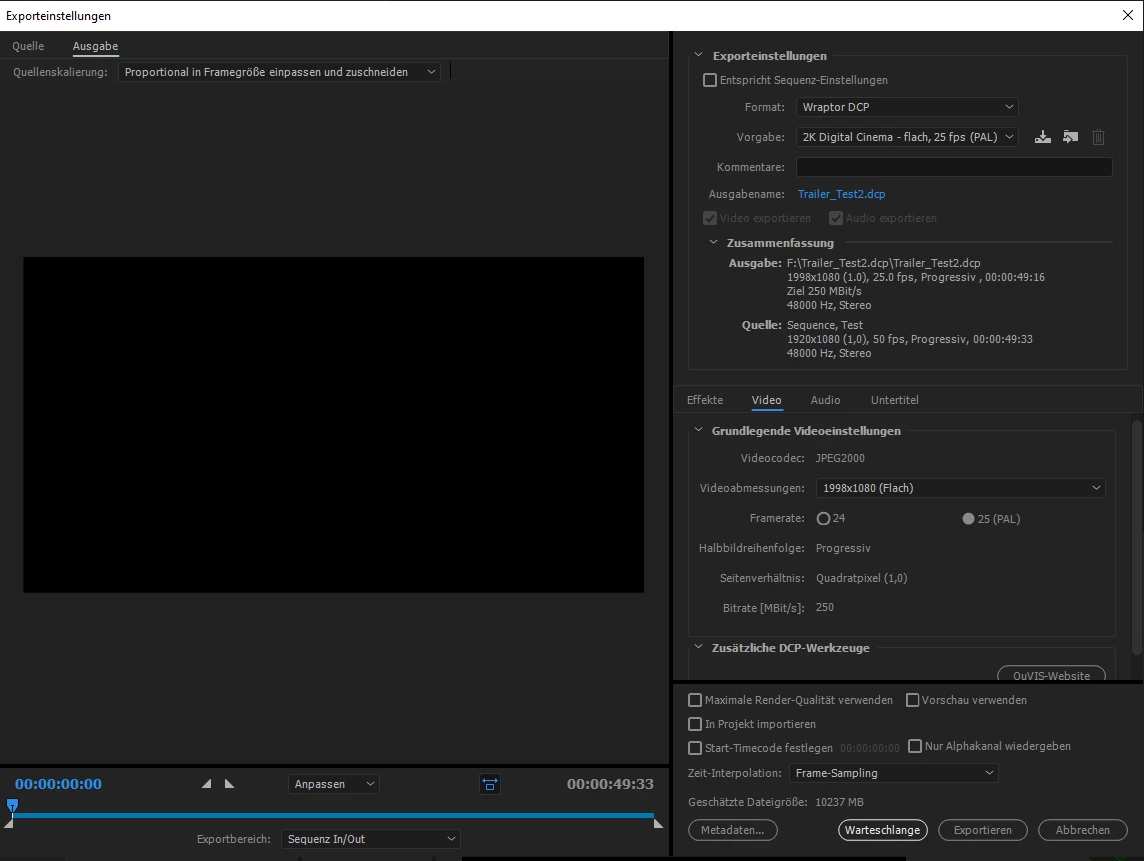
"Easy-DCP Player" and the cinema-computer tell me that the file is a "Feature", although I marked it in the file name as "Trailer". So the content kind (Feature, Trailer, Advertisement....) must not be only coded into the file name but also in the metadata of the DCP. My quick look at the other files in the DCP-folder showed me: At least in the CPL-file, ther is one relevant entry (which I have marked red)
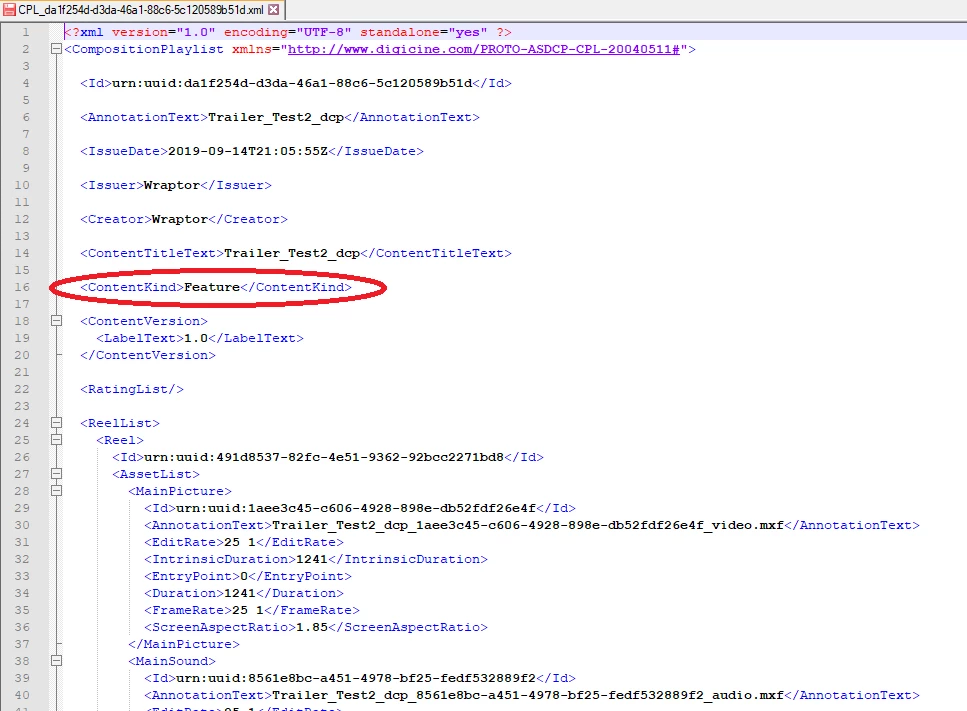
But I have no idea if the information is additionally coded into another metafile, any cryptic code or whatever.
So I though: Genious how I am, I will just edit the CPL-file with an texteditor. So I just changed the word "Feature" to "Trailer" and saved the file. But now comes the next problem:
Through manipulating the metadata, the hashsum check of the cinema´s computer will fail of course, which is even a worse error than before.
So my question: How can this be solved? Adobe Premiere obviously knows only one content type, which is "Feature" and writes that into the metadata. And my last option would be to name a Trailer in the file name as a feature. But I am sure the cinemas will dislike this also and it will lead also to an error. Because in a commercial block must not bea any "Feature".
So I would be very thankful if anyone can help!


 AdChoices