Participating Frequently
September 29, 2019
Answered

Set keyframe button is not accessible in effects control panel

  • September 29, 2019
  • 2 replies
  • 2041 views

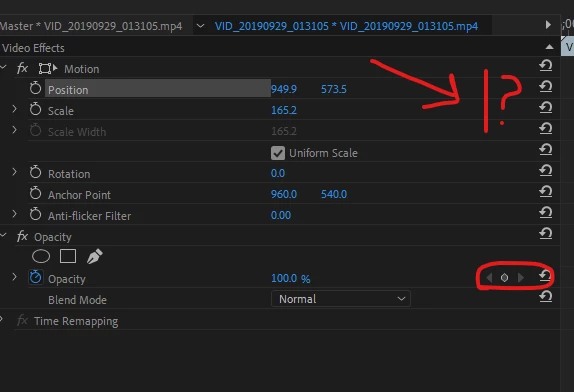
I am trying to set motion keyframes on an mp4 video clip but when I select the clip, the set keyframe button do not show up on the position and scale timeline properties. I can only set a keyframe for the default opacity effect or other user added effects. Why?
 

This topic has been closed for replies.

2 replies

Ann Bens
Community Expert
Ann BensCommunity ExpertCorrect answer
Community Expert
September 29, 2019
R Neil Haugen
Legend
September 29, 2019

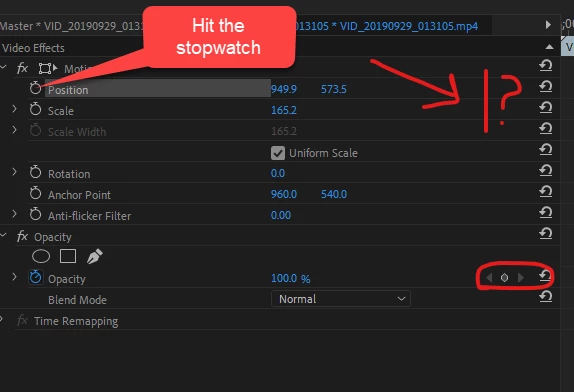
Because you don't have keyframing active. See the stopwatch on the left? Click that ... when it's blue, on that line you will have the previous, set, and next keyframe icons appear just like your lower example.


Neil

Everyone's mileage always varies ...