
jaydw
Inspiring
December 12, 2018
Answered

Setting frame count for Image sequence into premiere pro CC

  • December 12, 2018
  • 2 replies
  • 3064 views

Hello,

I am curious how to set the frame duration when importing into premiere pro CC. I could easily set it in Final Cut but having a hard time finding where to set it in Premiere CC. I believe the default is set to 1 frame, and would like to set it to 2 or 3 frames in the image sequence import per picture.

Thanks in advance!

Jay
    This topic has been closed for replies.
    Correct answer Meg The Dog

    You mean you have not imported a still image sequence, you have a folder full of stills?

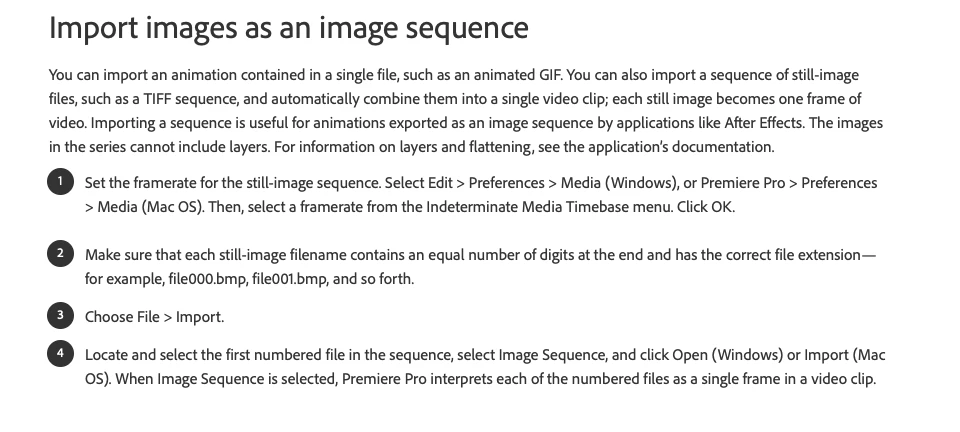
    To import an image sequence, follow these instructions - from Importing still images into Premiere Pro

    MtD

    2 replies

    jaydw
    jaydwAuthor
    Inspiring
    December 12, 2018

    Hey there, I did that originally but was confused if I needed to import different, but that sequence after imported is what I needed to modify, It is a bit different in setting the speeds then FCP but I was able to accomplish what I needed! Instead of 29.97 I just set it to 20 and got the desired look for the timelapse image sequence. Thanks again!

    Inspiring
    December 12, 2018

    Right Click on your Image Sequence in the Project Panel, and from the drop down menu choose Modify > Interpret Footage.

    When the Interpret Footage pane opens, under Frame Rate - click on the button for Assume this frame rate: and set a frame rate of 2 or 3 fps (you can always repeat this process if you want to try out different rates) - and click OK.

    Now when you drag or edit the Image Sequence to the timeline it will play at the new frame rate.

    MtD

    jaydw
    jaydwAuthor
    Inspiring
    December 12, 2018

    Hi there, thanks for the reply, when I go to click modify it is shaded for the image sequence folder, and when I click into the images and select one, it will not let me change the duration. Would you think I would need to import a image sequence in another way? Thanks!

    Meg The DogCorrect answer
    Inspiring
    December 12, 2018

    You mean you have not imported a still image sequence, you have a folder full of stills?

    To import an image sequence, follow these instructions - from Importing still images into Premiere Pro

    MtD