

Severe Lag When Editing Text Layers in Premiere Pro – Any Solutions?
Hi everyone,
I've seen a few posts about similar issues... I'm experiencing severe lag when working with sequences that include a couple of layers including text layers. For me, editing a text layer causes nearly 1 minute of lag before the edit shows up. This makes it almost impossible to work efficiently. This issue seems to persist across multiple projects, and based on what I've read others have had this issue, with no clear solution.
I'm working in 4k 10-Bit Color, Sony FX30 Footage
Project File and Assets: I've uploaded the project file and assets here:
https://drive.google.com/open?id=1MwnDCIVVU3nsahi-_YhVX0aZs_RcTRNm&usp=drive_fs
I’ve already tried:
- Clearing the cache.
- Disabling hardware acceleration.
- Updating drivers and Premiere Pro.
But nothing seems to fix the issue. Has anyone else encountered this? Any tips or solutions would be greatly appreciated. Thanks in advance!
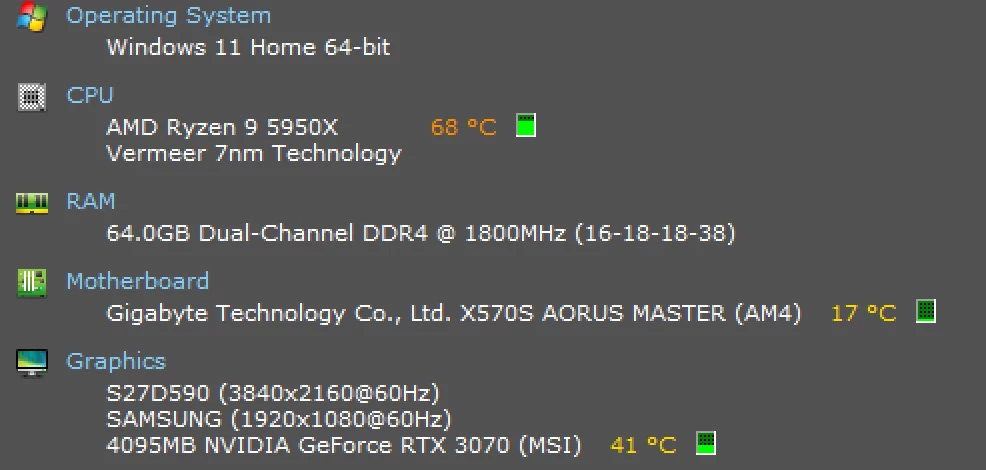
Here are my specs:
- Windows 11 Home 64-bit
- AMD Ryzen 9 5950X
- 64.0GB Dual-Channel DDR4 @ 1800MHz (16-18-18-38)
- Gigabyte Technology Co., Ltd. X570S AORUS MASTER (AM4) 17 °C
- 4095MB NVIDIA GeForce RTX 3070 (MSI) 38 °C


 AdChoices