


Inspiring
June 26, 2025
Answered

Severe Pixelation on PNG with Motion After Rendering (Premiere Pro)

  • June 26, 2025
  • 3 replies
  • 243 views

I'm experiencing severe pixelation on a PNG file after rendering in Premiere Pro.

  • The PNG has motion graphics applied (Ease In/Out + Scale).
  • In the timeline preview it looks perfectly fine.
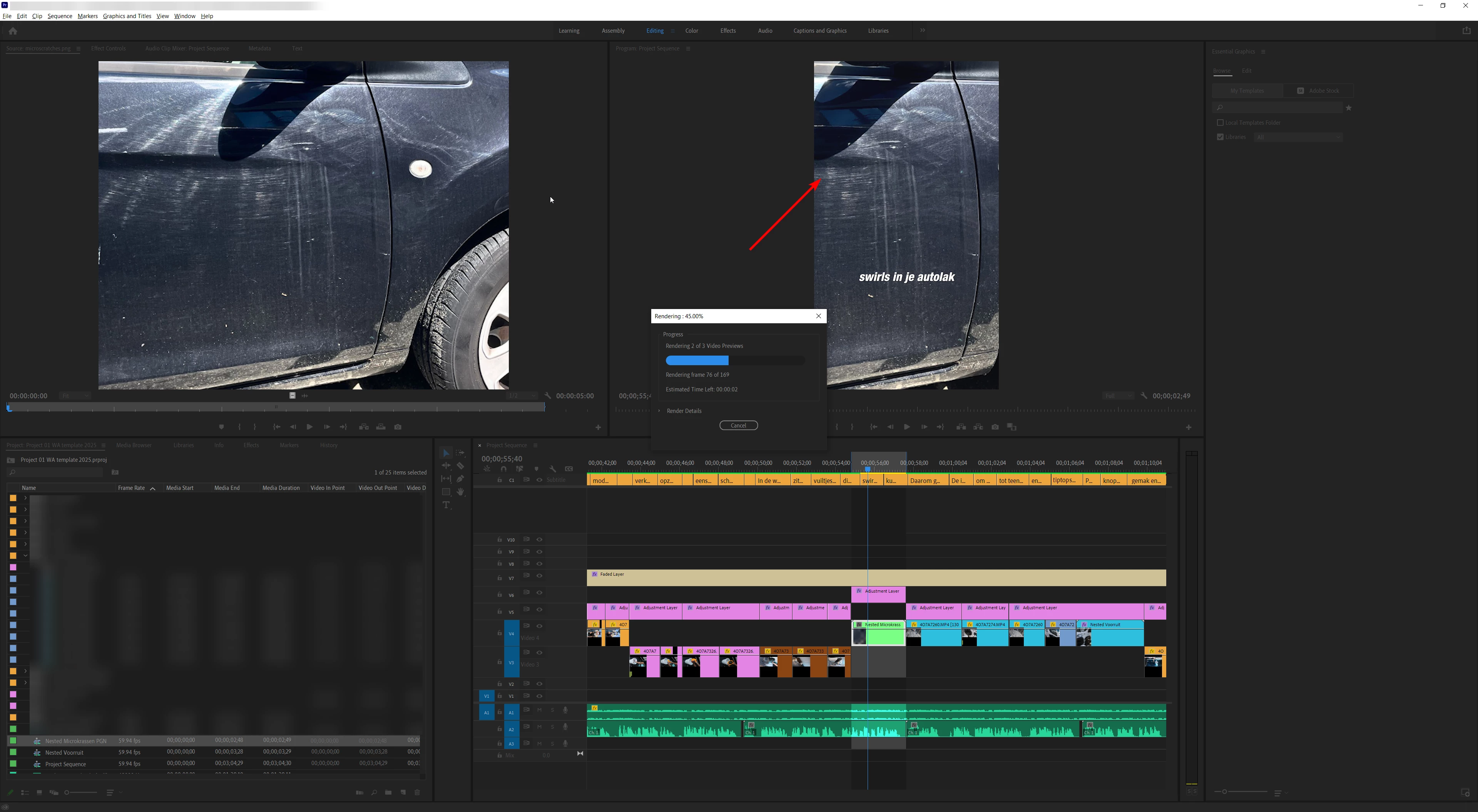
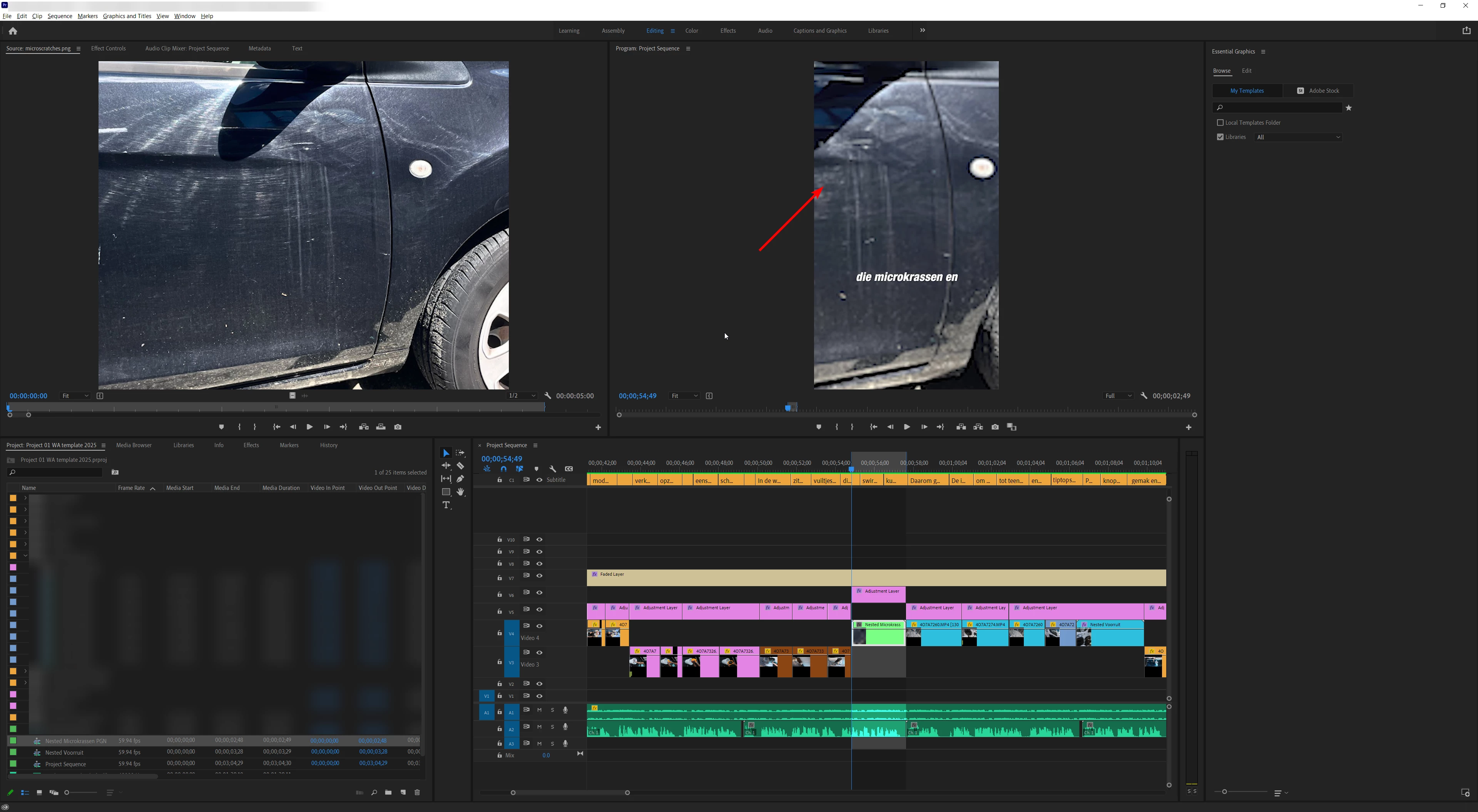
  • After rendering, the image becomes pixelated (see attached before/after).
  • I tried exporting the PNG separately, nesting it, and re-importing — no difference.
  • No additional effects applied, just basic motion.


Before: 

After Rendering:

System Info: 
Laptop Model: HP ENVY x360 Convertible 15-cn0xxx
OS: Windows 10 Home, Version 10.0.19045 (64-bit)
Processor: Intel Core i7-8550U @ 1.80GHz (4 cores / 8 threads)
Memory: 32 GB RAM
Graphics:
NVIDIA GeForce MX150 (4 GB VRAM)
Intel UHD Graphics 620
GPU Driver: 576.98


No clue what is causing this....
Correct answer FOediting

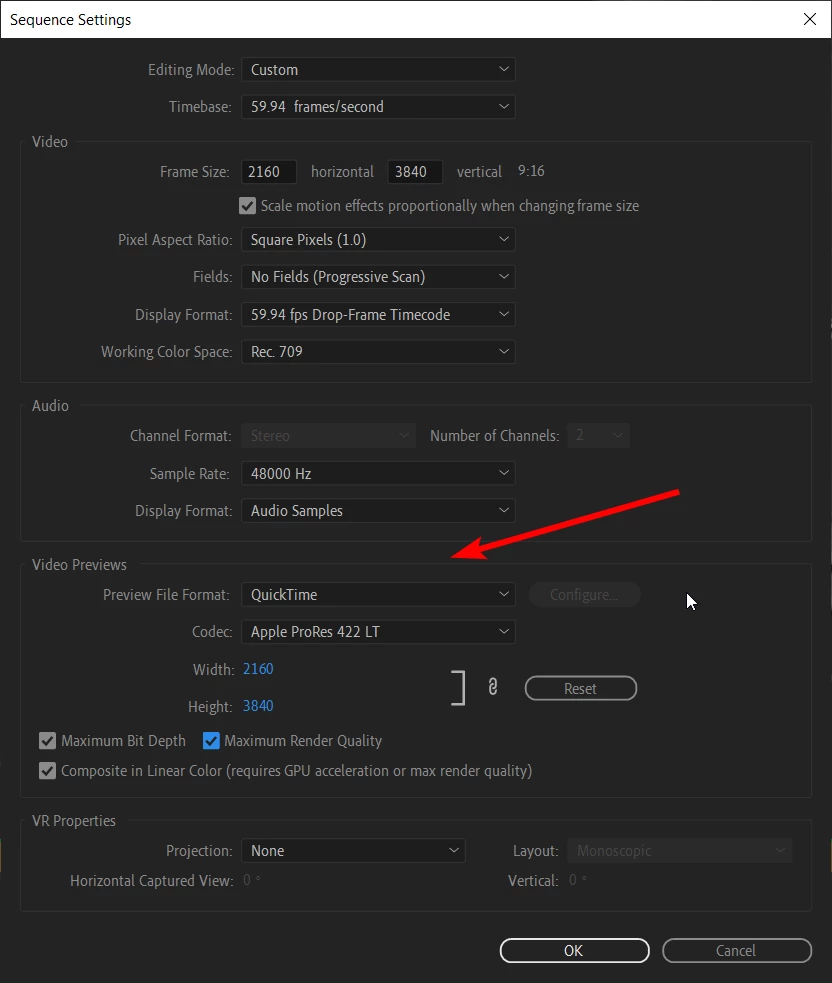
The pixelation in my rendered PNG image was caused by the default low-resolution preview settings in my sequence.

After changing:

Preview File Format to QuickTime

Codec to Apple ProRes 422 LT

Preview resolution to match my timeline (3840x2160)

And enabling Maximum Bit Depth and Maximum Render Quality

...the issue was resolved. My preview renders are now sharp, and exports using "Use Previews" look clean.

Leaving this here in case others run into the same problem!

3 replies

FOeditingAuthorCorrect answer
Inspiring
June 26, 2025

The pixelation in my rendered PNG image was caused by the default low-resolution preview settings in my sequence.

After changing:

Preview File Format to QuickTime

Codec to Apple ProRes 422 LT

Preview resolution to match my timeline (3840x2160)

And enabling Maximum Bit Depth and Maximum Render Quality

...the issue was resolved. My preview renders are now sharp, and exports using "Use Previews" look clean.

Leaving this here in case others run into the same problem!

Ishan Y
Inspiring
June 27, 2025

I'm glad you found a solution, and thank you for sharing it here. 

FOeditingAuthor
Inspiring
June 26, 2025

Before: 

After: 

FOeditingAuthor
Inspiring
June 26, 2025