edit58989569
Inspiring
March 6, 2023
Answered

Shape Layer Alignment

  • March 6, 2023
  • 3 replies
  • 2159 views

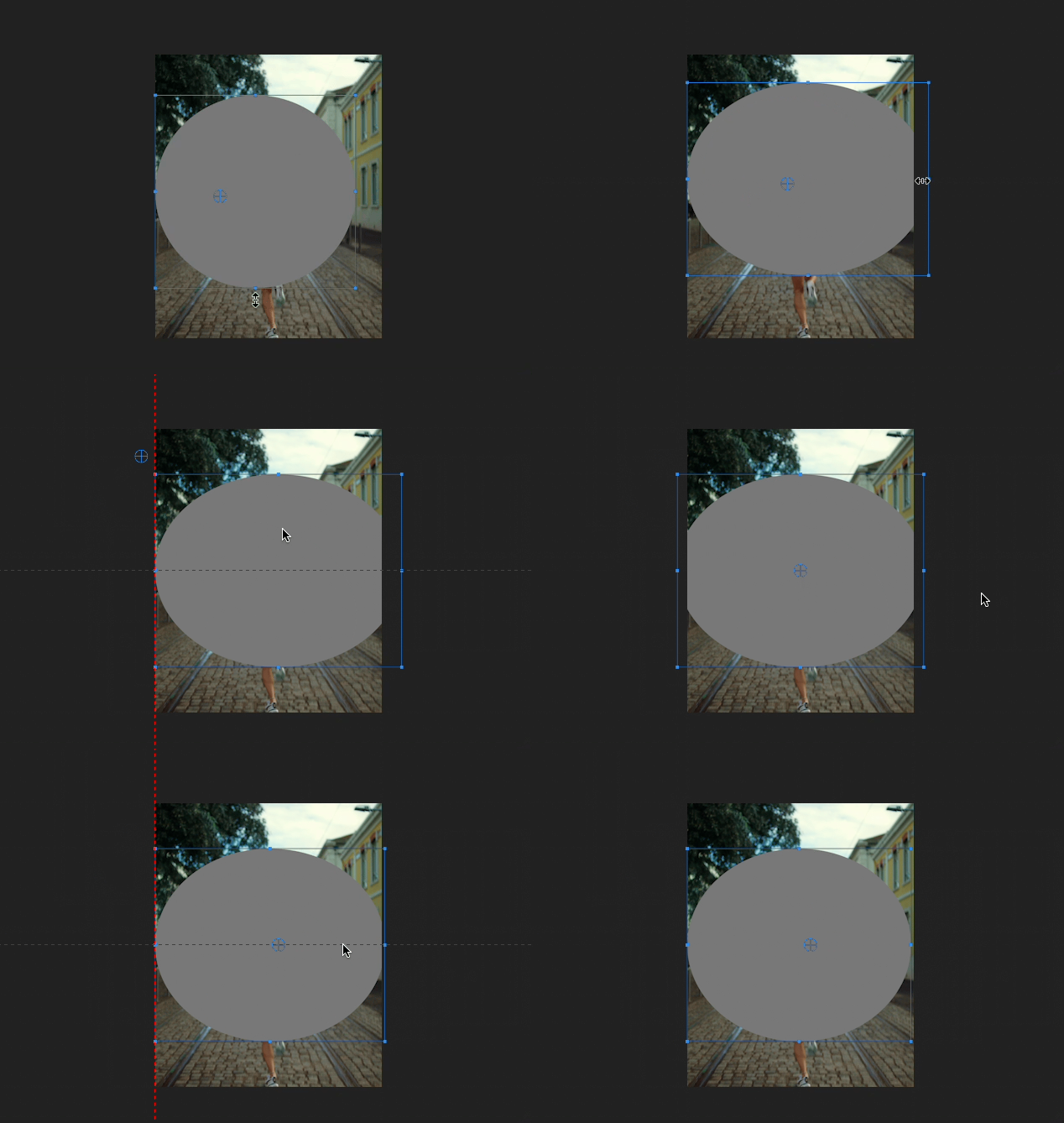
Why can't one side of this shape layer align to the edge? 
 

This topic has been closed for replies.
Correct answer Ann Bens

Alignment is based on position, not scaling.

3 replies

Ann Bens
Community Expert
Ann BensCommunity ExpertCorrect answer
Community Expert
March 6, 2023

Alignment is based on position, not scaling.

edit58989569
Inspiring
March 6, 2023

What does that mean? 

Ann Bens
Community Expert
Community Expert
March 6, 2023

It means it cannot do what you want.

Pulling on one side of the circle. That is scaling, that is not the same as moving the circle around on the canvas.

MyerPj
Community Expert
Community Expert
March 6, 2023

And type in the width/height of your elipse if you want it to be frame height or width. 1080x1080 produces a circle which would fit the top/bottom of HD, etc.

MyerPj
Community Expert
Community Expert
March 6, 2023

Then you can ctrl-drag to snap it.

MyerPj
Community Expert
Community Expert
March 6, 2023

Hold down SHIFT as you move it and you can snap to a side(s)

edit58989569
Inspiring
March 6, 2023

I'm on Mac, Shift doesn't do anything. 

MyerPj
Community Expert
Community Expert
March 6, 2023

Try Cmd. 

When I leave the Anchor Point in the center (ie: as is) and hold ctrl it will snap to the center, in addition it will create in the center edge to edge if I put in the width/height of the newly created ellipse to 1920x1080 it will be already centered.
