Participant
February 5, 2020
Answered

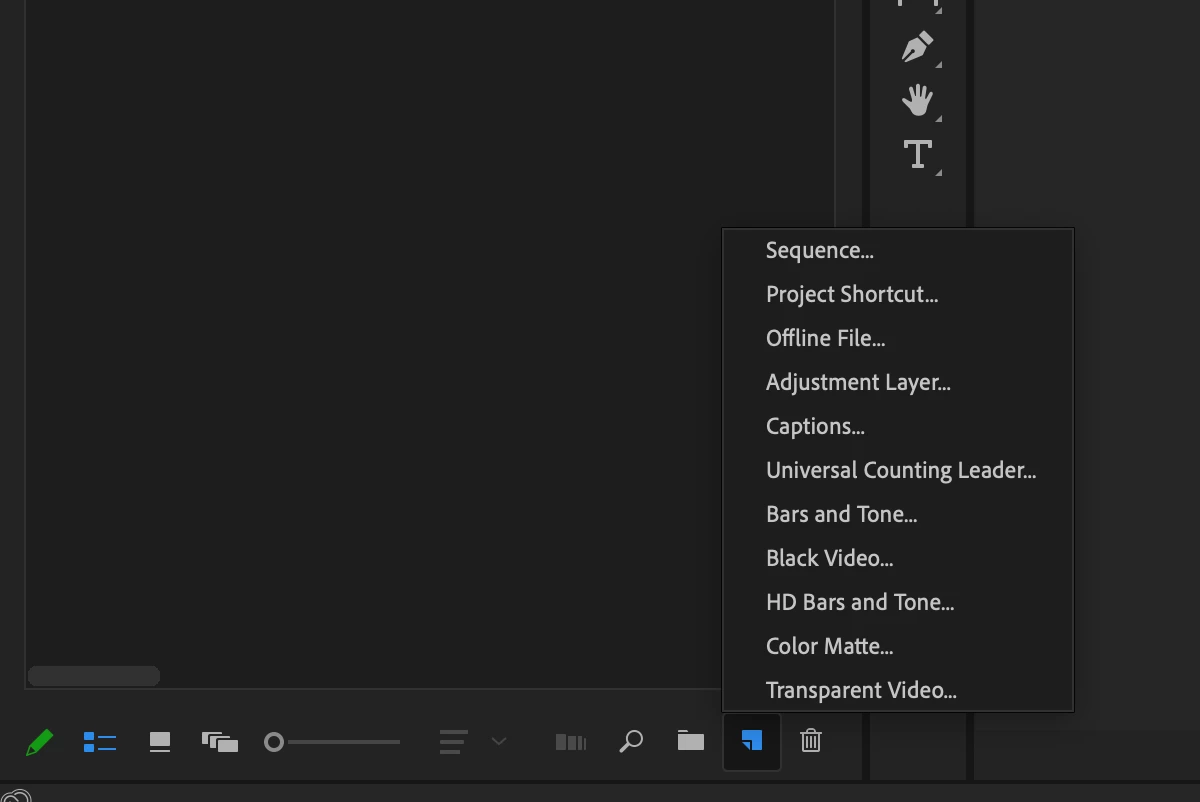
Shared Project Missing in New Item tab

  • February 5, 2020
  • 2 replies
  • 1030 views

Has anyone come across not having the option to select Shared Project in New Item tab?

I am Using Adobe 14.0.1

I changed my preferences 

Collaboration - selected Enable project locking

Media - enabled Automatically Hide Dependent Clips & Disabled Allow duplicate media during project import
This topic has been closed for replies.
Correct answer R Neil Haugen

I've checked with a few people, heard back from an editor with CBN ... they've been working fine sharing projects on their network, just everyone turns on Locking in the prefs, and it works just like the Shared Projects used to. So he and I are concluding that all projects can be shared now, it's nothing "special" ... just requires the users to set locking to On in Collaboration page.


Neil

2 replies

R Neil Haugen
R Neil HaugenCorrect answer
Legend
February 5, 2020

I've checked with a few people, heard back from an editor with CBN ... they've been working fine sharing projects on their network, just everyone turns on Locking in the prefs, and it works just like the Shared Projects used to. So he and I are concluding that all projects can be shared now, it's nothing "special" ... just requires the users to set locking to On in Collaboration page.


Neil

Everyone's mileage always varies ...
R Neil Haugen
Legend
February 5, 2020

That suprised me, but you're right, I can't find that on mine either. I've written online articles about that feature ... so I'm really surprised I've not noted that!


In the Collaboration tab of the Preferences, there's still the "enable project locking" item. So I'm wondering if they assume one just turns on Locking to use any project as a shared project now?


I'll see if I can get an answer from someone. May take a few days, but ... yea, I'm surprised.


Neil

Everyone's mileage always varies ...