

Participant
Nov 20, 2025 9:06 AM UTC
Answered

Short cut

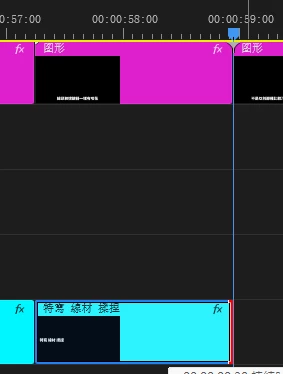
is there any Premiere shortcut can do this ?

trim select clip to playhead
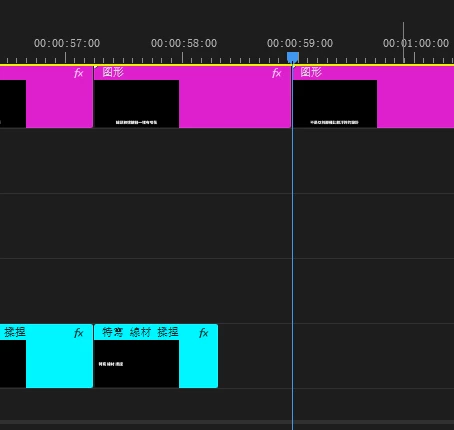
->
 

Averdahl
AverdahlCorrect answer
Community Expert
Nov 20, 2025 9:17 AM UTC

For the example abowe, try Ctrl+Q.


No need to select the clip but you must be aware of which track you are trimming and make sure that the correct track is targeted, iow V1, V2, V3, etc, etc.


Ctrl+Q and Ctrl+W is for Extend Previous Edit to Playhead (Ctrl+Q) and Extend Next Edit to Playhead (Ctrl+W)

2 replies

Adobe Employee
Nov 20, 2025 12:41 PM UTC

Hi there,

Welcome to the community! Here is a video explaining different Trim Edit to Playhead shortcuts. You may also lock the track that you don't want to be affected by this operation. Hope it helps.


Thanks,

Sumeet

Translate
Averdahl
Community Expert
AverdahlCommunity ExpertCorrect answer
Community Expert
Nov 20, 2025 9:17 AM UTC

For the example abowe, try Ctrl+Q.


No need to select the clip but you must be aware of which track you are trimming and make sure that the correct track is targeted, iow V1, V2, V3, etc, etc.


Ctrl+Q and Ctrl+W is for Extend Previous Edit to Playhead (Ctrl+Q) and Extend Next Edit to Playhead (Ctrl+W)

Translate

