Participant
October 21, 2024
Question

Shortcut for moving selections

  • October 21, 2024
  • 2 replies
  • 221 views

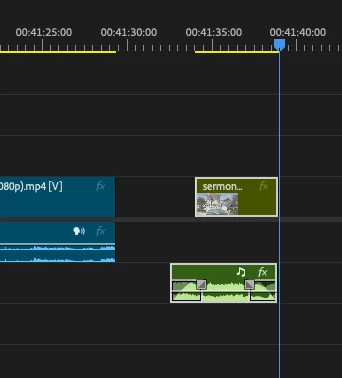
I often need to quickly push an edited selection to the left to touch the previous videos. Is there a shortcut I could use or edit to make this happen quickly?

This topic has been closed for replies.

2 replies

Averdahl
Community Expert
Community Expert
October 21, 2024

I select the clips and press -+10000+Enter on the numeric keypad to move the selected clips one (1) minute to the left. You have the freedom to choose any value, so you can easily move the selected clips a couple of frames or a couple of hours and everything in between. 


-+10000+Enter = Moves the selected clips to the left 1 minute.

++10000+Enter = Moves the selected clips to the right 1 minute.


Experiment with the timecode values, if you want to move jus 10 frames, use ++10+Enter, etc, etc, etc.


Several key presses, but it works.


There can be less key presses if you use a US-keyboard if i remeber correctly. I use a Swedish keyboard and the layout is different.


quote

Is there a shortcut I could use or edit to make this happen quickly?


By @KaysCreativeMedia


R Neil Haugen
Legend
October 21, 2024

Look in the Keyboard Shortcuts dialog, for "nudge". There's both nudge one frame, and nudge 5, both ways. And ... you can set the number of frames for the nudge 5 if you prefer a different number.


There's also clicking in the track area between clips, and hitting delete.

Everyone's mileage always varies ...