


Participant
February 21, 2023
Answered

Shortcuts

  • February 21, 2023
  • 1 reply
  • 257 views

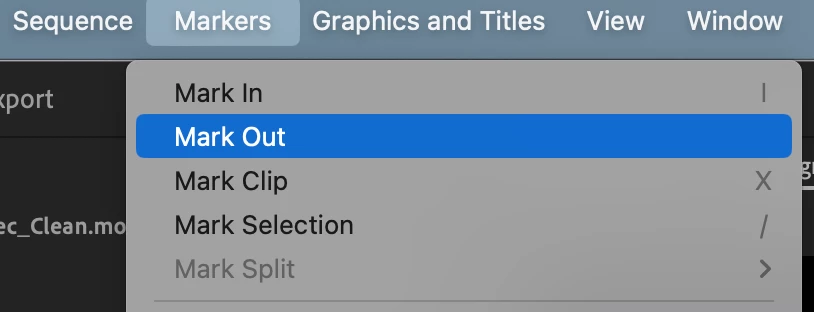
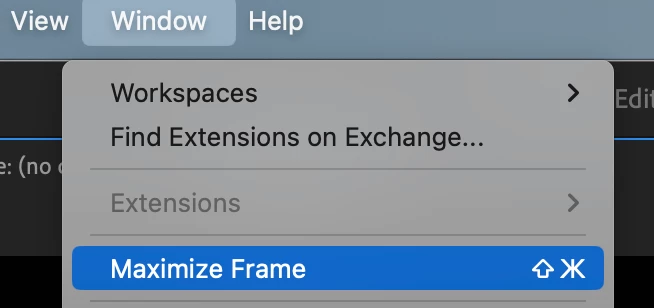
After the last update, my shortcuts stopped working. They just disappeared even from the menu. In particular, the button "out" works only from the context menu. The button "Maximize Frame" is now also active only in this way. There is a shortcut, but it does not work and I can not understand why there are Cyrillic characters. Do you have any ideas?
 

This topic has been closed for replies.
Correct answer Suraj5EBF

Make sure in the Keyboard shortcut layout setting 'Adobe Premiere Pro Default' should be selected. if not works try to install and reinstall or clear preference.

thanks,

Suraj Shinde.

1 reply

Suraj5EBFCorrect answer
Participating Frequently
February 21, 2023

Make sure in the Keyboard shortcut layout setting 'Adobe Premiere Pro Default' should be selected. if not works try to install and reinstall or clear preference.

thanks,

Suraj Shinde.