


Known Participant
February 13, 2026
Question

slow playback in premiere

  • February 13, 2026
  • 2 replies
  • 29 views

Why do I get such crummy playback in Premiere? Do I have something set up wrong?

My computer struggled to do basic playback in Premiere so, when I built my next system, I looked for specs that should have allowed smooth 4K editing. But playback was still ****.

Figured it was my fault so, this time, I decided to let someone else build it.

I just purchased a workstation from Puget Systems.

  • Intel Core Ultra 9 285K 3.7GHz 24 Core 36MB 125W
  • 96GB  Kingston DDR5-5600
  • MSI GeForce RTX 5080 INSPIRE 3X OC 16GB
  • Windows 11

And … it struggles on playback.


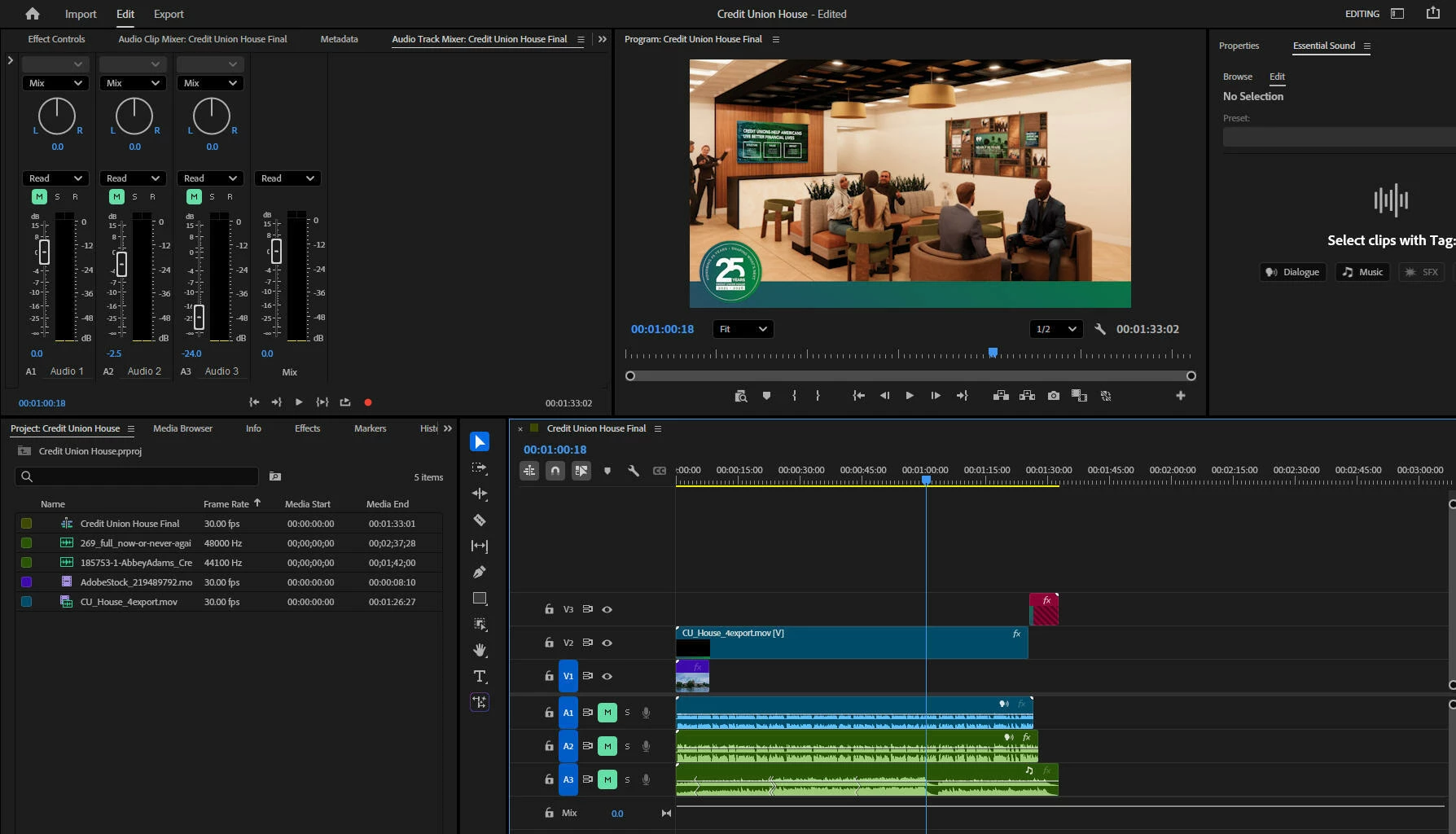
I have three tracks:

  • 1920*1080 MOV file exported from Animate.
  • A single voice over track (.WAV or .MP3)
  • A single music track (.WAV)

I’m playing back in a tiny little window (30%) and half resolution. Playback stutters. Sound frequently drops out altogether.

Do I have something set up wrong? How does this problem persist no matter how much RAM and horsepower I throw at it?

Thanks for any insights.
 

    2 replies

    R Neil Haugen
    Legend
    February 27, 2026

    Wow, that’s awful! My older Puget build with a 3960XRyzen, 128GB of RAM, and ‘only’ a 2080Ti doesn’t have any issues like that at all. With even most H.264/long-GOP, which my system is not really built to handle. I do have twin Nvme drives, one for OS/Programs, the other for all cache files, and then eight internal SSDs for projects and media.

    What are the specs for the file from Animate, framesize/rate and codec? Are you running all SSD internal drives?

    Everyone's mileage always varies ...
    Community Manager
    February 27, 2026

    Hi Mark Clarkson,

    Sorry to hear that you are experiencing this issue. Please let us know the exact version of Premiere you are using. Is this happening specifically with the media from Animate, or all the media? Also, please share a screenshot of the Audio Hardware preferences window & the Media preferences window in Premiere. It will help us diagnose the issue properly.


    Thanks,
    Sumeet