
Known Participant
March 6, 2020
Answered

(SOLVED) Masking auto creating bezier handles

  • March 6, 2020
  • 3 replies
  • 5708 views

Hi, I'm getting crazy trying to create a simple masking transition. I created 4 points and trying to move them on each frame. When I try to move the bottome point, which is the first point I placed, it creates that stupid handle instead and everything is bending instead of simply moving my damn point to the right. I'm furious here please someone help me before I throw this computer on the wall!!

Thank you!!!
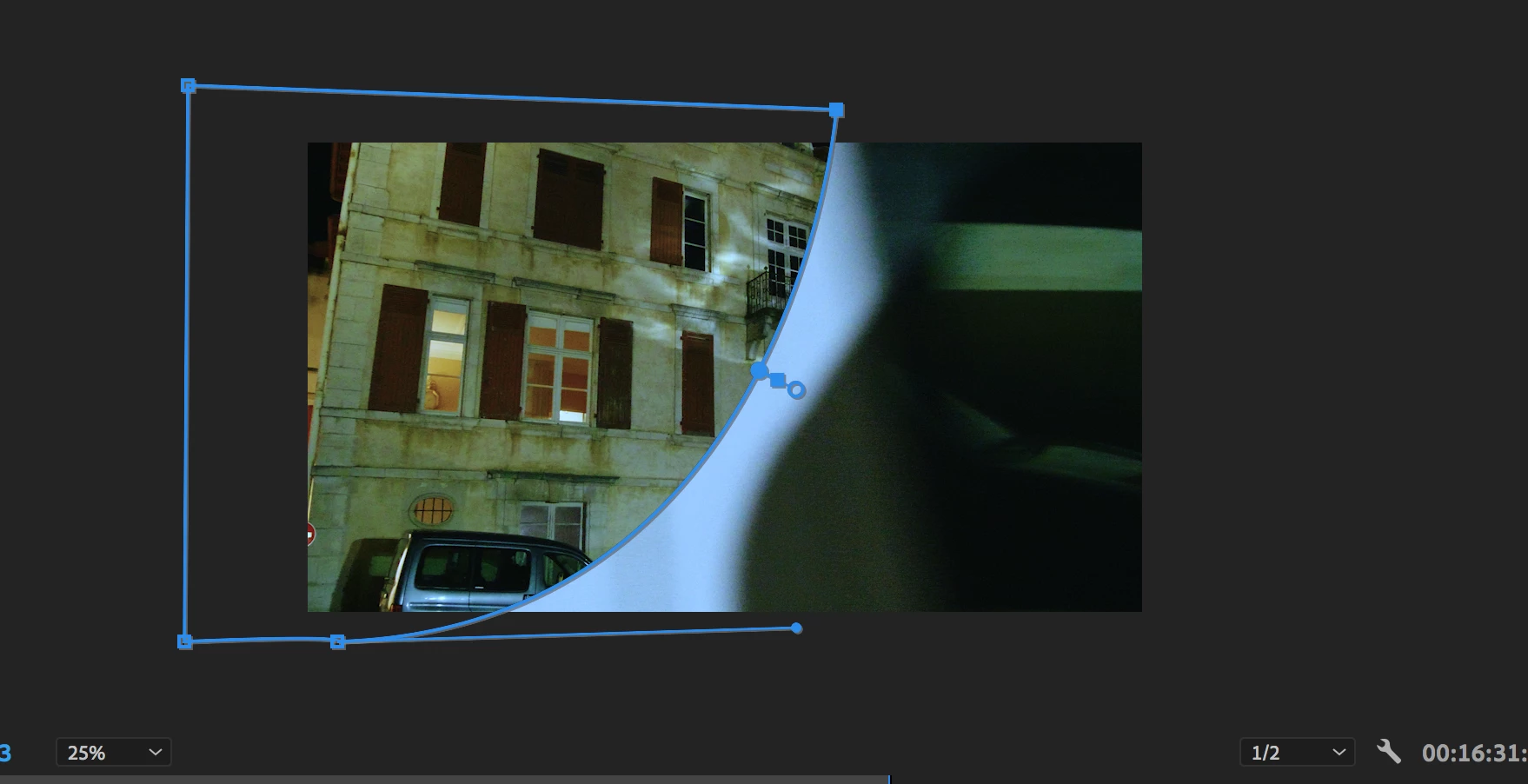
    This topic has been closed for replies.
    Correct answer Ann Bens

    To avoid this behaviour I often start of with the default rectagular and lasso 2 nodes at a time to resize

    3 replies

    Known Participant
    March 6, 2020

    Edit: Ann gave me the solution: start with the basic rectangular mask.

    Inspiring
    March 6, 2020

    I'd like to add that I find it very annoying that the default for mask points seems to be bezier handles.  My most used masks are rectangular, and when I try to move a point, it turns into a bezier handle, and that's not what I want for the default.  This is the OPPOSITE of how masks work in Ae and Ai.  Whey the inconsistency between apps from the same company?

    Ann Bens
    Community Expert
    Ann BensCommunity ExpertCorrect answer
    Community Expert
    March 6, 2020

    To avoid this behaviour I often start of with the default rectagular and lasso 2 nodes at a time to resize

    Inspiring
    March 6, 2020

    It would be faster to just put the four points where I want them with the pen tool, if it weren't for the bizarre handle behavior.  The default rectangle is rarely in the part of the frame where I want it to be.  That's an OK workaround, but not great, and counterproductive if the mask handles would simply default to typical Adobe conventions where they are linear until made otherwise.  Perhaps this could be preference in a future release.

    Ann Bens
    Community Expert
    Community Expert
    March 6, 2020

    EDIT:


    When closing a mask last node becomes a bezier handle (this is a bug)

    workaround: close mask, undo and close it again.

    Known Participant
    March 14, 2020

    Thanks but that doesn't help unfortunately....I tried closing, undoing, reclosing and the last closing point is still a f*c*ing bezier handle...