AWAFILMS
Participant
April 20, 2018
Answered

Some DJI footage won't import

  • April 20, 2018
  • 3 replies
  • 9344 views

Hi,

I have a new issue with premiere pro :

Some DJI .mov won't import while some other will.
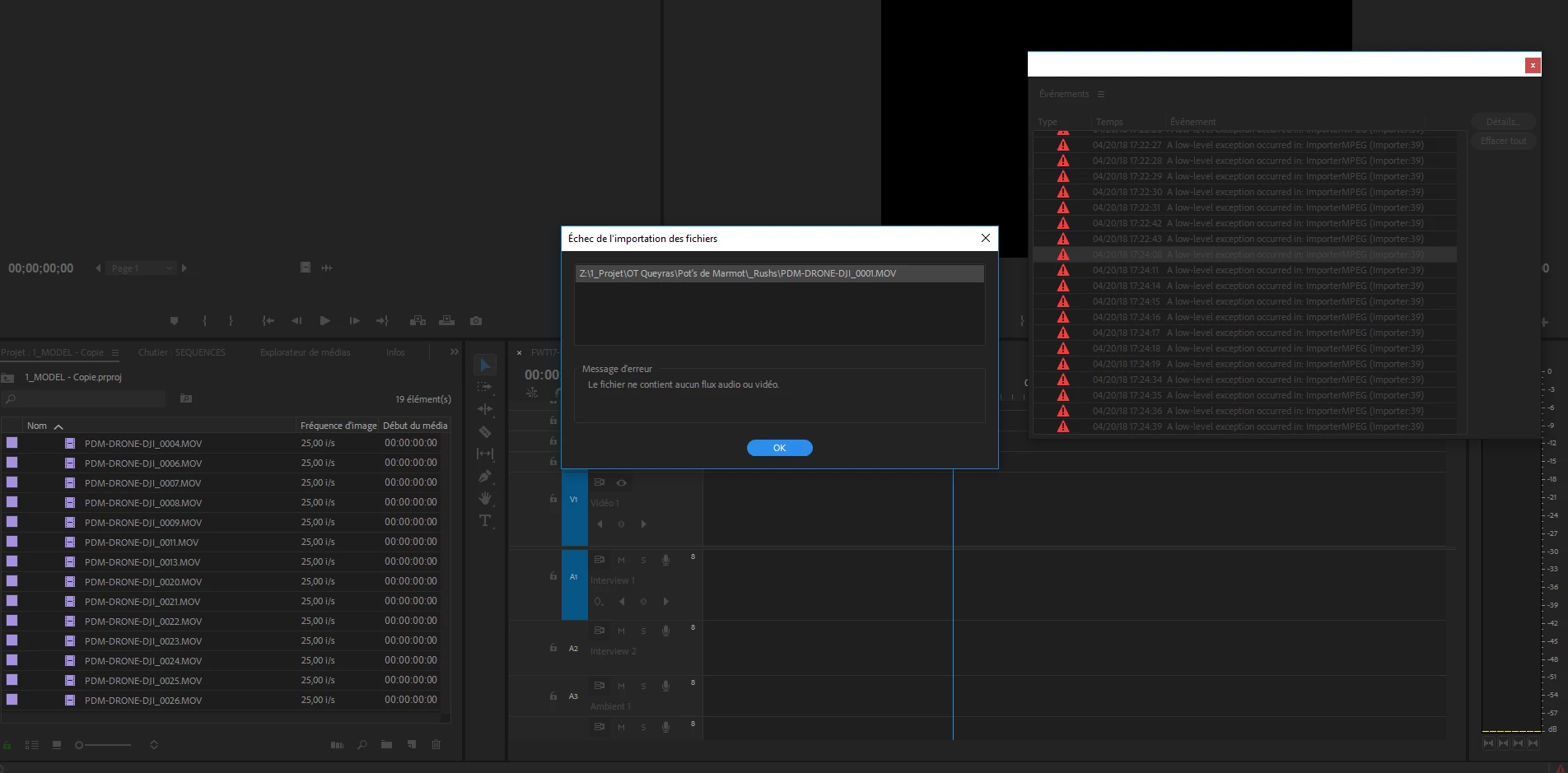
Any idea ?

Thanks

    This topic has been closed for replies.
    Correct answer Kevin J. Monahan Jr.

    Hi BorisD,

    More than likely, you're hitting the following: Dropped support for Quicktime 7 era formats and codecs

    You can import these clips in an earlier version of Premiere Pro or Media Encoder as 32-bit formats are still supported for import there. Then export these from there, which will transcode the files to a 64-bit version of the QuickTime codec. You can then import and  work with these files in the current version of the application.

    Thanks,

    Kevin

    3 replies

    Kevin J. Monahan Jr.
    Community Manager
    Kevin J. Monahan Jr.Community ManagerCorrect answer
    Community Manager
    May 23, 2018

    Hi BorisD,

    More than likely, you're hitting the following: Dropped support for Quicktime 7 era formats and codecs

    You can import these clips in an earlier version of Premiere Pro or Media Encoder as 32-bit formats are still supported for import there. Then export these from there, which will transcode the files to a 64-bit version of the QuickTime codec. You can then import and  work with these files in the current version of the application.

    Thanks,

    Kevin

    Kevin Monahan - Sr. Community and Engagement Strategist – Adobe Pro Video and Audio
    PeterCorbett
    Known Participant
    August 21, 2018

    That's doesn't work at all.  An error message come up.  AME doesn't import these 32-bit QuickTime/Animation codec any What is then best workaround for OSX?  My entire collection of Digital Juice is becoming redundant.  Does it have to be a pre-CC version of AME?more than Premiere 2108 will. 

    R Neil Haugen
    Legend
    August 21, 2018

    From the CC app, go to Premiere Pro, click the right-side of the blue graphic, Earlier Versions, then install 2017. That's what Kevin is talking about.

    Neil

    Everyone's mileage always varies ...
    April 25, 2018

    DJI has a different codec. Even though, I have never experienced any trouble with my Phantom 4 or Spark.

    I would try to convert it to a more common codec.

    Also, check this out: Importing Into Premiere | DJI FORUM

    Inspiring
    April 25, 2018

    That doesn't explain why the older version of Premiere and AME will open my files just fine.  And why it's only affecting 10% of my clips that were recorded at the same time.  Up until the 2018 update, I never had any problems with my OSMO, X5 or Inspire clips.

    I wondered if it had anything to do with outdated 32 bit codecs that Adobe has been warning us about.. but that doesn't explain why MOST of the files still work fine.

    R Neil Haugen
    Legend
    April 26, 2018

    Please post this on the new user voice feedback system linked from the Overview page of this forum. Add into the other posts on the mov import troubles.

    Neil

    Everyone's mileage always varies ...
    Inspiring
    April 25, 2018

    I'm having this same issue.  All started with the CC12 update.

    I'm looking at media from the same card, recorded at the same time.  There are 20 clips and 5 of them won't import.  The Media Browser lists the duration as (for example on one of them)  23:14208.    I can't open the files in AME or After Effects.  If I try to import the file in Premiere I get only an audio track with no audio and an "Unspecified Error Occurred" message.

    The clip plays fine (audio and video)  using quickview from my desktop and also opens in QuickTime Player.  But if I try to export the file using QuickTime Player, I get an error message.

    These files were recorded on a DJI OSMO with an X5 Camera.  But I'm having similar issues with various clips from older projects that opened just fine before the upgrade.  They are .mov files.

    My still have CC version 11 installed on my laptop and all the clips work fine.  Even loading the same media folder from across the network.

    So far, the only workaround I've discovered is opening it in VLC and exporting using VLC.

    I'm using a mac running 10.11.

    Inspiring
    April 25, 2018

    New Work-Around:

    I installed AME 2017 on the machine that was upgraded to 2018 and the 2017 version of AME will import and convert the files no problem at all.    A better workaround because AME will batch and I don't think VLC will... and more control of output format.

    Again, there doesn't seem to be any rhyme or reason to explain which clips won't import and which will.  But it's definitely isolated to the 2018 release.

    Am I allowed to put links to download media files from my dropbox?

    I'll try:  https://www.dropbox.com/s/8e742syoj68mtyg/DJI_0077.MOV?dl=0