
Participating Frequently
February 26, 2020
Question

Some of my footage doesnt show

  • February 26, 2020
  • 2 replies
  • 289 views

Hi, the issue is that some of my footage, video (mp4) and inages (png) doesnt show on preview and at final render.

My Computer is a Pc brand new with top specs.

I can see the video and images by themselves with no problems.

Here i attach the images

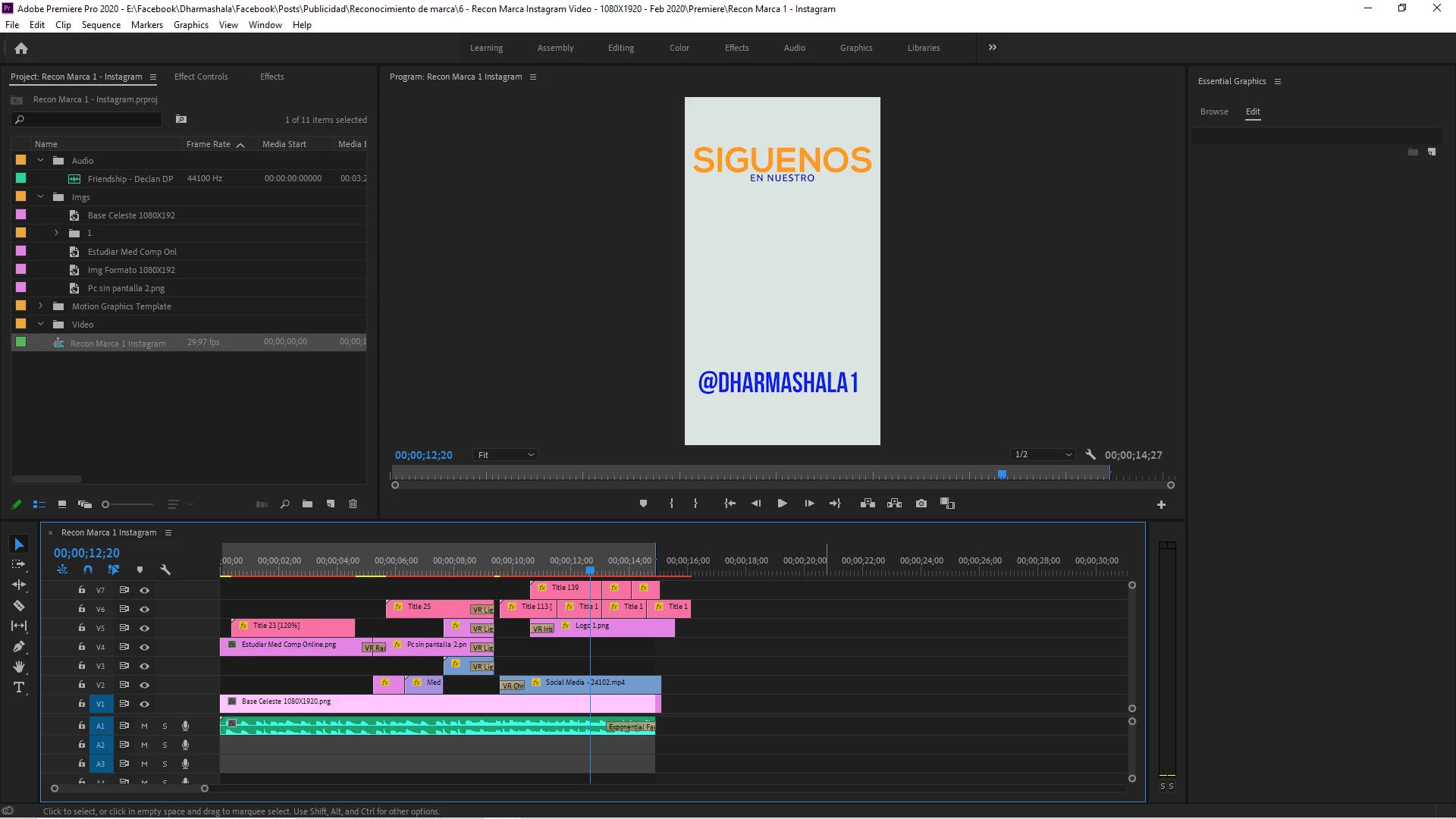
1. How it shows in preview and in final render
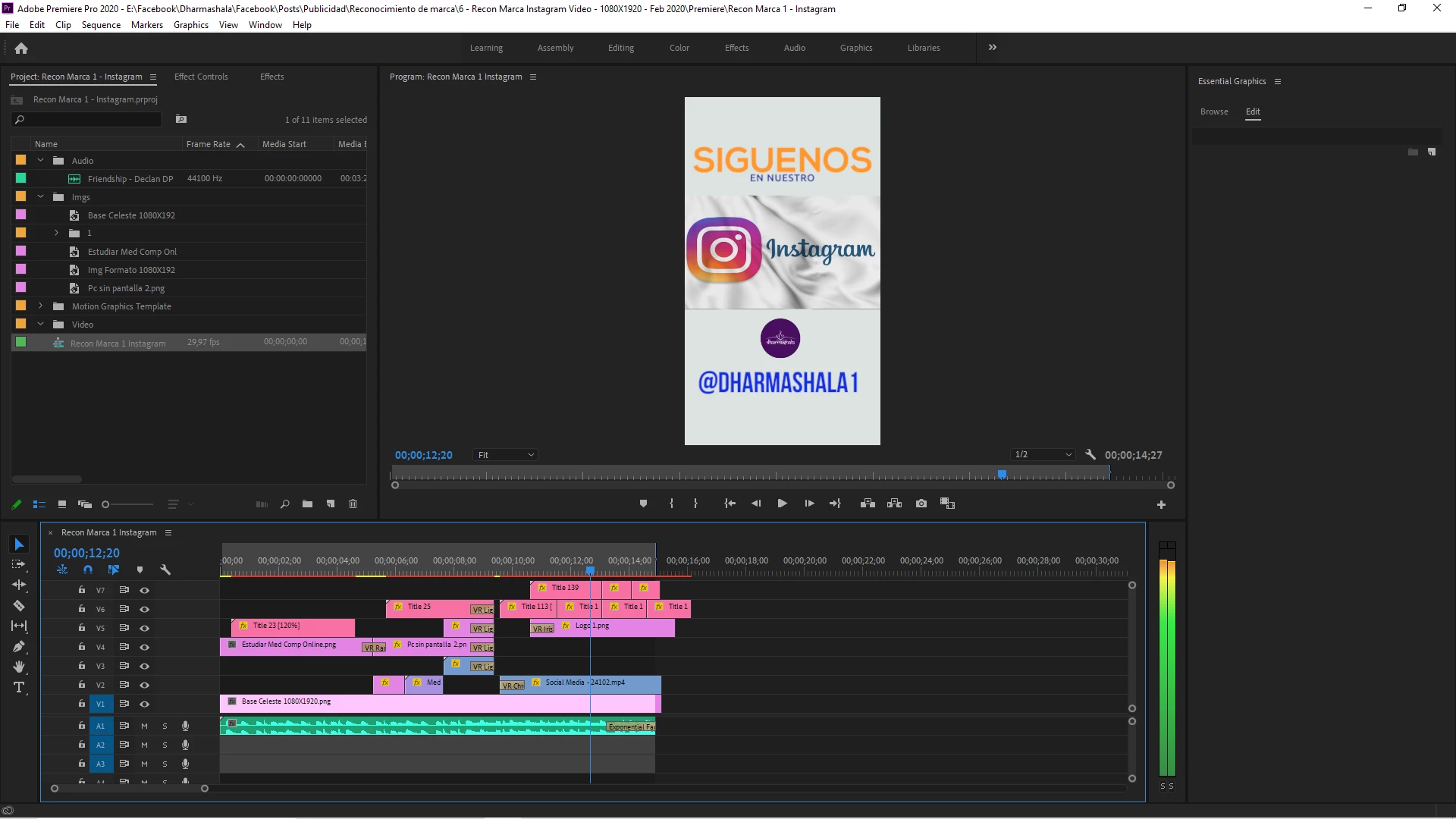
2- what it should be, it shows when i move the pointer in timeline, instagram img is an mp4 video and circle logo a png img worked at affinity photo.
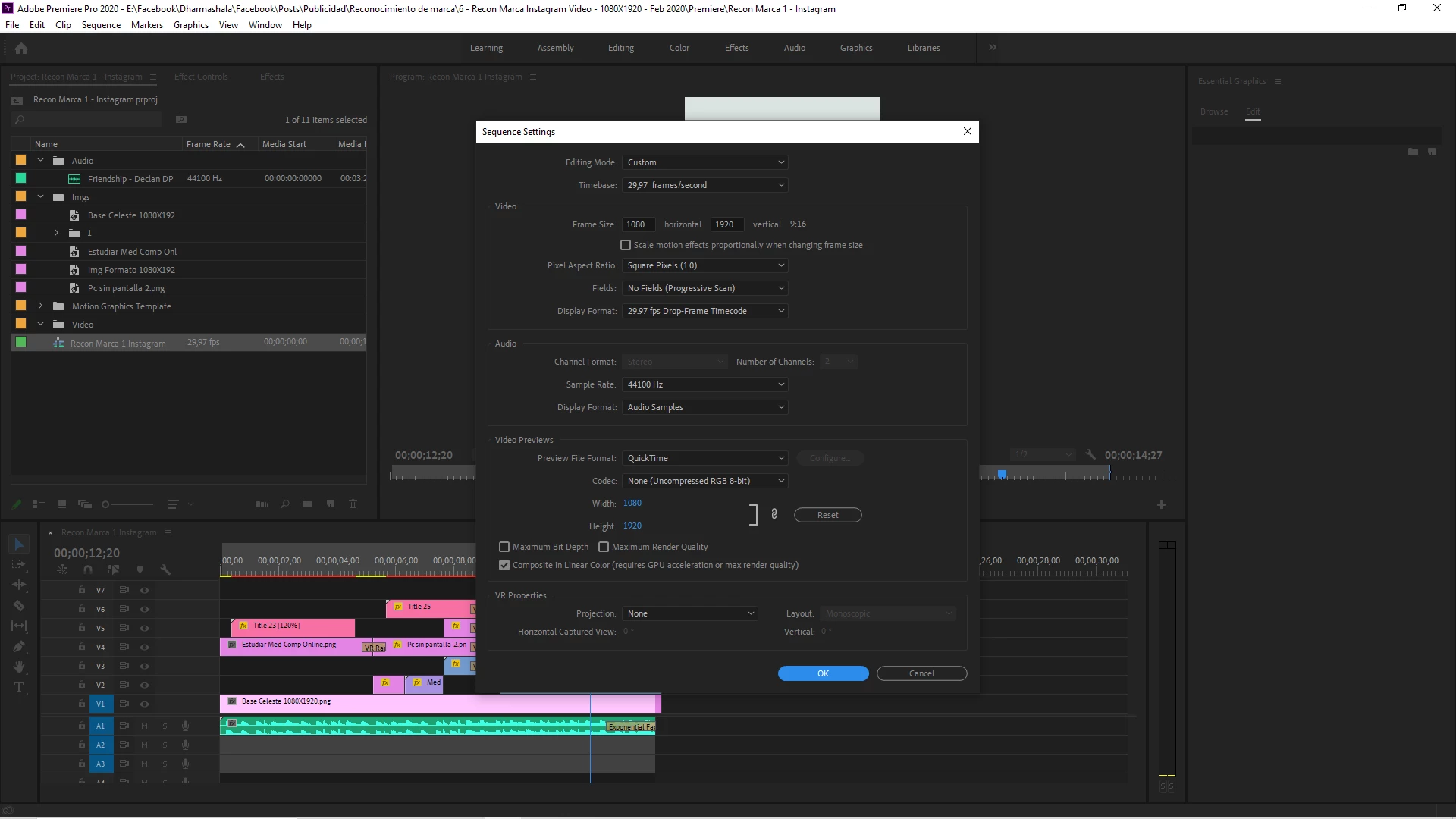
3- Sequence settings
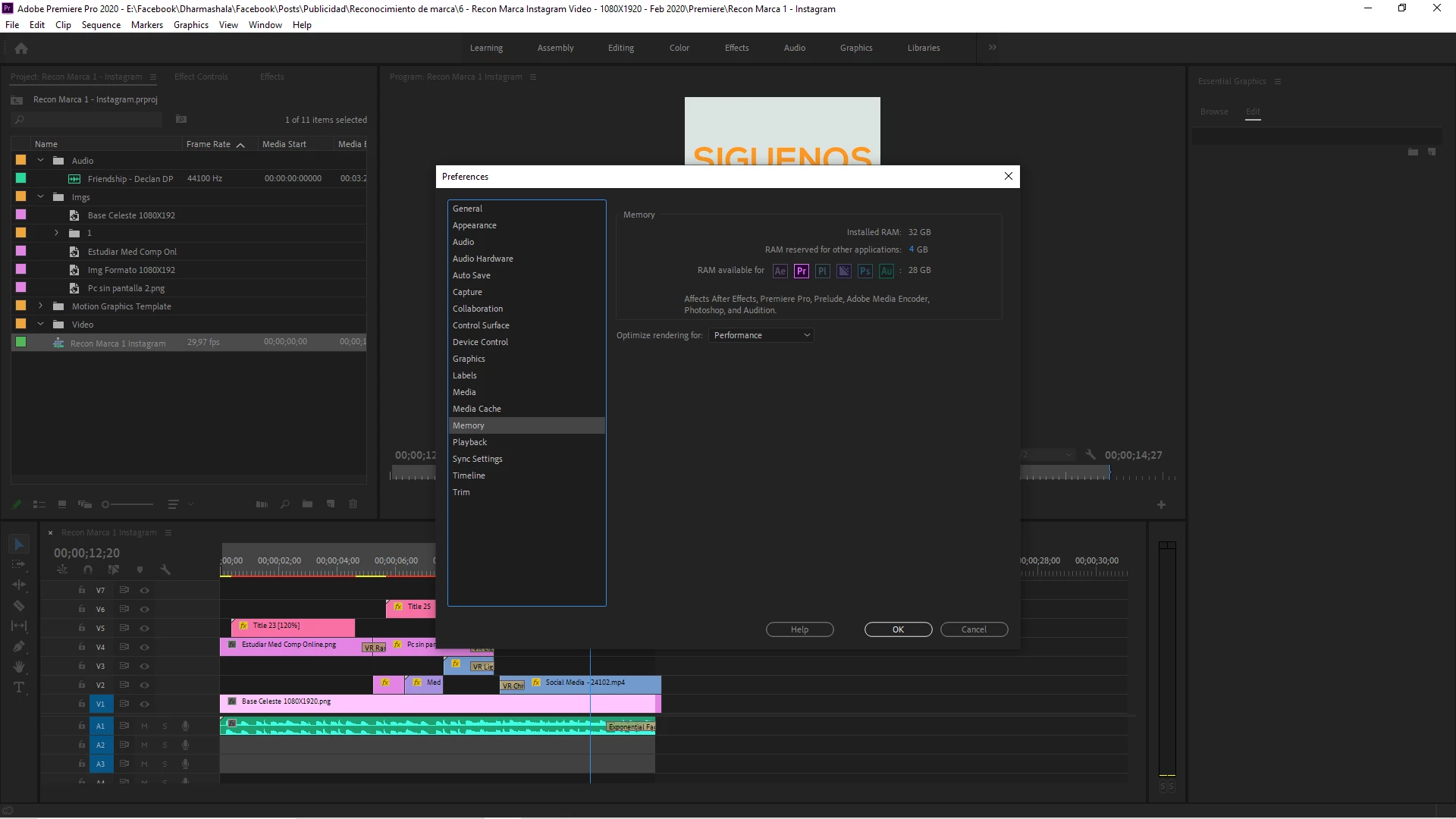
4- Memory settings are 
Im using the latest version of Premiere so, cant figure it out and i really need to solve this issue. Thanks for your suggestions in advance.

This topic has been closed for replies.

2 replies

Legend
February 26, 2020

if you don't already have it, get mediainfo

https://handbrake.fr

and drop a problematic file on it and tell us what the source specs are...

Participating Frequently
February 27, 2020

Thanks for your answers. Googling i found an answer that i've tried, to change the Renderer setting to Mercury Playback Engine Software Only and the images and video appeared, although when renderin some red warning about gpu needed so changed to Cuda render again and everything appeared in final render.

Im releived it has a solution, although it seems to me like a bug cause to turn thing off and on to be solved is quite not convincing.

Kevin-Monahan
Community Manager
Community Manager
February 26, 2020

A.

Sorry! Try copying clips into a new Timeline. That may work. Let me know if it did.


Thanks,
Kevin

Kevin Monahan - Sr. Community and Engagement Strategist – Adobe Pro Video and Audio