
Participant
July 24, 2019
Answered

Sony wh1000xm3b headphones

  • July 24, 2019
  • 1 reply
  • 3140 views

Hi!

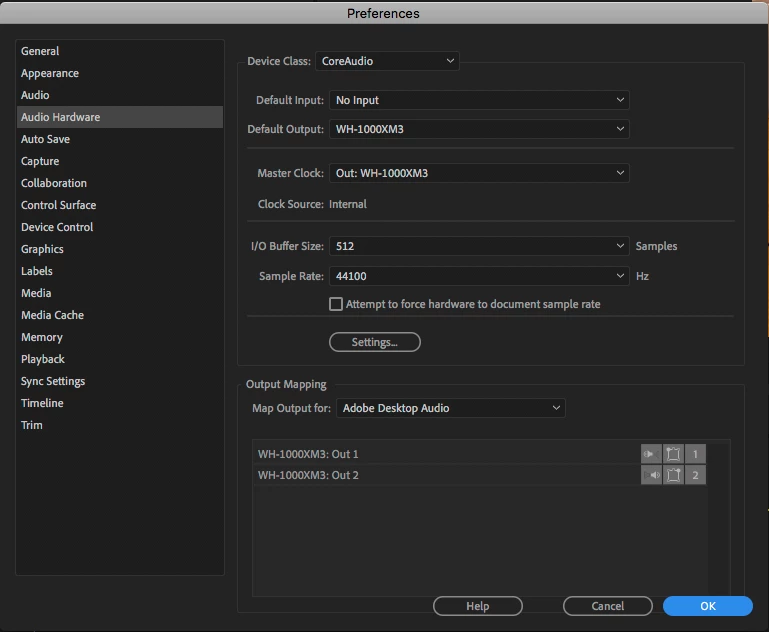
I just got these headphones and I'm noticing it's having an issue with Premiere Pro compatibility. Clicking on the program, it turns off the noise-cancelling features of the headphones and does not play the sound from the clips, just the ambient noise around me.

Has anyone else had issues like this?

[title edited by mod]
This topic has been closed for replies.
Correct answer khodgkin

Hi Sumeet!

I have tried disabling the noise cancellation and it's still not working.

I get an error that the sample rate is not supported by the current audio device.


I FIXED IT!!

1 reply

Community Manager
July 24, 2019

Hi khodgkin,

It could be a driver/firmware issue with the headphone. Have you tried disabling the Noise cancellation and then checked if it's working properly? Also, please check if the firmware needs to be updated on the headphone (https://www.sony.com/electronics/support/wireless-headphones-bluetooth-headphones/wh-1000xm3/downloads).

Thanks,

Sumeet

khodgkinAuthor
Participant
July 24, 2019

Hi Sumeet!

Thanks for replying, but it looks like that link is for updating firmware on mobile devices. Any suggestions for a desktop computer situation?

Thanks!

- Katie

Community Manager
July 24, 2019

Hi Katie,

According to Sony, updating the firmware on this headphone would require "Sony | Headphones Connect" application on an Android device (V5.0 or later) or an iOS device (iOS 10.0 or later). There is no option to update using a desktop application. Have you tried disabling the Noise cancellation to check if it's working properly?

Thanks,

Sumeet