
Answered
Sort files by type in Media Browser
In Adobe Premiere Pro CC 2018, is there a way to sort the files list by type in the Media Browser, similar to the way you can gruop together squences, audio, or video files in the Project panel?

In Adobe Premiere Pro CC 2018, is there a way to sort the files list by type in the Media Browser, similar to the way you can gruop together squences, audio, or video files in the Project panel?
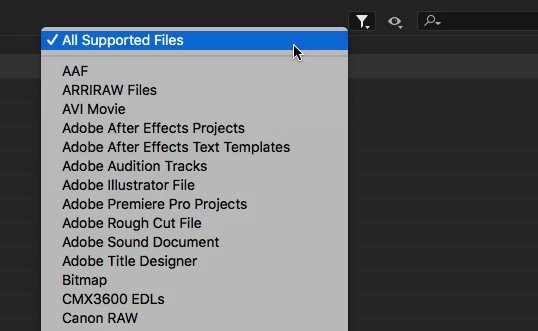
Looks like there is no way to sort by file type, However, you can filter by file type by clicking the funnel icon in the upper right (see below).
I think adding a File Type heading in the metadata display would be a good feature request: Feature Request/Bug Report Form
Already have an account? Login
Enter your E-mail address. We'll send you an e-mail with instructions to reset your password.
 AdChoices