
Source and Program window will not play footage at all
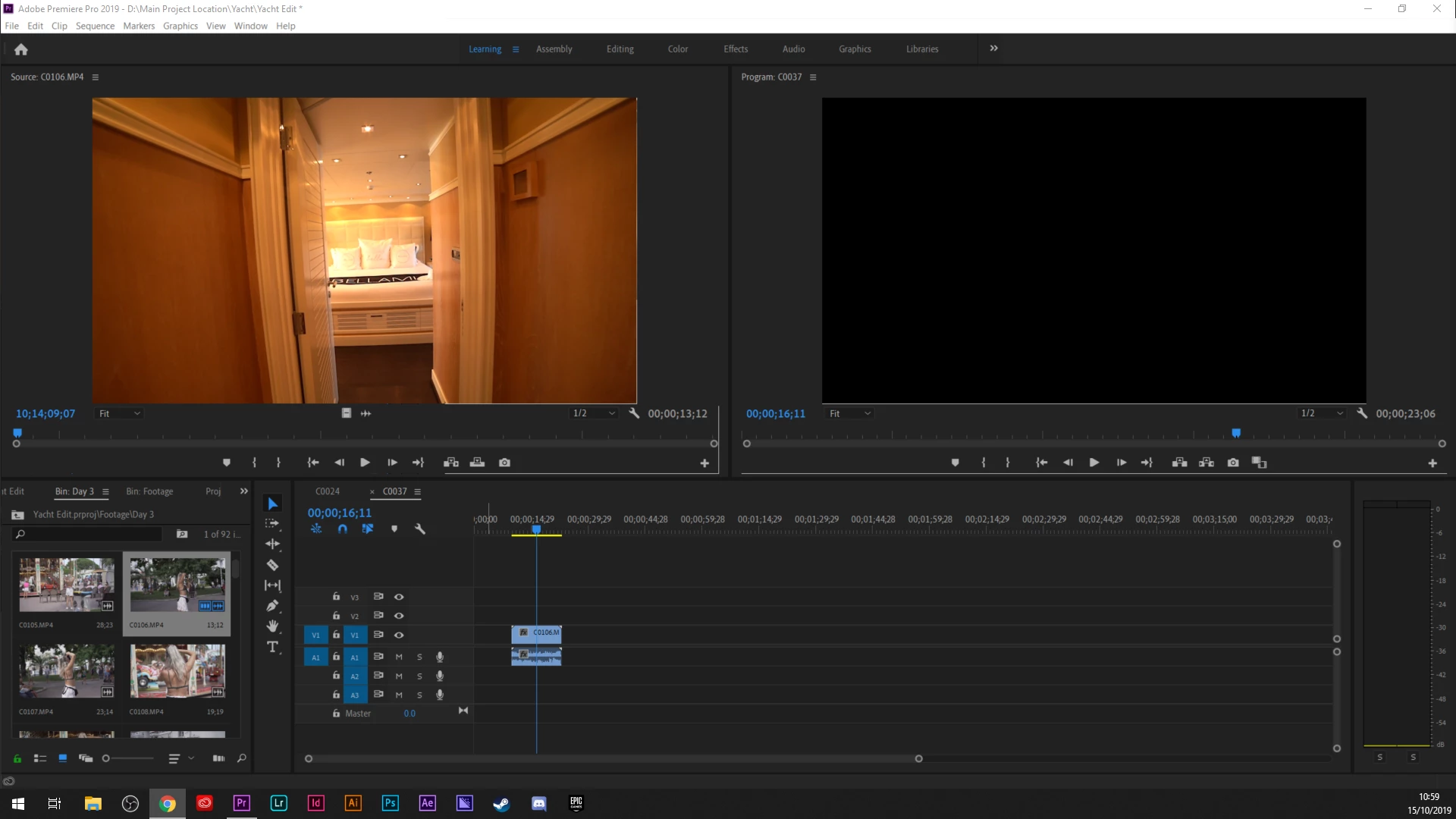
This problem is driving me absolutely insane. Whenever I try to work on this project, or any project, the source and program window will not show the footage. I can hear the audio, but the screen doesn't move. The timeline doesnt move. The audio plays but the audio bars are jittery and laggy. I've selected one clip in my folders but as you can see, the source window only shows one frame from a previous clip. Sometimes its grey. Sometimes its black.
I've tried changeing the renderer, I've tried resetting all the workspaces. I've updated my Nvidea drivers, I've reinstalled previous versions of the program, I've deleted updates to Windows, I've turned off Sync settings, I've check off importing workspaces, I've gone into the folder and change the Users profile to Old_ to reset it. It all helps for about 2 minutes and then the problem starts right back up.
What am I missing?
OS Name Microsoft Windows 10 Home
Version 10.0.18362 Build 18362
OS Manufacturer Microsoft Corporation
System Name LAPTOP-C98LUE3G
System Manufacturer ASUSTeK COMPUTER INC.
System Model Strix GL504GS_GL504GS
System Type x64-based PC
Processor Intel(R) Core(TM) i7-8750H CPU @ 2.20GHz, 2208 Mhz, 6 Core(s), 12 Logical Processor(s)
BIOS Version/Date American Megatrends Inc. GL504GS.307, 10/07/2019
NVIDIA GeForce GTX 1070
Installed RAM 16.0 GB
Adapter RAM (1,048,576) bytes
Driver Version 26.21.14.3186
 AdChoices