
Source Audio Patching Not Working? I'm confused!
Hey Premiere community, I've been using premiere for a long time, and have just started a new project and I'm hitting a wall that's completely throwing me. I'm certain it's got to be some button that got turned off somewhere, but after a bunch of research I'm coming up empty.
(latest version of Premiere, MacBook Pro M3 Max)
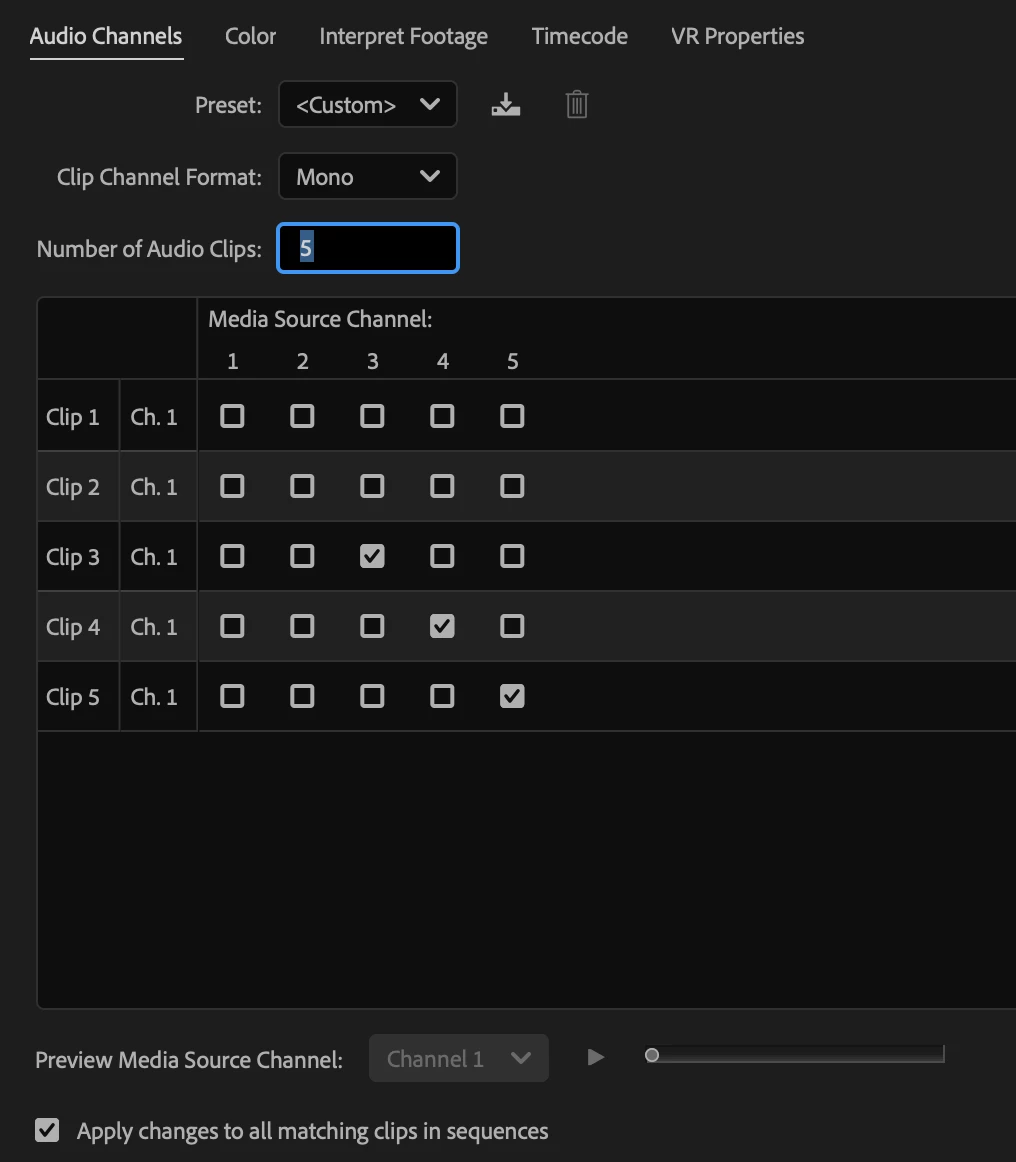
I've prepped all my dailies as I usually do, merged the production audio with the camera dailies and created clips in the media bin that usually have 5 tracks of mono audio. 2 from the camera, and then a boom and 2 lavs. In the media bin, I've used Modify Clip Audio to turn off the camera audio, leaving me with tracks 3, 4 and 5:
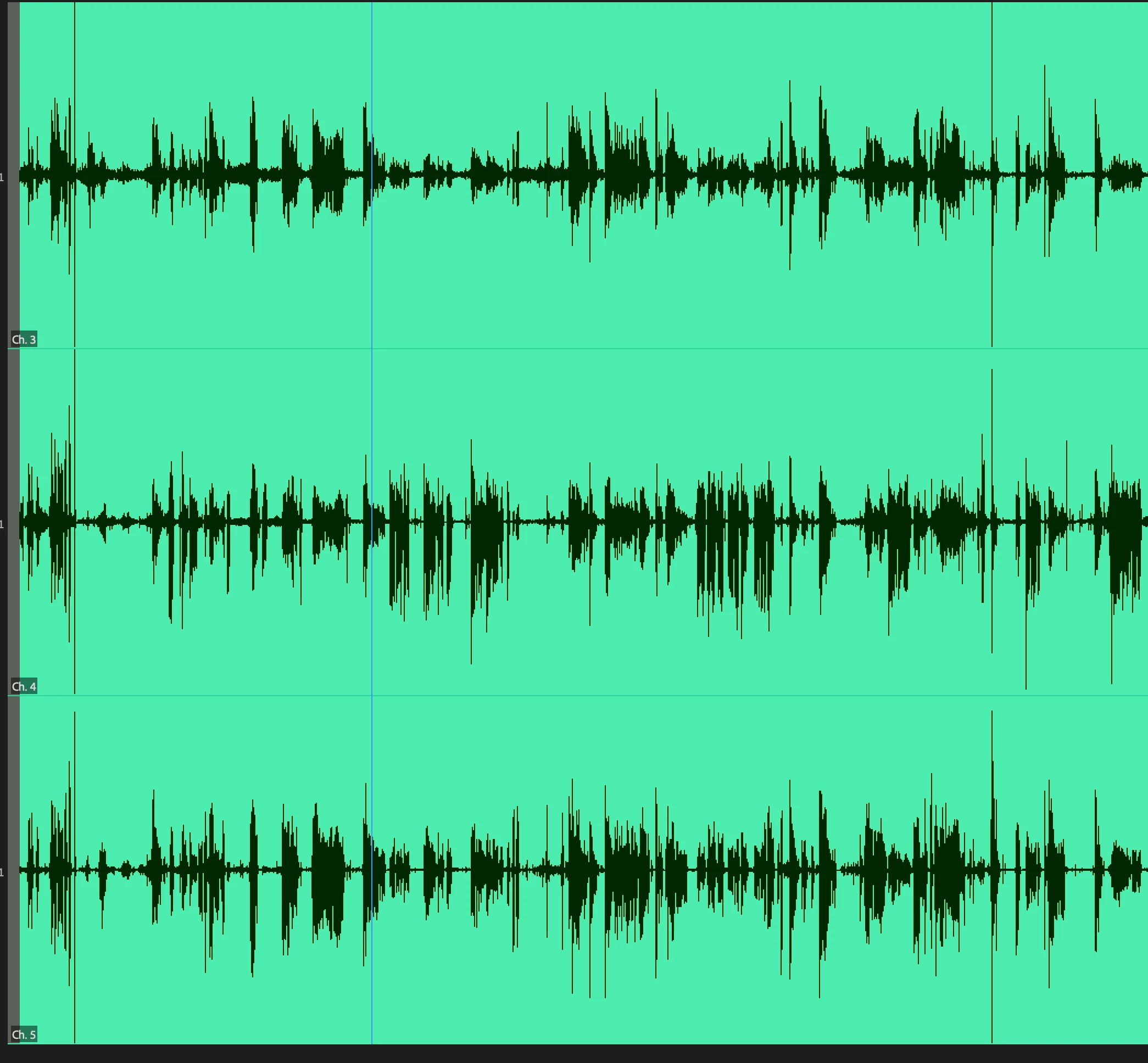
I've set my IN and OUT in the Source monitor, which shows 3 tracks of mono audio:
Then I remap and select which tracks I want to go into the timeline when I drag the selected clip in, so I drag the clip in and THIS happens:
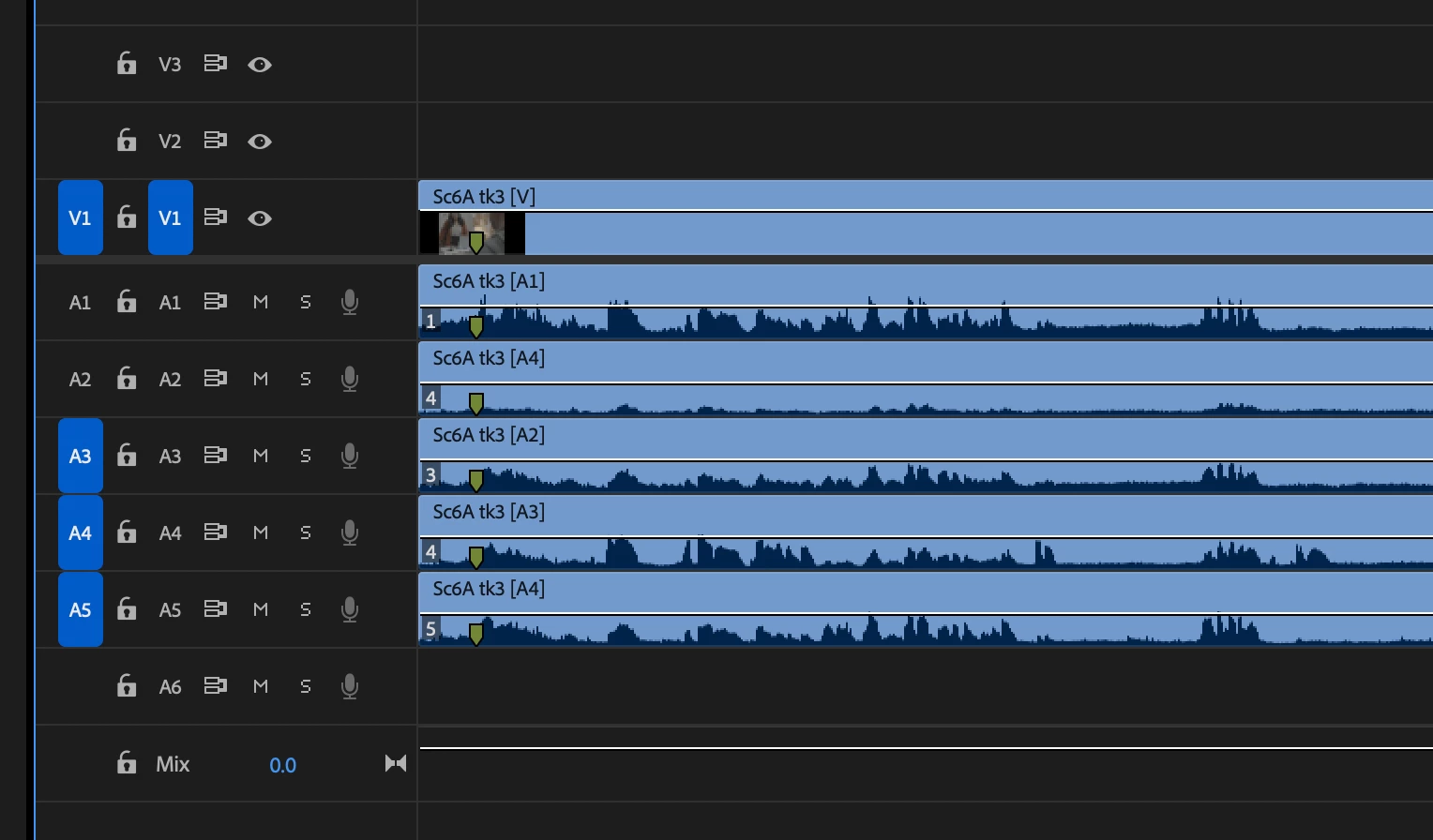
It's not just dragging the sound source tracks I've selected, it's pulling all 5 tracks out, even though I turned tracks 1 and 2 off.
If it hit the PERIOD button, it inserts correctly -- but NOT if I drag my clip from the source monitor OR the media bin:
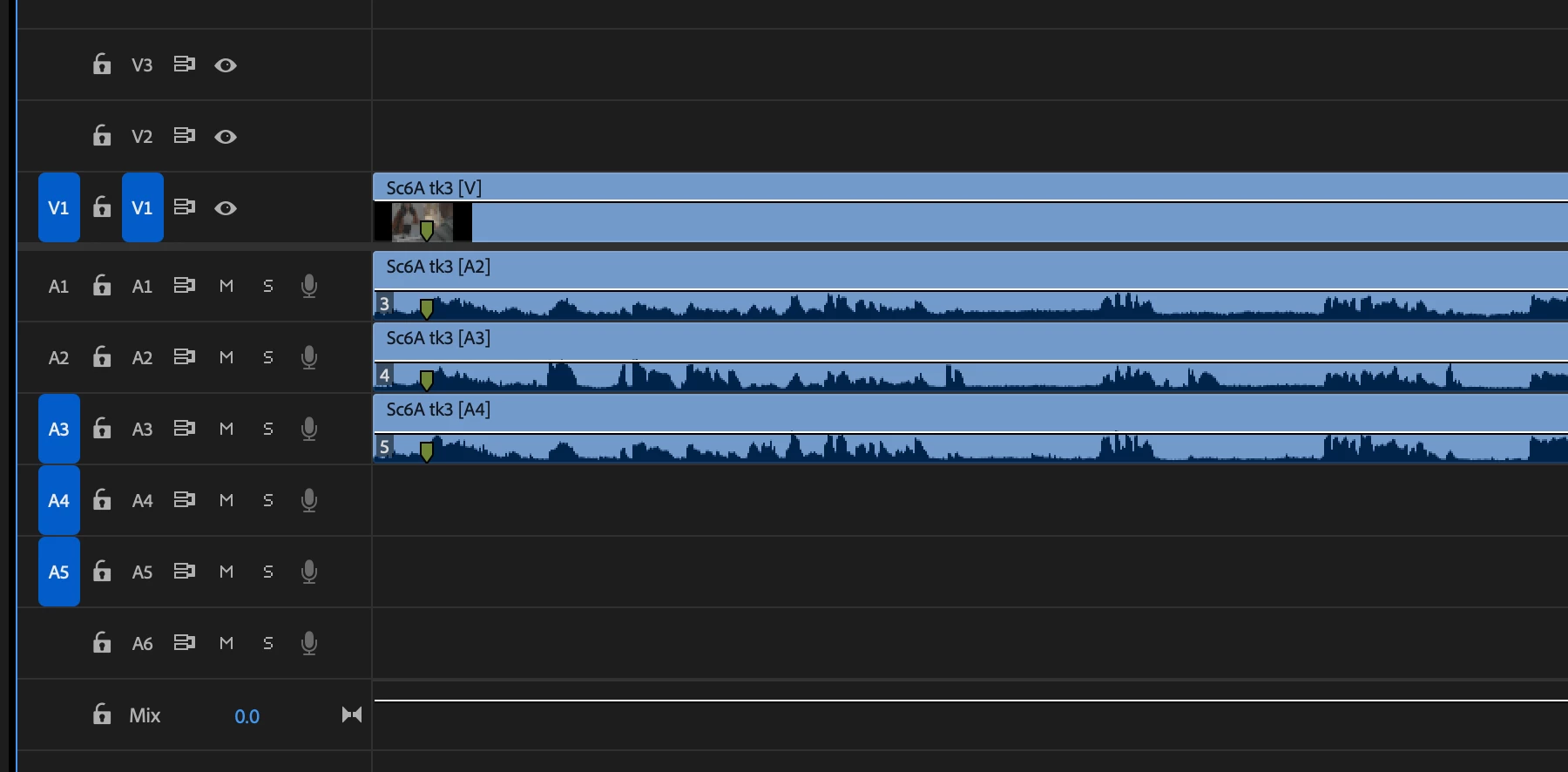
If I go deeper, and I remap 3, 4, and 5 to appear on A1, A3, A3 -- it gets weirder (this only happens when I hit the PERIOD button, drag and drop still pulls in all 5 audio tracks no matter what I have selected with the source patching buttons).
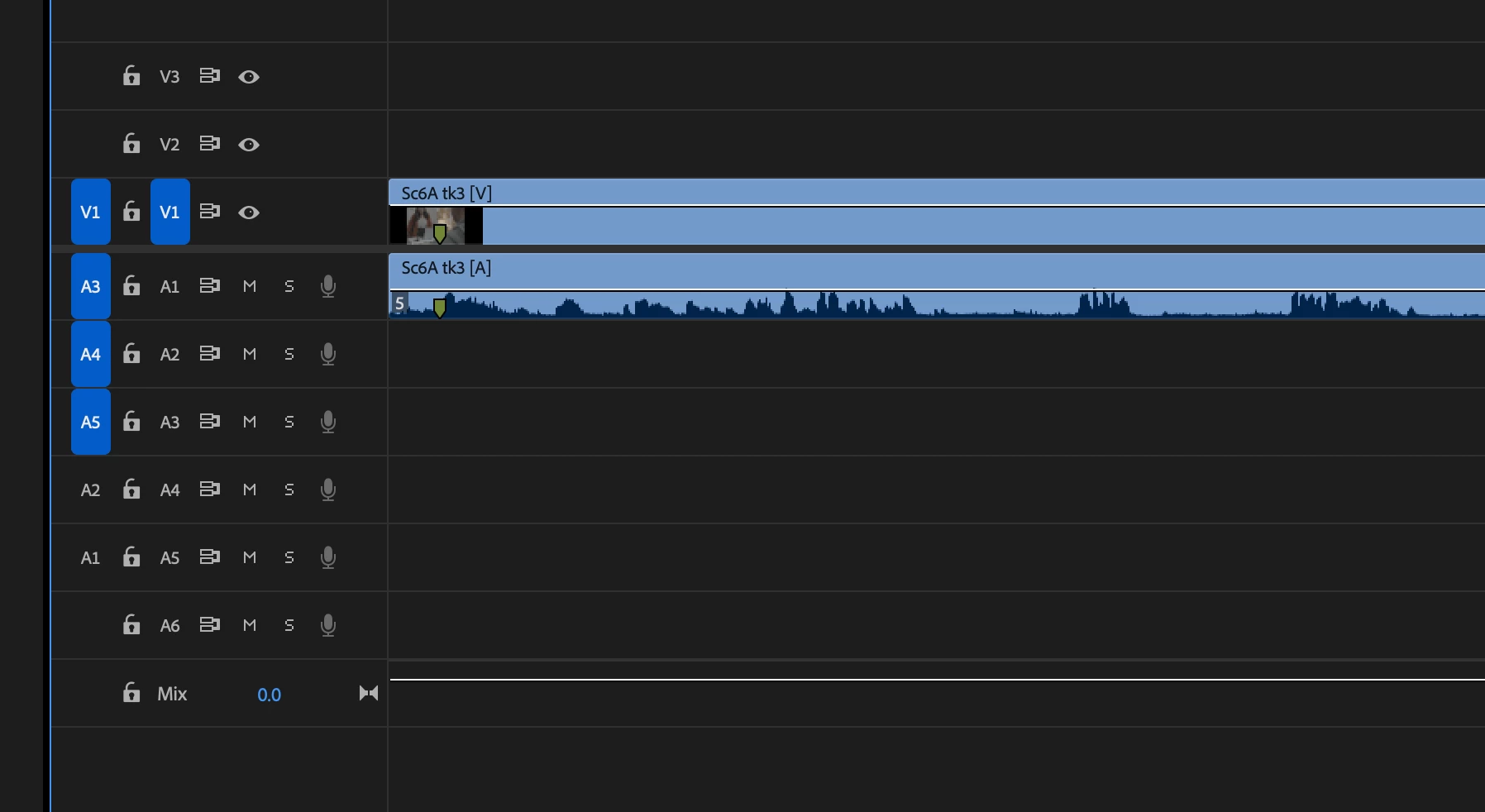
This could totally be something I'm doing wrong, but I've been cutting projects for years using this exact workflow, and it has never been a problem until now...
I can use the PERIOD button for now, but anyone have any ideas??
Thank you!!
Josh


 AdChoices