
Source monitor is blocking timecode, playhead, marker button, settings, etc.
So I've been having this issue for a while now, sometimes it corrects itself when I restart the program and other times it does not. It's to the point that I had to just post this because I'm tired of it.
Only in my source monitor:
The video and zoom bar somehow block my timecode area, playhead, markers, settings, and everything else in that area. I've tried resizing it, resetting to default layout, restarting the program, closing the panel, messing around with the panel settings to no avail.
Here is an image of what it looks like:
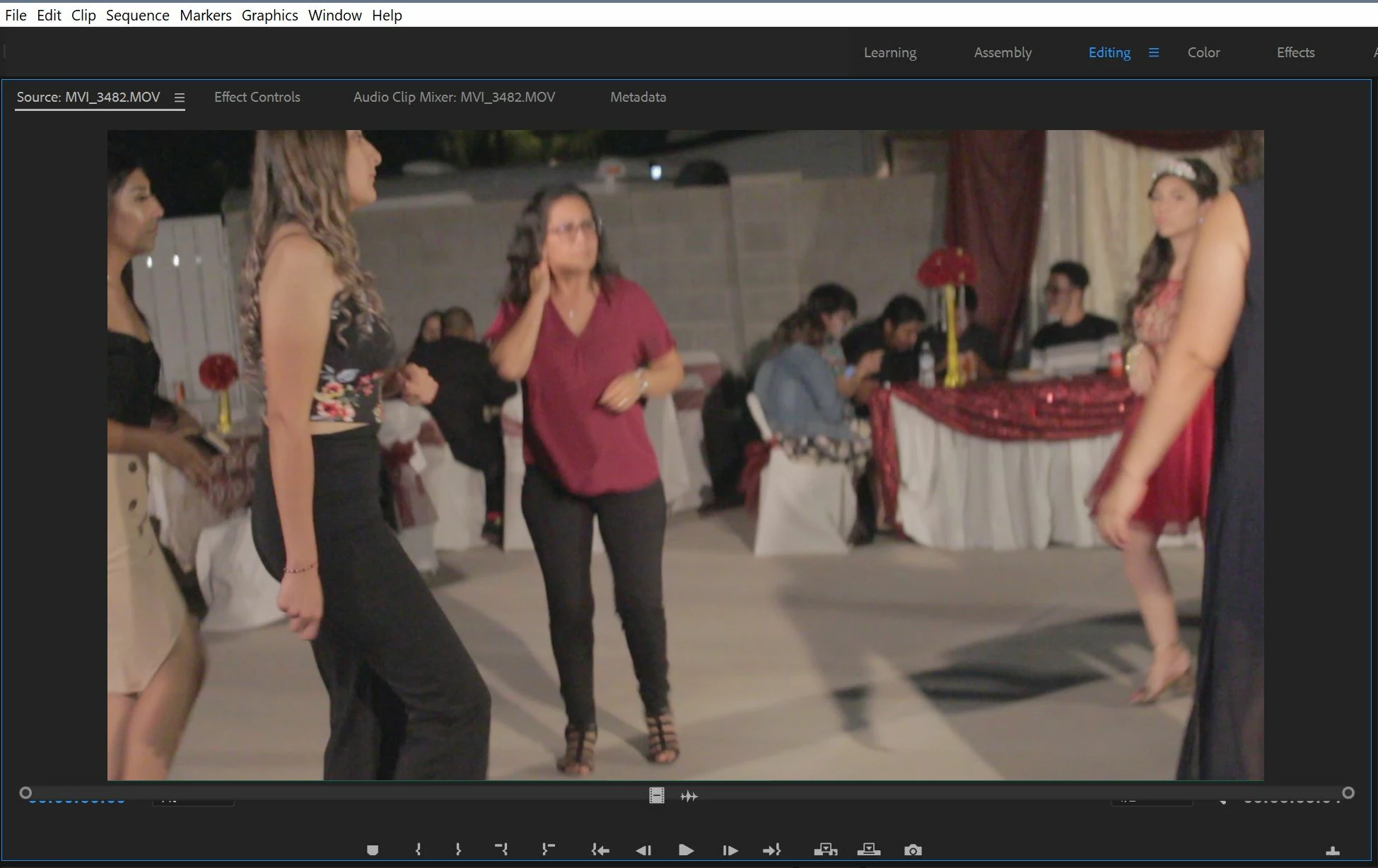
Here is a close up of the source monitor and program monitor side by side:

I'm using Premiere CC 2018 v12.1.2 on Windows 10
If anyone else has experienced this issue any feedback or suggestions would be greatly appreciated!
Thanks.


 AdChoices