
Participating Frequently
September 23, 2025
Answered

Speeding up the workflow with script - API failed

  • September 23, 2025
  • 2 replies
  • 311 views

I surrender. I wasted almost 10 hours on chatting with chat GPT to create simple script to speed up my workflow (in my opinion simple, I'm not a programmer) to finally read that it's not possible beceause of API. Maybe some of You will have an idea how to workaround that.


But let's start from the beginning


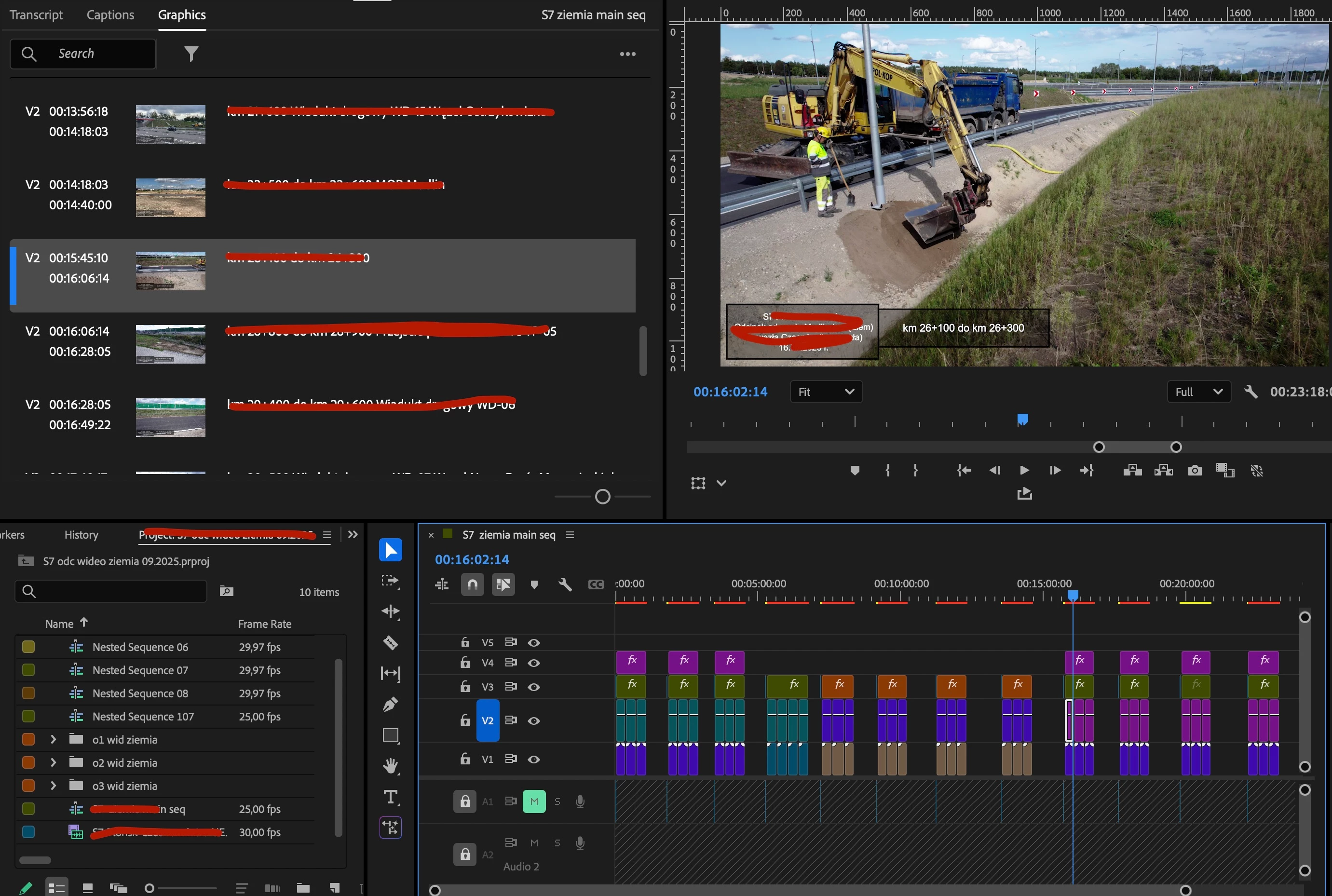
I do video documentations on constuction sites, every month, couple of investments. These videos are practically the same, the only difference is to replace video clips with up to date clips and edit a graphic/text with an annotation what we see it the picture. No rocket science, base editing, very repetitive easy steps. So I wanted to create a script which could help me with 2 things:

1. Matching existing text/graphics length to the video clips length - I always open previous file, delete old videos, import and draag to timeline new ones and then have to adjust the text length to the video clips,

2. Second part is updating the existing texts to new one - here I came up with an idea that new text above the clip could literally be a video clip name, so script could take na video file name, and paste it (replace the old text) in to the graphic/text located directly above the video clip.


About the first one - I tried to write a script which adjusts the length of existing texts to the video located below on track Video 1. But as GPT said - API doesn't allow it. So I tried to make a script which duplicates the one existing text until it meets last video clip below, but also API doesn't allow it. So I gave up. According to gpt there is a limitation in API with using graphic/text.


About the second one - the idea was to updating the existing text on track 3 with the clip name located below on track 1 - and of course API doesn't allow that. So maybe mogrt? I also tried that (converting my text to mogrt), and again the problem is API, because it's not possible to import mogrt to project window - it goes to local templates folder, and API can't "put it" on the timeline from there :///


Maybe I'm totally wrong how to achieve the effect, I hope I described it in the right way 🙂 If some of You have an idea how to solve it it would be great.


My noob-not-a-programmer question could be "Is that API allows whatever?" if there's such a problem with a simple things... 😉

I work on Macbook M3 Max, latest IOS, PPro v. 25.5
Correct answer bbb_999

>I tried to write a script which adjusts the length of existing texts to the video located below on track Video 1. But as GPT said - API doesn't allow it.

As is often the case, ChatGPT is wrong. 🙂

You say you tried; what, specifically, did you try? It is possible to adjust the start/end times of trackItems.


>Second part is updating the existing texts to new one

The PProPanel sample shows how to change the text of a .mogrt.

2 replies

bbb_999
Community Manager
bbb_999Community ManagerCorrect answer
Community Manager
September 24, 2025

>I tried to write a script which adjusts the length of existing texts to the video located below on track Video 1. But as GPT said - API doesn't allow it.

As is often the case, ChatGPT is wrong. 🙂

You say you tried; what, specifically, did you try? It is possible to adjust the start/end times of trackItems.


>Second part is updating the existing texts to new one

The PProPanel sample shows how to change the text of a .mogrt.

Participating Frequently
September 29, 2025

Thank You for a response. That helped me a lot, but only with the first part. Script works great if we are talking about importing MOGRT file and setting the start/end position. Unfortunatelly updating the texts as You described doesn't work. GPT still says that "Adobe Premiere’s ExtendScript API does not allow direct access to the Essential Graphics panel or all text fields inside MOGRTs in the timeline in real-time" and "attempting to automatically update MOGRT text fields for all clips in the timeline is impossible using only ExtendScript in Premiere."

I tried to open the MOGRT file created and saved in Premiere pro in After effect, but when opening it and try to extract there is an error "The file may have been saved by premiere pro or it may be damaged"

Little summary from chat:

Here’s a summary of the methods we tried to update text in the imported MOGRT file:

  1. Using getMGTComponent() + setValue()

    • Attempted to access the MOGRT component immediately after import and set the "Source Text" parameter using setValue(clipName).

    • Issue: This often fails because Premiere doesn’t always expose the parameter immediately or the parameter type may not accept setValue().

  2. Using getMGTComponent() + setValueAsString()

    • Some MOGRTs require setValueAsString() instead of setValue() to update a TextDocument-type parameter.

    • Issue: Still didn’t work for all MOGRTs, likely because Premiere doesn’t fully load the component before updating, or the MOGRT structure is incompatible.

  3. Conditional check on text content

    • Checked if the current text contained "km" before updating it.

    • Issue: Even when the condition was true, setValue/setValueAsString had no effect on the actual MOGRT in the timeline.

  4. Considered using the Essential Graphics / Text Panel directly

    • Idea: Open the panel and update the text fields programmatically.

    • Issue: Premiere’s ExtendScript API does not allow direct access to the Text Panel or batch editing of text fields in existing MOGRTs on the timeline.

bbb_999
Community Manager
Community Manager
September 29, 2025

> ""Adobe Premiere’s ExtendScript API does not allow direct access to the Essential
> Graphics panel or all text fields inside MOGRTs in the timeline in real-time"


True, though I don't think anyone's every claimed real-time .mogrt updates...

"attempting to automatically update MOGRT text fields for all clips in the timeline is
> impossible using only ExtendScript in Premiere."


Demonstrably false; such workflows are in use at dozens of companies (based on the same example code you've seen work).


>This often fails because Premiere doesn’t always expose the parameter immediately
> or the parameter type may not accept setValue().


I'm not sure in what way "immediately" is impacting your workflow(?). The parameter is exposed for manipulation, as soon as it's added. Only parameters exposed by the .mogrt creator as editable, will accept new values. 


>Still didn’t work for all MOGRTs, likely because Premiere doesn’t fully load the

>component before updating, or the MOGRT structure is incompatible.

As above; the component is fully loaded before the ExtendScript call returns. And yes, as you've noted, you would need to use a setValue() call appropriate to the param type. 

Kevin J. Monahan Jr.
Community Manager
Community Manager
September 23, 2025

Hi,

Thanks for the message. I tagged your post with the "SDK" label. That should bring a qualified person here to answer the question. Sorry for the wait. I hope we can help you soon.


Thanks,
Kevin


Kevin Monahan - Sr. Community and Engagement Strategist – Adobe Pro Video and Audio