Participant
May 5, 2021
Question

SRT file not reading

  • May 5, 2021
  • 1 reply
  • 5538 views

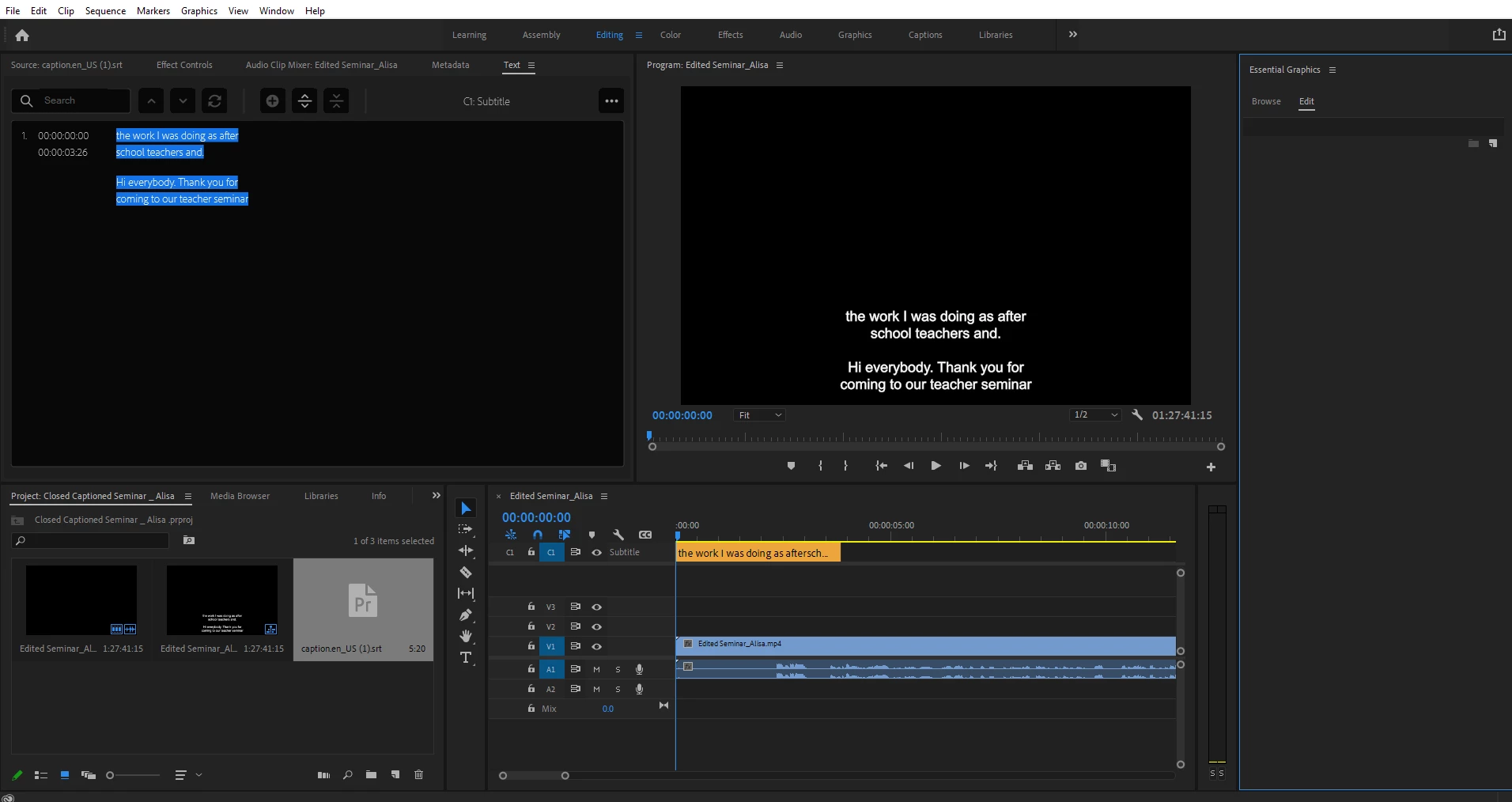
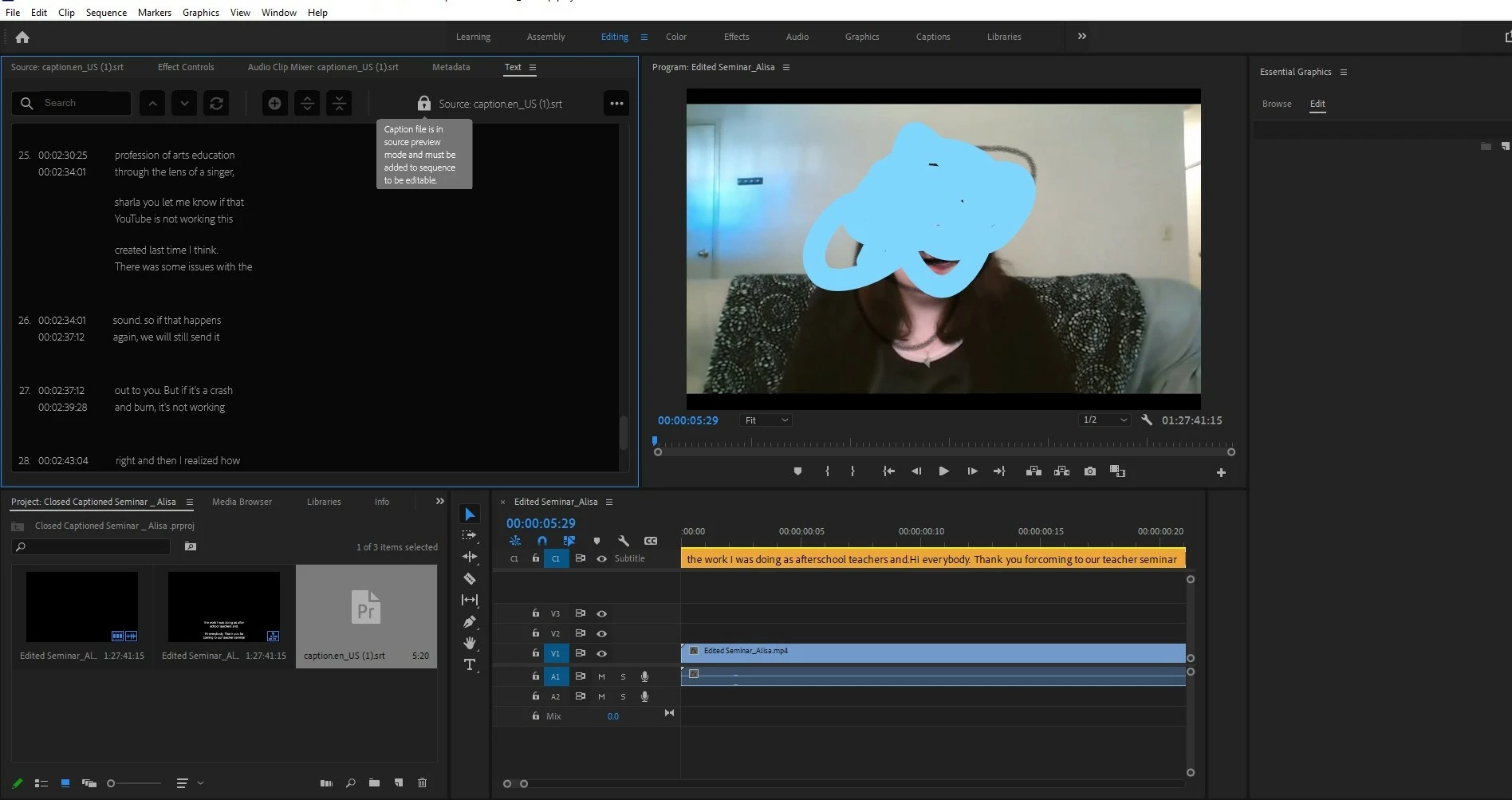
Hi Everyone, I need some help getting an srt file to show up properly on my video. It looks fine but as soon as I hit play it only shows about three seconds of closed captions. I am brand new to premiere pro so i've been trying to youtube a solution for this but i'm pretty lost on how to make this work. It looks like my biggest issue is the caption file is in source preview (the lock icon)? I downloaded the srt file from facebook because this is a pretty lengthy video,  the srt file I have input here is the first four minutes  (surprisingly no issues with the rest of the CC that I had to download separately ) All suggestions welcome!


This topic has been closed for replies.

1 reply

Stan Jones
Community Expert
Community Expert
May 5, 2021

You probably imported the srt through the Media Browser or draggin to the Project Panel. That does not associate it with a sequence. Is it the file used to create the captions on the timeline?


In any event, you can avoid the lock by creating your sequence, then open the Text (captions) Panel, and use the "Import captions from file" button to import the srt. It will prompt you for the type of caption stream.


You do not have closed captions; you have a "subtitle" stream. That should not cause any problem - it depends on your final product as to what you need.


It is not good subtitling practice to put so much text on the screen at once (your 6 lines on the screen for 3 seconds). If you are typing these or copy/pasting them, use the new caption button to add a new caption segment for each 2 lines.


But none of these issues should prevent you seeing the subtitles that are in the stream you have added to the timeline.


Stan


Participant
June 3, 2021

Hi there, 


I'm having this same problem. I've used your work around, but am still unable to get the captions to populate past the ~1 minute mark. Are there other work arounds we can try? 


Thank you!


-Ashley 

Stan Jones
Community Expert
Community Expert
June 3, 2021

Ashley,


Which specific version of PR?


Can you post screenshots of the Text (Caption) Panel, the Timeline,and the Program Monitor?


Also, how are you importing/creating the captions? Describe the steps.


Stan