dilanig9501563
Participant
March 3, 2018
Answered

Start up error 'could not find user document directory'

  • March 3, 2018
  • 6 replies
  • 4840 views

Hi there,

I just installed the paid version of Premiere Pro, but when I open it I get the following error. Does anyone know how to fix it?
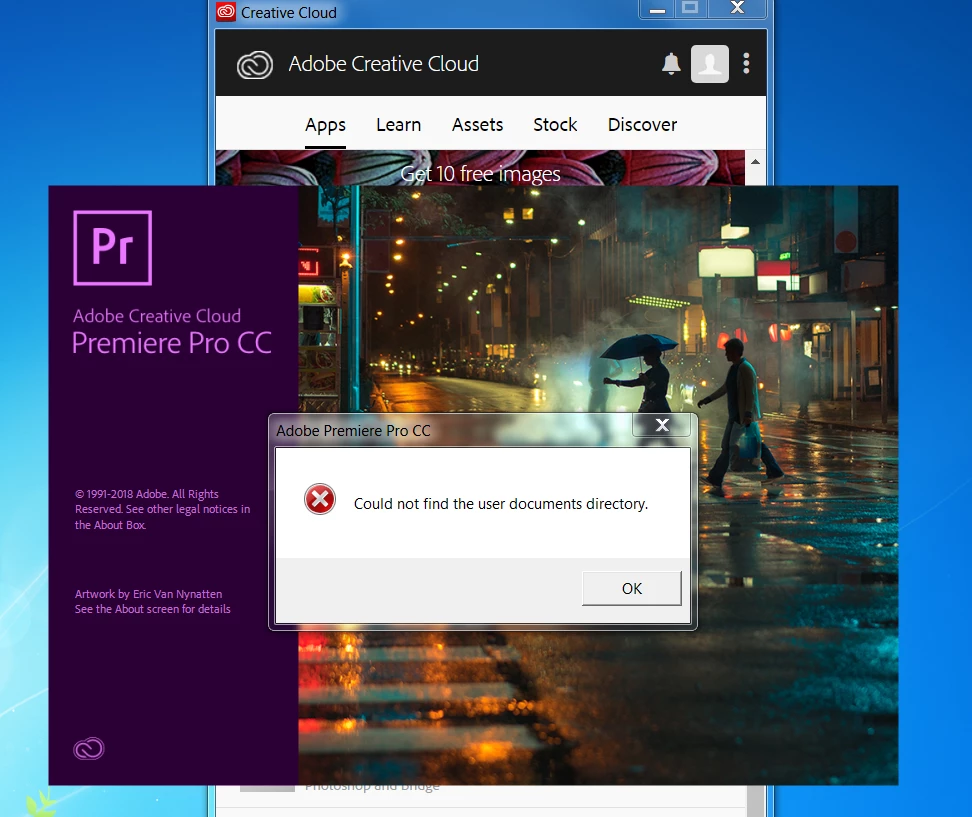
    This topic has been closed for replies.
    Correct answer dilanig9501563

    Hi Kevin,

    Our IT team managed to solve it. Thanks

    Dilani

    On Sat, 31 Mar 2018, 1:42 PM Kevin-Monahan, <forums_noreply@adobe.com>

    6 replies

    dmitriypo
    Participant
    March 31, 2018

    Find librares on your pc and with right clik choose "restore default libraries"

    dmitriypo
    Participant
    March 31, 2018

    All your library files like pictures, videos and other must be located on disk c/user

    Kevin-Monahan
    Community Manager
    Community Manager
    March 31, 2018

    Hi DilaniG,

    Are you still experiencing this issue or have you solved it? Please let us know.

    Thanks,

    Kevin

    Kevin Monahan - Sr. Community &amp; Engagement Strategist – Pro Video and Audio
    dilanig9501563
    dilanig9501563AuthorCorrect answer
    Participant
    March 31, 2018

    Hi Kevin,

    Our IT team managed to solve it. Thanks

    Dilani

    On Sat, 31 Mar 2018, 1:42 PM Kevin-Monahan, <forums_noreply@adobe.com>

    Inspiring
    June 11, 2018

    Can you tell up HOW they solved it?

    DrycreekDesign
    Participating Frequently
    March 6, 2018

    I have this issue also on a work laptop that has our files on a network.  Photoshop, Indesign, & Illustrator all launch fine.  I get the error about not finding user documents directory for Premier and Character Animator.  Tried the Adobe Chat with no luck and also turning off Windows Defender, and running as an administrator.  I cannot create another profile for the laptop.  How can I get the program to store files on the local drive rather than the network?

    Legend
    March 7, 2018

    Step 3G from the Troubleshooter will do it.

    DrycreekDesign
    Participating Frequently
    March 7, 2018

    I don't have a choice but to use my network login on this laptop and I wanted to use it since it has the webcam for animator.  Is there a way to get it to install to the c drive rather than using network?

    Legend
    March 5, 2018

    Perform Steps 3D, G and H below.

    Unofficial Premiere Pro Troubleshooting Guide

    If that didn't work, keeping those steps in place, next try Step 3F.  If still no joy, try 3E.

    Bani Verma
    Community Manager
    Community Manager
    March 5, 2018

    Moving this to Premiere Pro CC​ community.

    Govardhan.V
    Participating Frequently
    March 3, 2018

    Create a shortcut of Adobe Premiere Pro on Desktop.

    Right click and " Run as Administrator "  and check.

    Participant
    December 5, 2022

    This does not work